455DME Special Effect Operations
Chapter 11 DME Operations
a) For the All adjustment, the value for Left is shown.
5
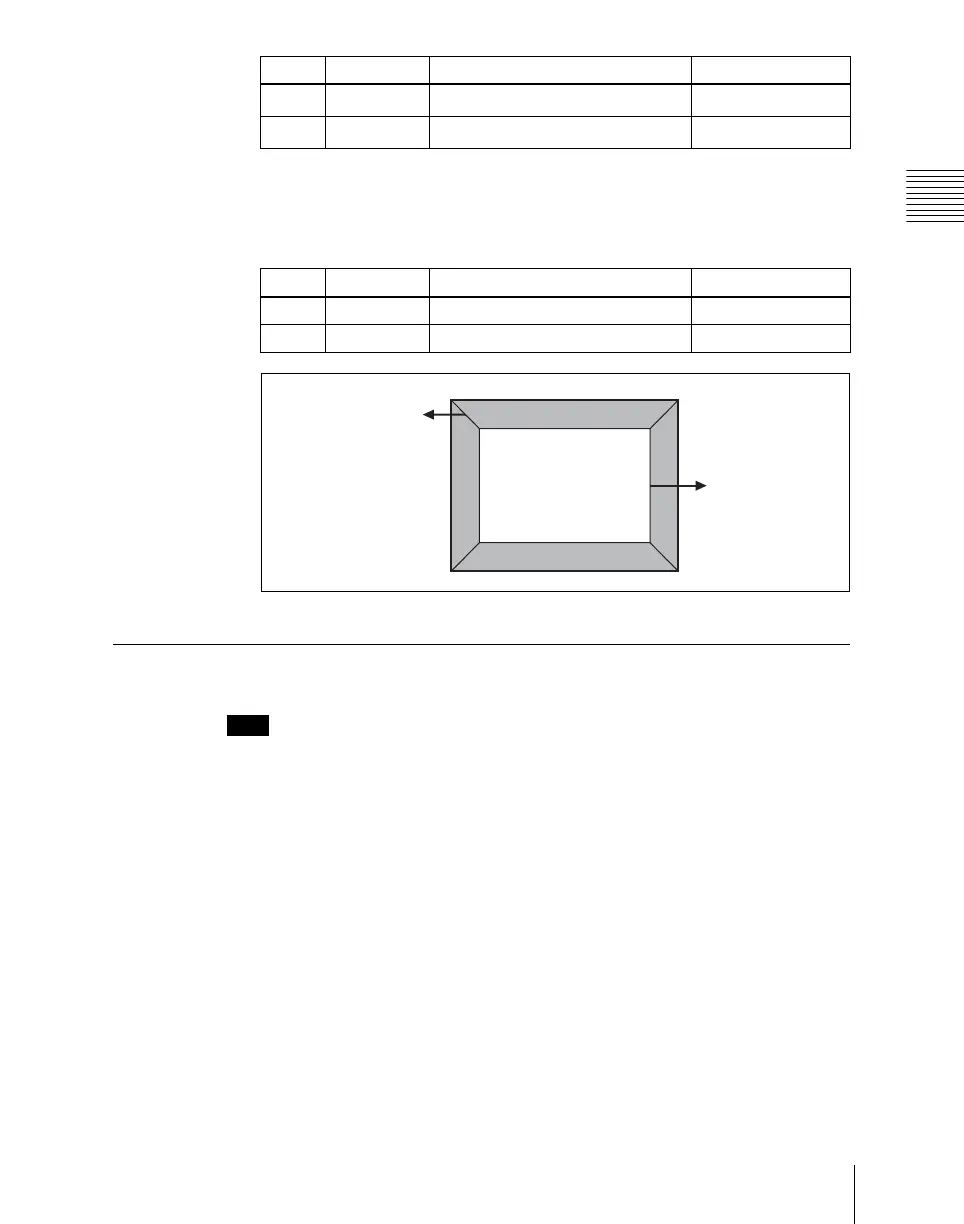
To soften the inside of the edges and the boundaries between adjacent
edges, turn on [Edge Soft], and adjust the following parameters.
Key Border Settings
Note
The Key Border function is not supported on the MVE-8000A.
Applying key borders
1
In the DME menu, select VF1 ‘Edge’ and HF3 ‘Key Border.’
The Key Border menu appears.
2
Press [Key Border], turning it on.
This enables key borders, and you can now use the knobs to adjust the
parameters.
2 Saturation Saturation
0.00 to 100.00
a)
3Hue Hue
359.99 to 0.00
a)
Knob Parameter Adjustment Setting values
Knob Parameter Adjustment Setting values
1 Inner Soft Softness of the inside of edges 0.00 to 100.00
2 Bound Soft Softness of the edge boundaries 0.00 to 100.00
Bound Soft
Inner Soft













 To Next Page