Chapter 20 Switcher Setup (Switcher)
942
Settings for Switcher Configuration (Config Menu)
• DME Config: Set the DME channel assignments used on the individual
M/E and PGM/PST banks.
• Side Flags: Make settings relating to the side flag function (inserting a
selected image on both sides of a 4:3 image).
Adjusting the Reference Phase
To adjust the switcher internal reference phase, in the Switcher >Config menu,
set the following parameter.
Specifying the Video Switching Timing
1
In the Switcher >Config menu, press [Switching Timing].
The Switching Timing menu appears.
2
Select any of the following.
Any: Not specified
Field 1: Field 1 (odd fields)
Field 2: Field 2 (even fields)
Setting the Operation Mode
In the <M/E Config> group of the Switcher >Config menu, select the operation
mode for each M/E or PGM/PST bank from the following.
• Standard mode
• Multi Program mode
• DSK mode (PGM/PST only)
For details of the modes, see the explanation of the M/E Config function (page
941).
Note
When Multi Program mode is selected, two or more transition type indication
may light. It is also possible that more than one “Transition Type” has been
selected in the Misc >Transition menu for each M/E.
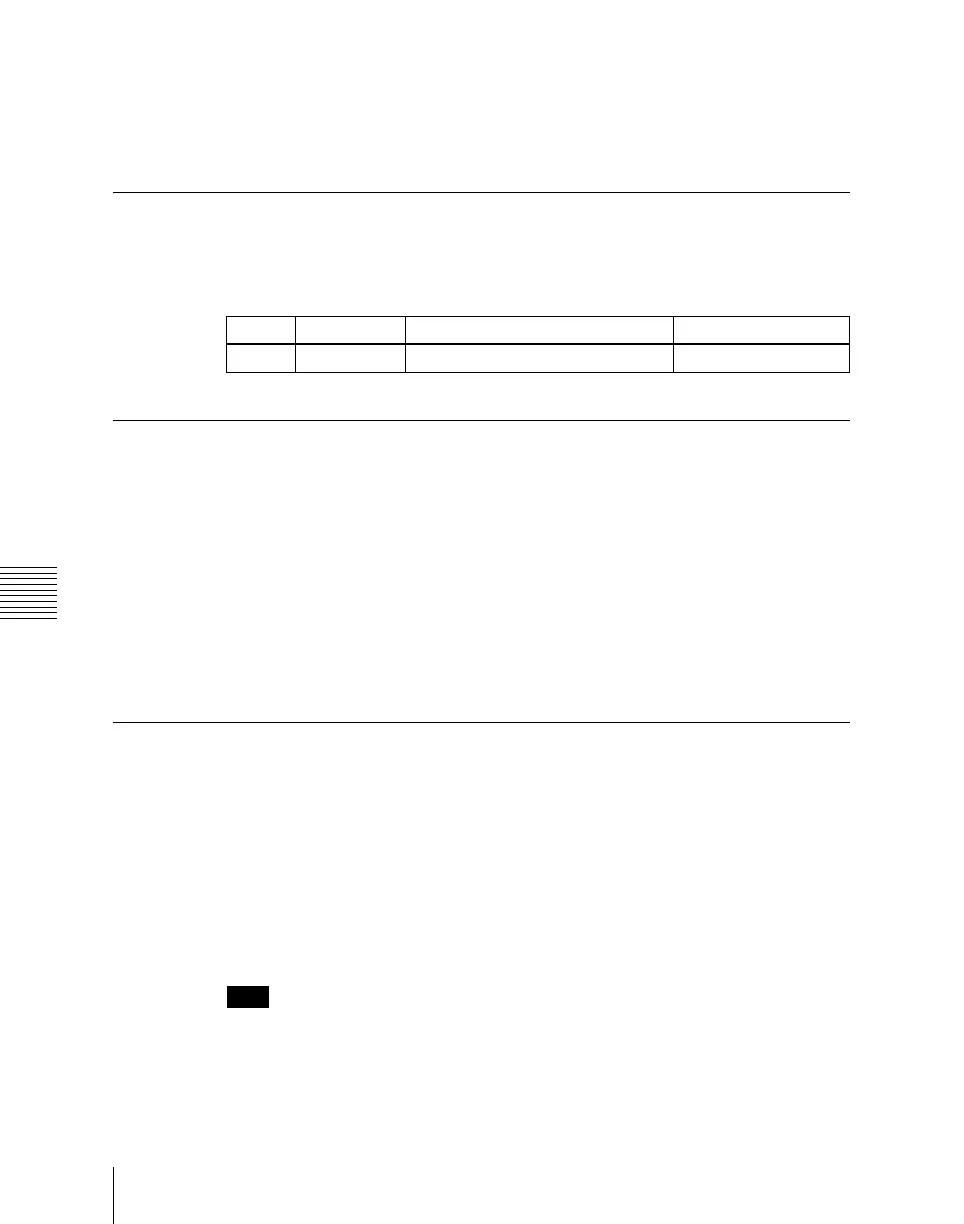
Knob Parameter Adjustment Setting values
3 Phase Switcher internal reference phase –32.00 to +96.00





 To Next Page