272
Still Image Operations
Chapter 7 Frame Memory
Interpreting the Frame Memory Menu
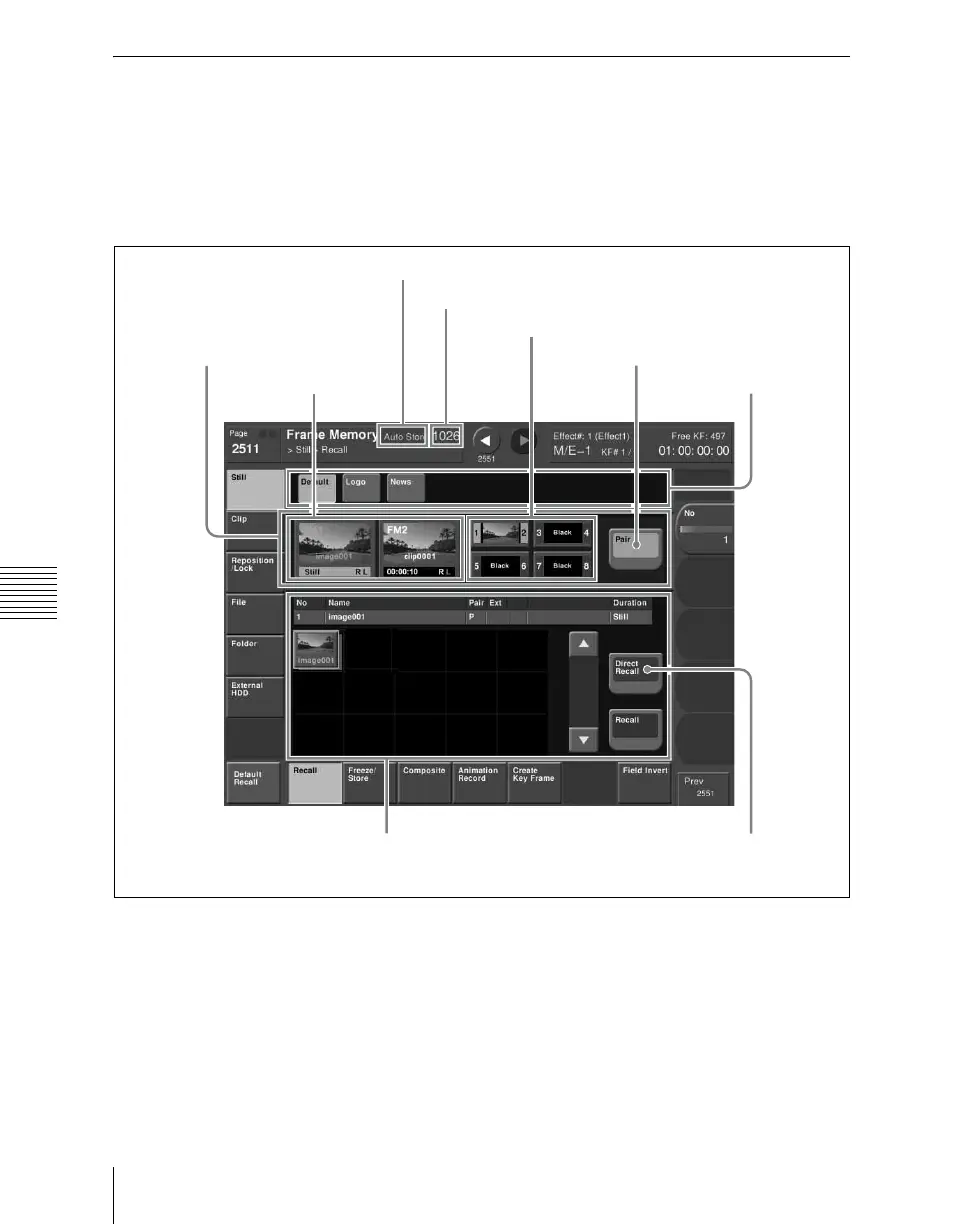
The menu screen consists of the following principal parts.
The frame memory selection area display is the same for all except the Pattern
Adjust/Pattern Select/Field Invert/File (excluding Pair Recombination menu)/
Folder/External HDD menus.
Frame Memory menu
a Auto store status display
Depending on the setup settings, this appears when the auto store function is
enabled.
2 Display of available image capacity
4
Pair selection button
6 File selection area
3 Target FM
selection
buttons
5
Pair button
1
Auto store status display
Frame memory
selection area
7 Frame
memory
folder
selection
area
8 Direct
Recall
button













 To Next Page