280
Still Image Operations
Chapter 7 Frame Memory
When the system is powered off, the file saved in memory is erased.
When the system is powered off, the file saved in memory is erased.
However, you can recall a backed up file in the Frame Memory menu.
For details, see “File Backups” (page 311), and “Restoring backed up
files” (page 312).
To carry out a freeze and store simultaneously (Freeze and Store)
Press [Freeze & Store], turning it on.
In this state, if you press [Frame] or [Field], this carries out a freeze, and
simultaneously stores in a still image file.
Setting video processing
To set video processing for the signal selected on a frame memory source bus,
use the following procedure in the Still >Freeze/Store menu.
1
In the <Video Process> group, press [Video Process], turning it on.
2
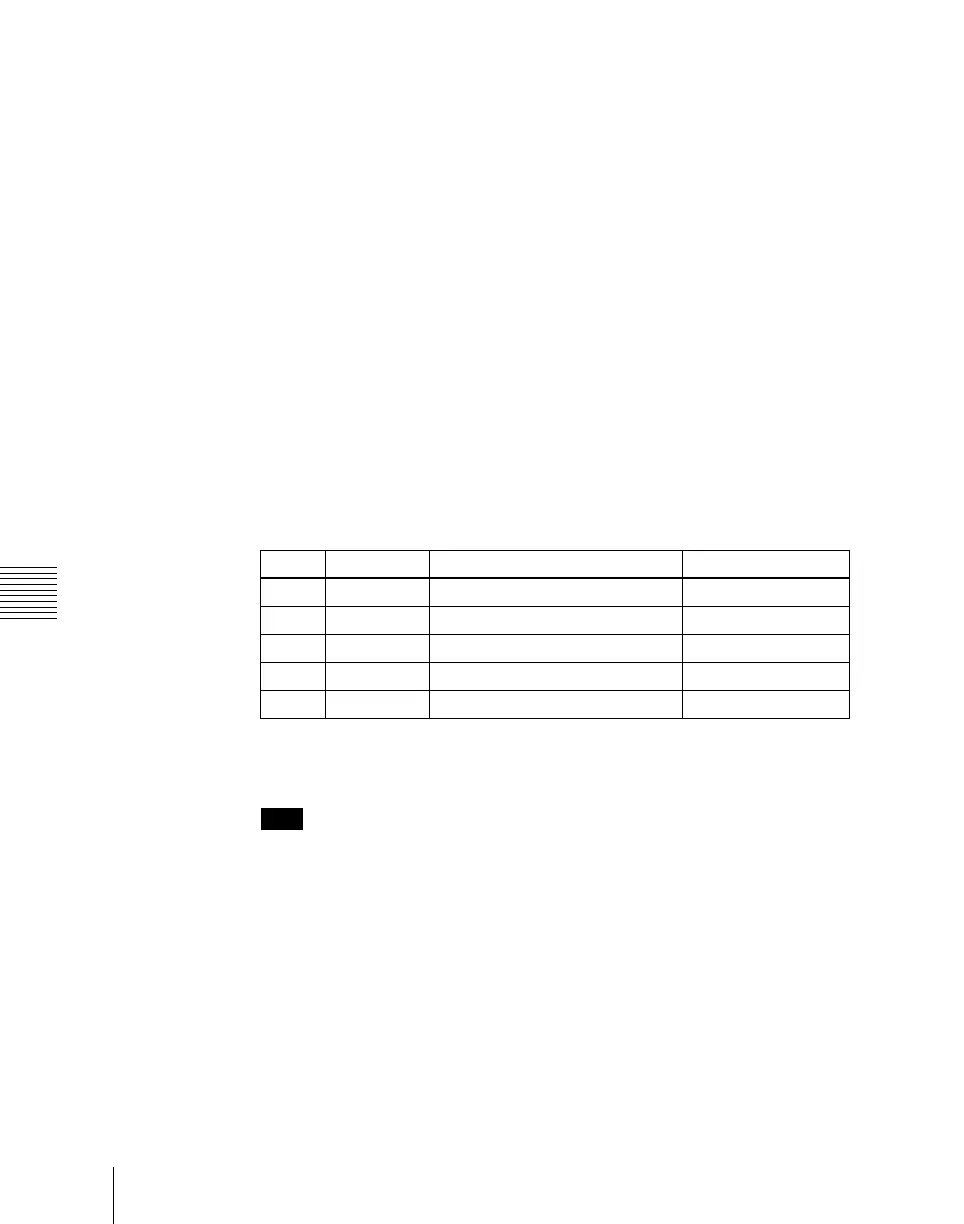
Use the knobs to adjust the following parameters.
To return the settings to the default values, press [Unity] in the <Video
Process> group.
Note
When a pair setting is active, it is coupled to the video process on/off
setting, but the above parameter settings are only valid for frame memory
source bus 1. The pair setting cannot be used to set the frame memory
source bus 2. If you want to set video process for frame memory source bus
1 only with the pair setting when old settings for frame memory source bus
2 remain, return the frame memory source bus 2 settings to their default
values. When setting video process for the frame memory source bus 2,
disable the pair setting.
Knob Parameter Adjustment Setting values
1 Video Gain Overall gain of the video signal –200.00 to +200.00
2 Y Gain Y signal gain –200.00 to +200.00
3 C Gain Chrominance signal gain –200.00 to +200.00
4 Hue Delay Hue delay –180.00 to +180.00
5 Black Level Y signal black level –7.31 to +109.59













 To Next Page