302
Frame Memory Clip Operations
Chapter 7 Frame Memory
2
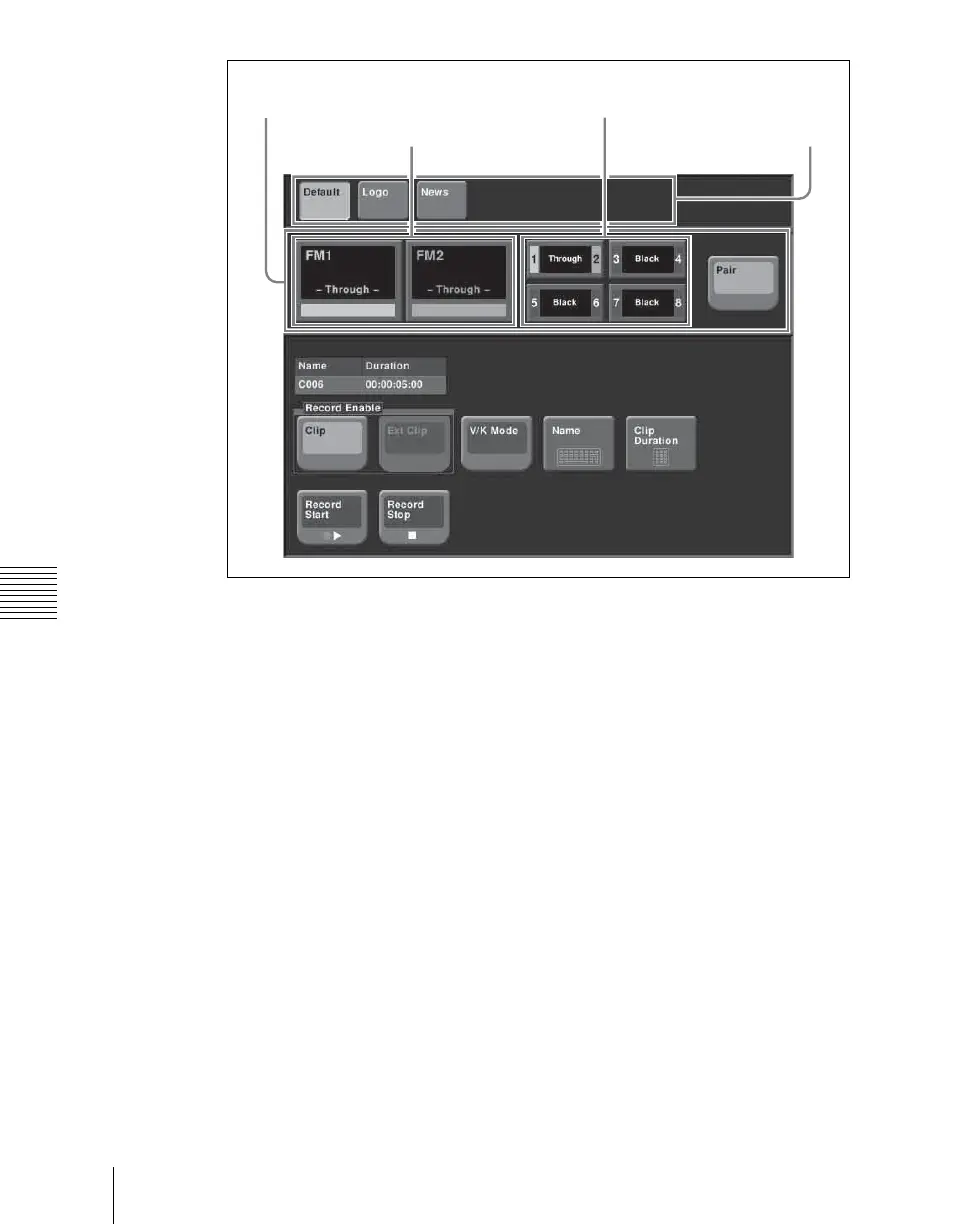
With [Pair] off, press the operation target selection button, to select the
operation target.
3
In the folder selection area, select the folder containing the clip to be
recorded.
4
To set the clip name, press [Name].
A keyboard window appears.
5
Enter the clip name, and press Enter.
6
To start recording, press [Record Start].
7
To end recording, press [Record Stop].
To set the clip duration
1
Press [Clip Duration].
A numeric keypad window appears.
2
Enter a timecode value or number of frames, and press Enter.
Frame memory
selection area
Operation target
selection buttons
Pair selection
buttons
Folder selection
area













 To Next Page