477DME Special Effect Operations
Chapter 11 DME Operations
The Defocus/Blur menu appears.
2
Press [Defocus], turning it on.
The Defocus effect is enabled. You can adjust the defocusing of video and
key signals with the knobs.
Note
On the MVE-8000A, the Defocus and Glow effects cannot be enabled at
the same time. The effect which was turned on most recently is enabled.
3
In the <Defocus Mode> group, select the signal to which to apply the
defocus effect.
Video/Key: Video signal and key signal
Video: Video signal only
Key: Key signal only
Note
“Key” can be selected only when the MVE-8000A/MVE-9000 is
connected through an SDI interface.
4
Set the parameters.
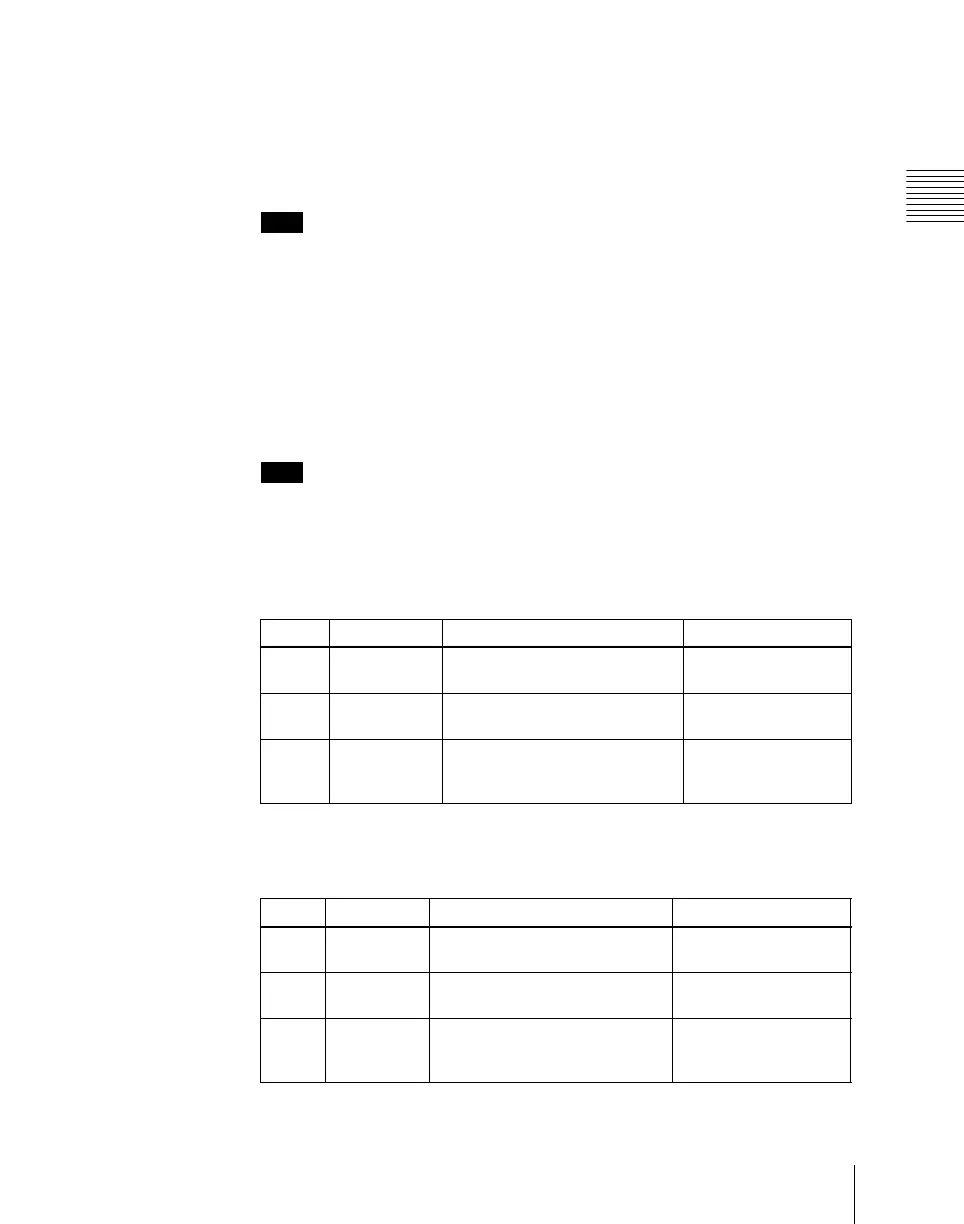
• When Video/Key is selected (with DME dedicated interface)
• When Video/Key is selected (with SDI-interfaced MVE-8000A/
MVE-9000)
Knob Parameter Adjustment Setting values
1 H Horizontal defocusing of video
and key signals
0.00 to 100.00
2 V Vertical defocusing of video and
key signals
0.00 to 100.00
3 All Horizontal and vertical
defocusing of video and key
signals
H value shown
Parameter group [1/2]
Knob Parameter Adjustment Setting values
1 V/K H Horizontal defocusing of video
and key signals
Video H value shown
2 V/K V Vertical defocusing of video and
key signals
Video V value shown
3 V/K All Horizontal and vertical
defocusing of video and key
signals
Video H value shown













 To Next Page