543DME Special Effect Operations
Chapter 11 DME Operations
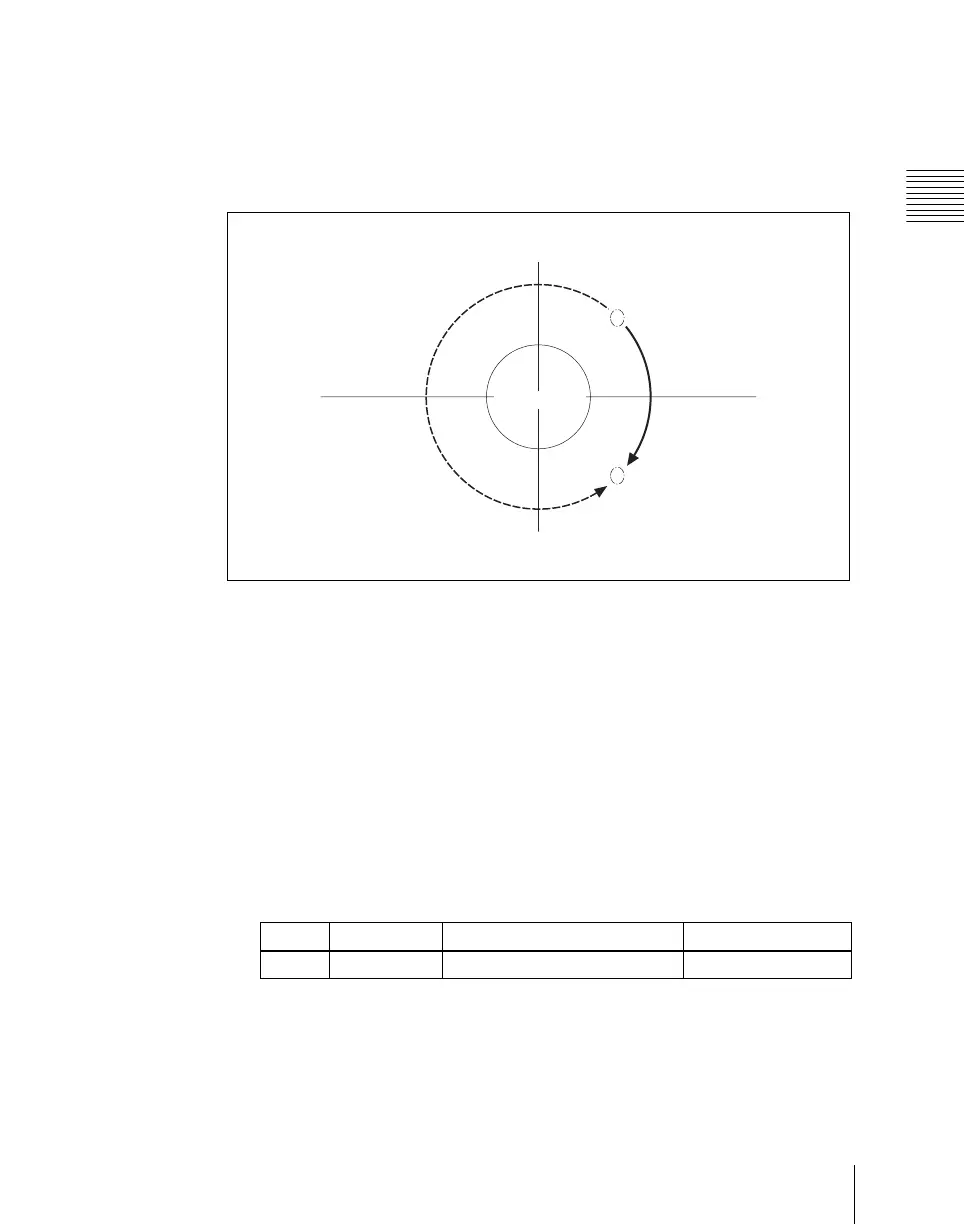
The integral part of a setting value is used when moving a light source with
keyframes.
For example, when the longitude of a light source rotates in the clockwise
direction from 0.88 (315°) to 0.12 (45°), it rotates in the counterclockwise
direction (the angle grows smaller) if the above values are used. In this case,
the value of the second keyframe can be set to 1.12 (360° + 45°).
Keyframe trajectory
Setting the surface where light strikes the image
1
In the DME menu, select VF5 ‘Light/Trail’ and HF6 ‘Spot Lighting.’
The Spot Lighting menu appears.
2
Press [Spot Lighting], turning it on.
This enables Spotlighting, and you can now use the knobs to adjust the
parameters.
3
Set the following parameter.
• Lowering the brightness of the image makes Spotlighting more
effective.
• The Total Ambient setting is shared with the Lighting function.
KF2 = 1.12
KF2 = 0.12
KF1 = 0.88
Test sphere
Knob Parameter Adjustment Setting values
1 Total Ambient Brightness of whole image 0.00 to 100.00












 To Next Page