Chapter 13 Keyframe Effects
650
Creating and Editing Keyframes
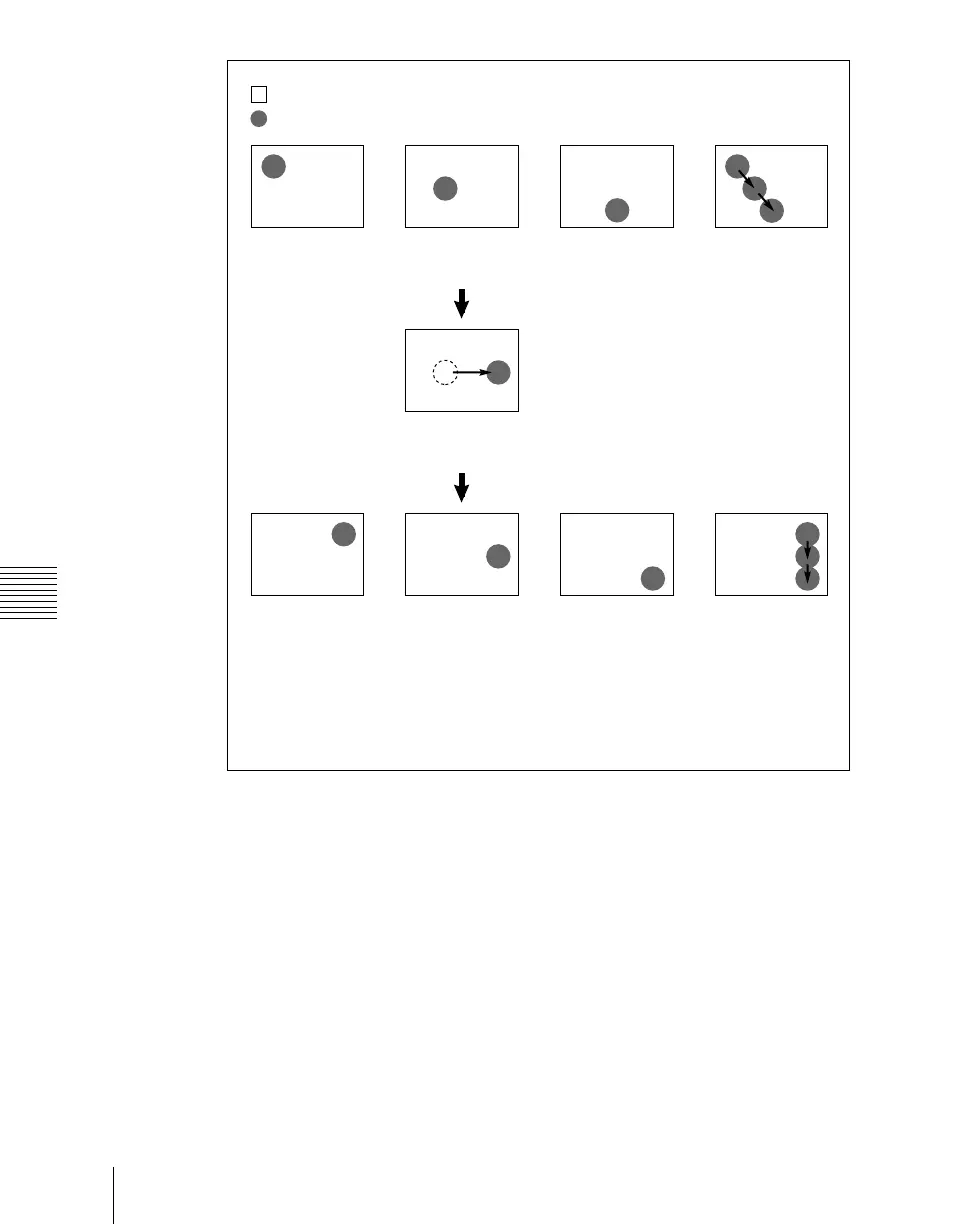
Modifying the keyframes by holding down the [SHIFT] button and
pressing the [MOD] button
The modified parameter values are taken as relative values, which modify all
of the selected keyframes.
: Background A
: Background B
Keyframe 1 Keyframe 2 Keyframe 3 Effect execution
Modify keyframe 2.
(Changing the position of background B in
the horizontal direction)
Select keyframes 1 to 3 and modify
simultaneously.
Keyframe 1 Keyframe 2 Keyframe 3 Effect execution
Result:
The horizontal position of background B in keyframes 1 and 3 is now the same as
that in keyframe 2.
In all keyframes, the vertical position remains unchanged as the parameter is not
changed.













 To Next Page