Chapter 13 Keyframe Effects
678
Register Operations in the Menus
•Move: Move the contents of one register to another register.
• Swap: Swap the contents of two registers.
• Delete: Delete the contents of a register.
• Name: Attach a name to a register.
Write-protecting the contents of the effect register
Note
It is not possible to write-protect an empty register.
1
In the Effect menu, press VF2 ‘Effect 1-99’ and HF2 ‘Lock.’
The Lock menu appears.
2
Press the region display in the upper part of the list to display a selection
window, then select the region in the selection window. Selecting multiple
regions is also possible.
To select all regions, press [ALL].
3
Press [OK].
The selected region name appears in the upper part of the list.
4
Using any of the following methods, select the register.
• Press directly on the list in the status area.
• Press the arrow keys to scroll the reverse video cursor.
• Turn the knobs.
• To select all registers, press [ALL].
5
Press [Lock], turning it on.
To unlock the register
Select the register you want to unlock, and press [Lock], turning it off.
Copying, moving, and swapping effect register data
This section describes the procedure for copying. You can move or swap
registers using a similar procedure.
1
In the Effect menu, press VF2 ‘Effect 1-99’ and HF3 ‘Copy/Merge.’
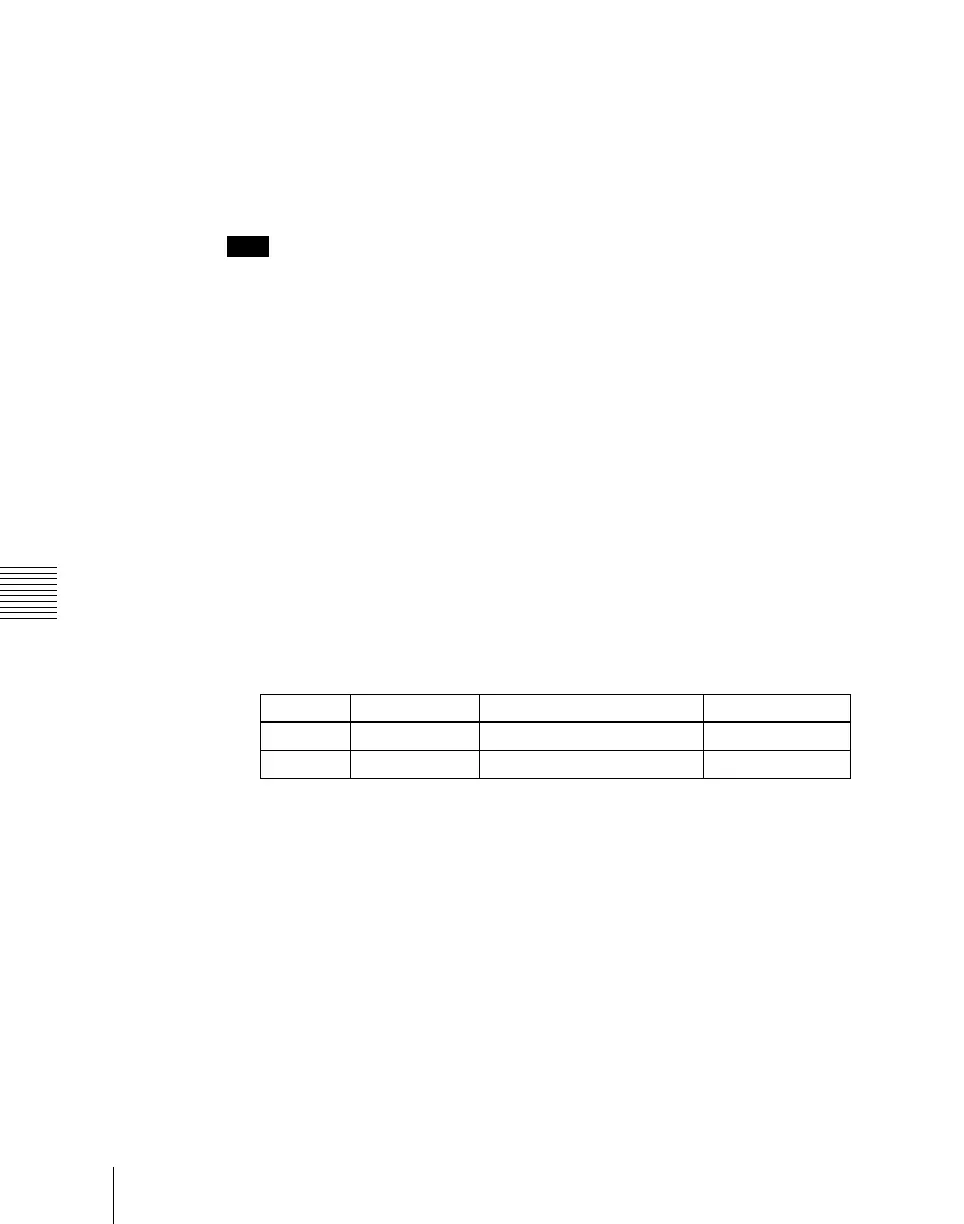
Knob Parameter Adjustment Setting values
1 Register Register number 1 to 99
3 Num Select number of registers 1 to 99












 To Next Page