762
Menu Macros
Chapter 16 Macros
2
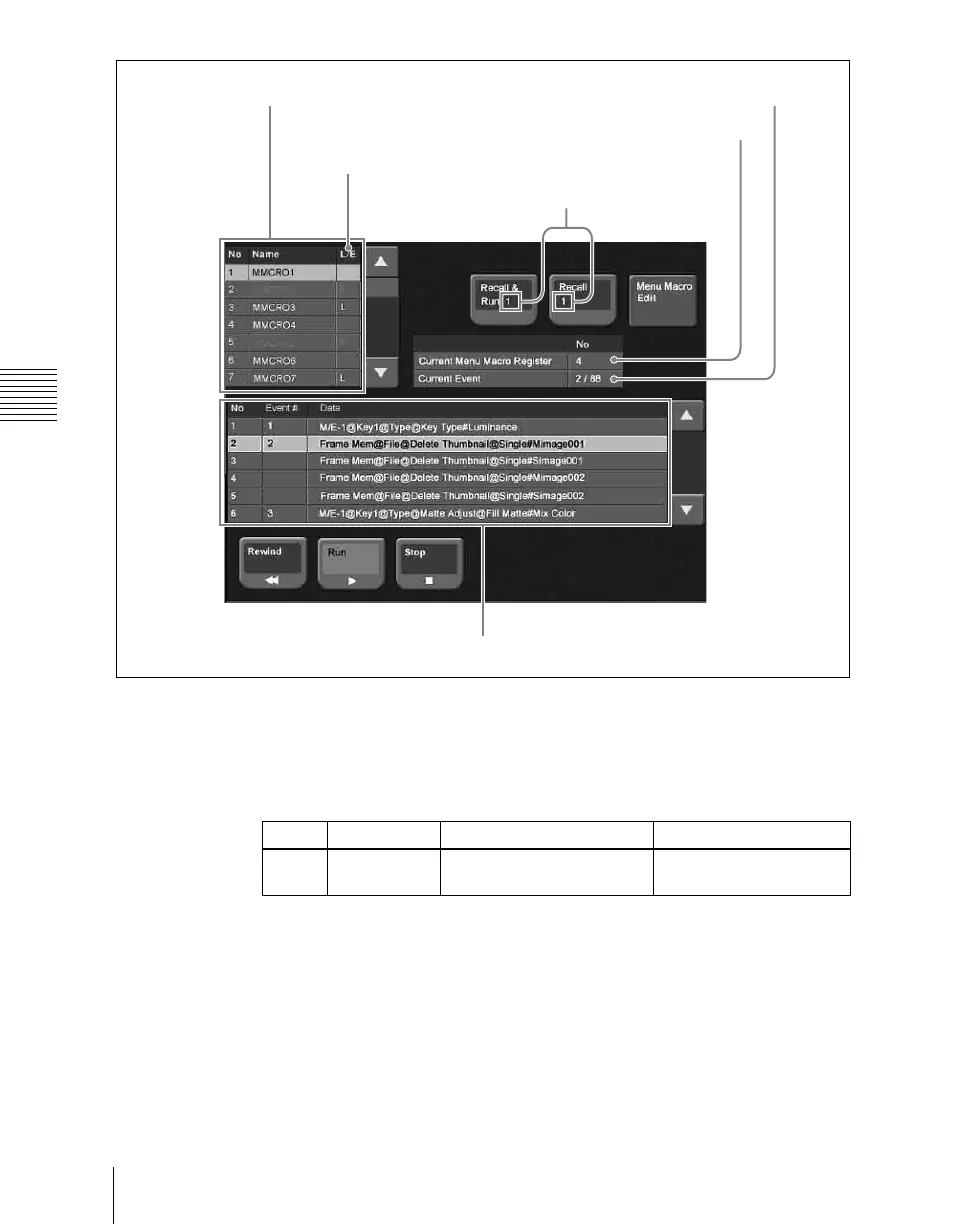
Using any of the following methods, select the register to be recalled.
• Press directly on the menu macro register list.
• Press the arrow keys on the right list to scroll the reverse video cursor.
• Turn the knob.
3
Press [Recall & Run x] or [Recall x ] (x is the number of the register
selected in the menu macro register list).
• To execute the menu macro at the same time as recalling the register,
press [Recall & Run x].
• To recall the register only, press [Recall x].
Register number and name
L/E indication: “L” indicates “the register is
locked.” “E” indicates an empty register.
Selected event number / total number of events
Menu macro configuration list
Currently recalled
register
Number of register selected on the menu
macro register list
Knob Parameter Adjustment Setting values
1 Menu Macro
Register
Register selection 1 to 99













 To Next Page