851Installation and Device Setup (Install/Unit Config Menu)
Chapter 18 System Setup (System)
Entering the install key
When you have the install key, carry out the following procedure.
1
In the System >Install/Unit Config menu, use either of the following
methods to select the device for which you want to register the license.
• Press directly on the list in the status area.
• Press the arrow keys to scroll the reverse video cursor.
2
Press [License].
The License menu appears.
3
Press directly on the name of the software you want to license (the
Condition box is blank).
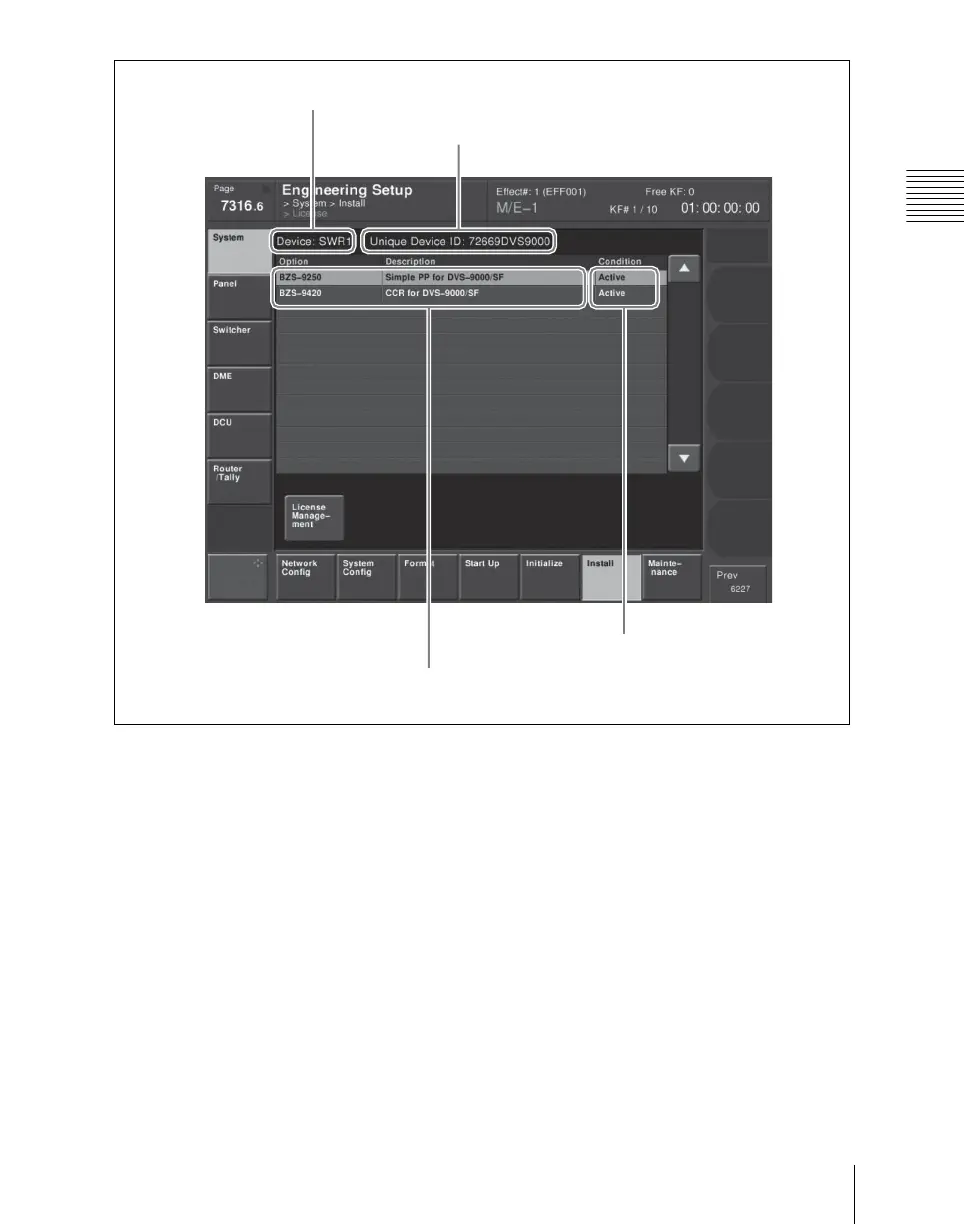
List of software option model names and numbers
Device name
Unique device ID
Whether or not software licensed





 To Next Page