905Auxiliary Bus Control Block Settings (Aux Assign Menu)
Chapter 19 Control Panel Setup (Panel)
1
Using any of the following methods, select a destination selection button
and the destination to be assigned to the button.
• Press directly on the list in the status area.
• Press the arrow keys to scroll the reverse video cursor.
• Turn the knobs.
• For a button whose operation you want to disable, press [Inhibit].
Note
When a destination selection button having a number in the range 65 to 128
is selected, source table selection automatically becomes invalid, and
therefore the Inhibit function also becomes invalid.
2
Press [Dest Set] to confirm the selection.
3
If in step 1 you selected a value in the range 1 to 64, turn the knob to select
the source table.
4
Press [Source Table Set] to confirm the selection.
5
Repeat steps 1 to 4 as required.
To set the shift operation of the destination selection buttons
To set the operation mode of the rightmost button in the destination selection
button row, select one of the following in the <Dest Shift Mode> group of the
Panel >Aux Assign >RTR Mode Setting menu.
Hold: Acts as a shift button, and the shifted destination selection buttons are
enabled while the button is held down.
Lock: Acts as a shift button, and pressing the button toggles between the
shifted and unshifted states of the destination selection buttons.
Off: Acts as a destination selection button, that is, button number 16 on a 16-
button system, button number 24 on a 24-button system, and button
number 32 on a 32-button system.
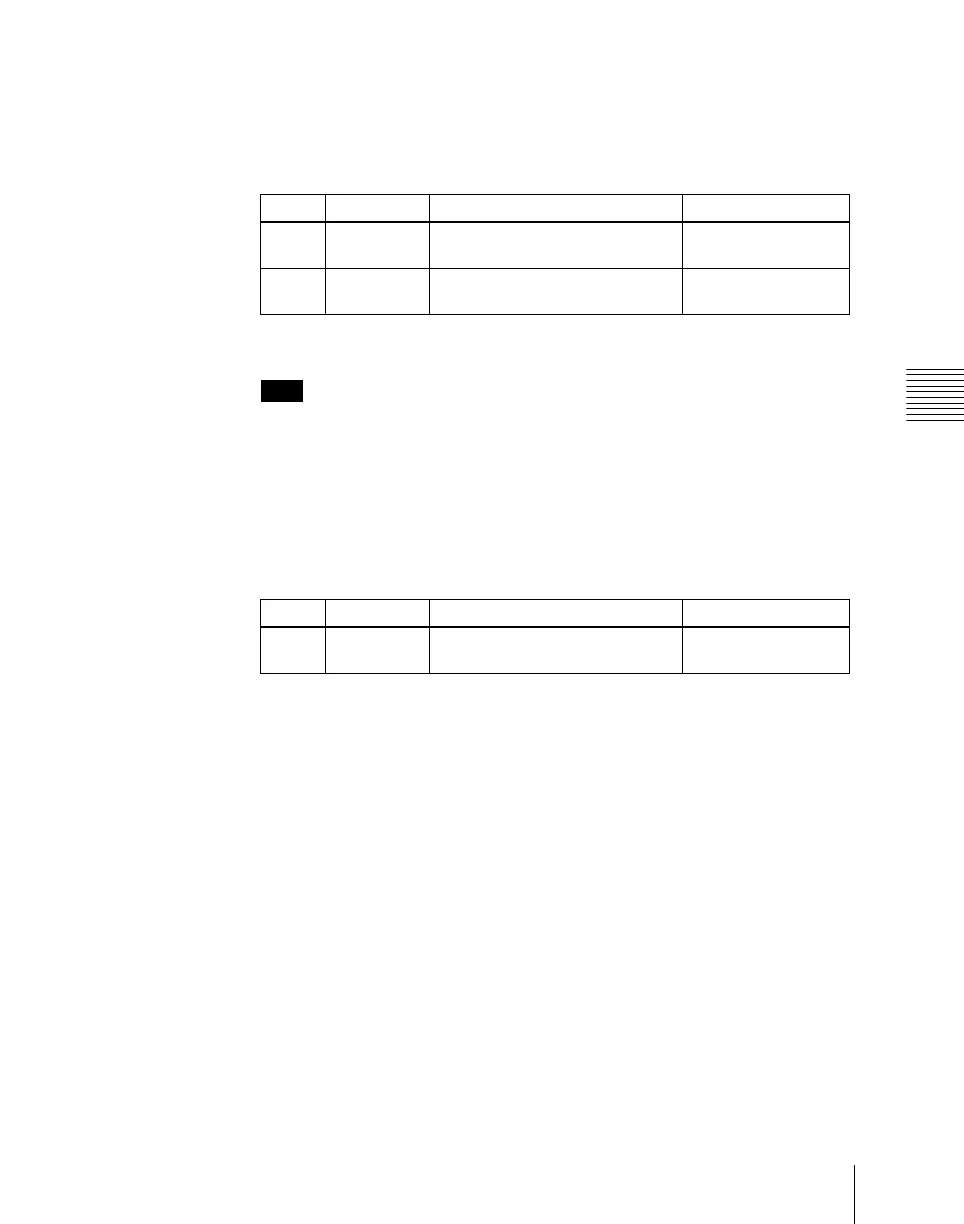
Knob Parameter Adjustment Setting values
1 Dest No Destination selection button
selection
1 to 128
2 No Destination selection in S-Bus
space
1 to 1024
Knob Parameter Adjustment Setting values
3 Source
Ta bl e
Source table selection 1 to 5





 To Next Page