97Basic Menu Operations
Chapter 2 Menus and Control Panel
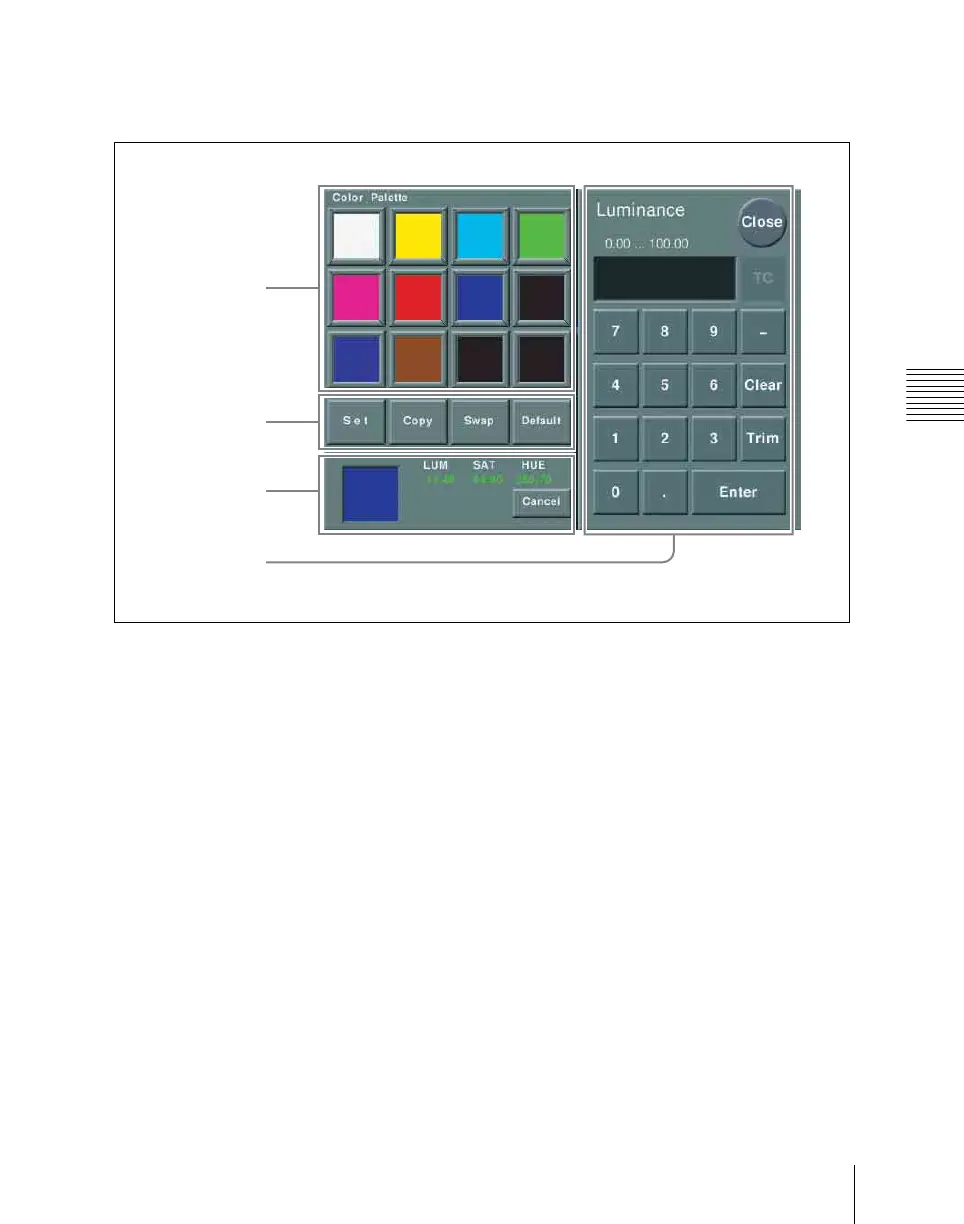
Use of the color palette window
When a parameter is assigned to the knobs
as a combination of luminance, saturation,
and hue, pressing a knob parameter button
displays a color palette window.
a Color palette buttons
Press one of these to enter the
corresponding color in the display.
By default the following settings are
available.
First row: white, yellow, cyan, green
Second row: magenta, red, blue, black
Third row: all black
b Operation buttons
Set: If you press any color palette button
with this button held down, the color
shown in the color display is assigned
to the color palette button.
Copy: If you press a color palette button
with this button held down, the color is
used as the source for copying. Next
press a different color palette button to
copy to that button.
Swap: If you press two color palette
buttons in sequence with this button
held down, the two colors are swapped.
Default: If you press any color palette
button with this button held down, the
color palette button is set to the default
color.
c Color display
This shows the setting color, and the
parameters (LUM, SAT, and HUE).
By adjusting the parameters with the knobs,
you can create any color.
If a parameter value is outside the permitted
range for RGB (0 to 255), the indication
“Illegal Color” appears, and this is adjusted
to a value in range.
Cancel: Pressing this button returns to the
state when the color palette window
was opened.
1Color palette
buttons
3Color display
4Numeric
keypad
2Operation
buttons













 To Next Page