376 ZXP Series 9 Card Printer Service Manual P1086708-001
Replacement Procedures for the Laminator
Procedures: Front Frame
Front Frame
Removal
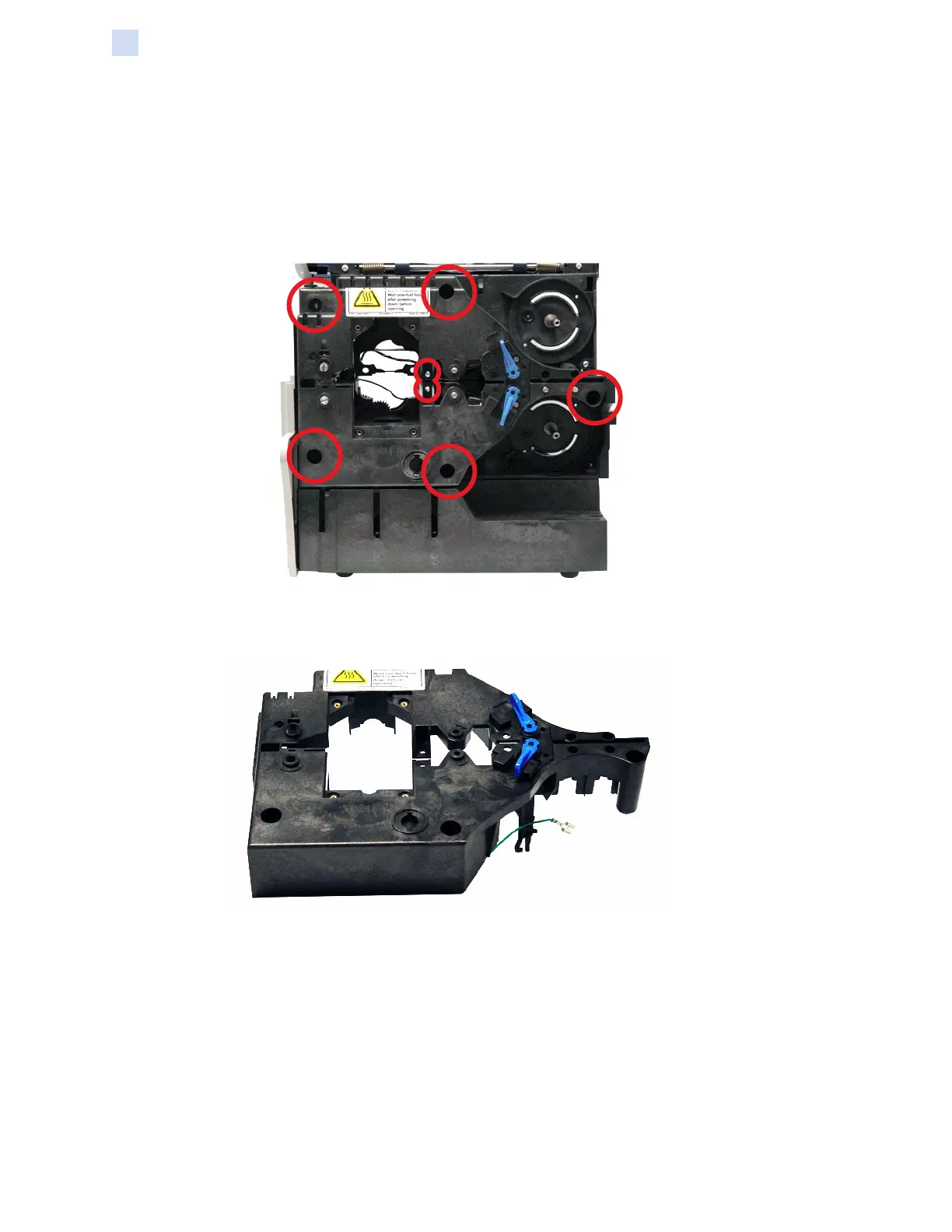
Step 1. With a TORX T10 driver, remove the seven mounting screws (circled below) holding
the front frame in place.
Step 2. Remove the front frame. Note that a torsion spring is released when the front frame
is removed.
Replacement
See “Replacement” on page 381 for details.



 To Next Page
 Loading...