AIXTRON - Dokumentation CONFIDENTIAL 119
5
crius_II_en_00, Edition 06/2010
System Manual Operation
CRIUS II Operating elements: Reactor
5.3 Operating elements: Reactor
5.3.1 [OPEN/CLOSE] buttons - reactor lid/chamber
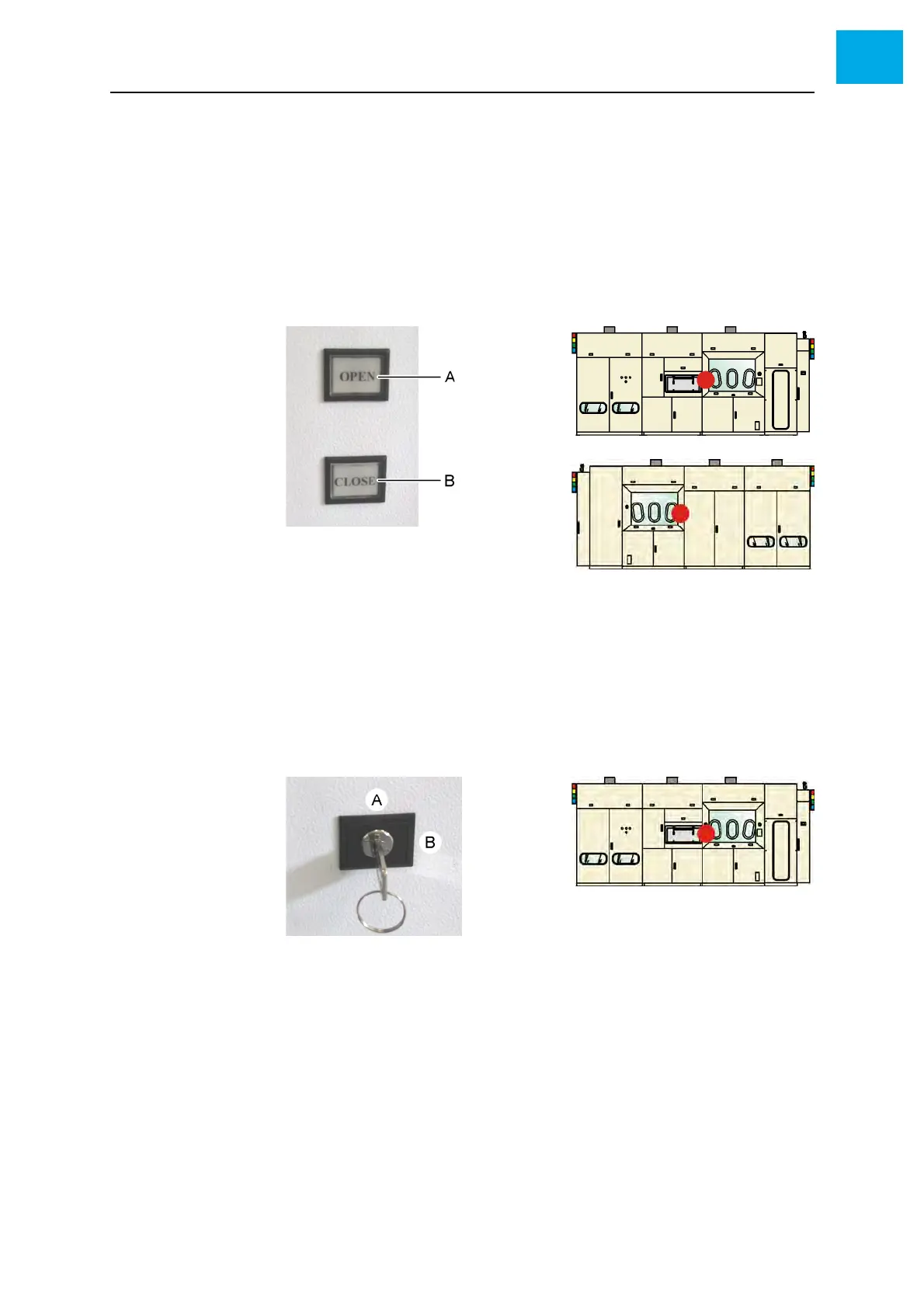
Two buttons are located at the front and the back side of the reactor cabinet.
They are used for opening and closing of the reactor lid or the reactor cham-
ber.
Fig. 5-15 [OPEN/CLOSE] buttons - reactor lid/chamber
A [OPEN] button: Open the reactor lid or the reactor chamber
B [CLOSE] button: Close the reactor lid or the reactor chamber
5.3.2 Key switch
Fig. 5-16, 119 shows the key switch.
Fig. 5-16 Key switch
A Vertical position
B Horizontal position
The key switch has two switching positions:
• Vertical position:
In this key position, you can raise or lower the reactor lid using the [OPEN]
or [CLOSE] buttons.
• Horizontal position:
When the maintenance mode is selected and the corresponding nuts are
removed, you can raise or lower the reactor chamber in this key position
using the [OPEN] or [CLOSE] buttons.



 To Next Page