AIXTRON - Dokumentation CONFIDENTIAL 125
5
crius_II_en_00, Edition 06/2010
System Manual Operation
CRIUS II Switching the CRIUS II on and off
5.7 Switching the CRIUS II on and off
5.7.1 Switching on
Proceed as follows to switch the CRIUS II on:
1 Close all cabinet doors of the CRIUS II
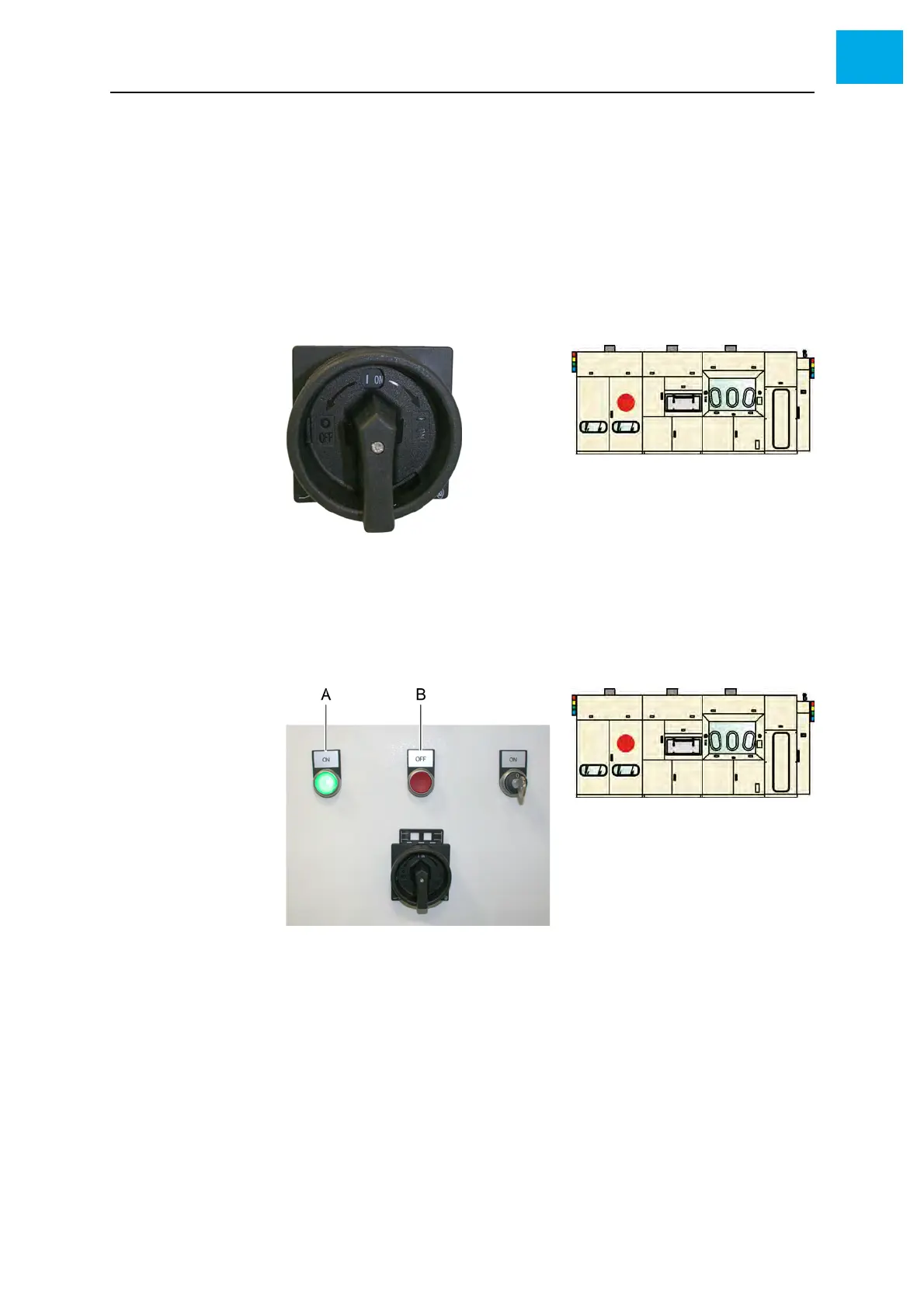
2 Switch the main switch to the ON position
Fig. 5-24 Switch on the main switch
The red [OFF] button is illuminated
3 Press the green [ON] button
• The red [OFF] button gets dark
• The green [ON] button is illuminated
Fig. 5-25 [ON/OFF] buttons
A [ON] button
B [OFF] button
4 The server is started automatically. It is located in the electrical cabinet.
See Fig. 5-26, 126. You also can switch on the server by means of
the Start button.



 To Next Page