AIXTRON - Dokumentation CONFIDENTIAL 35
2
crius_II_en_00, Edition 06/2010
System Manual Safety
CRIUS II Safety circuits
2.6.2 PROCESS-STOP button
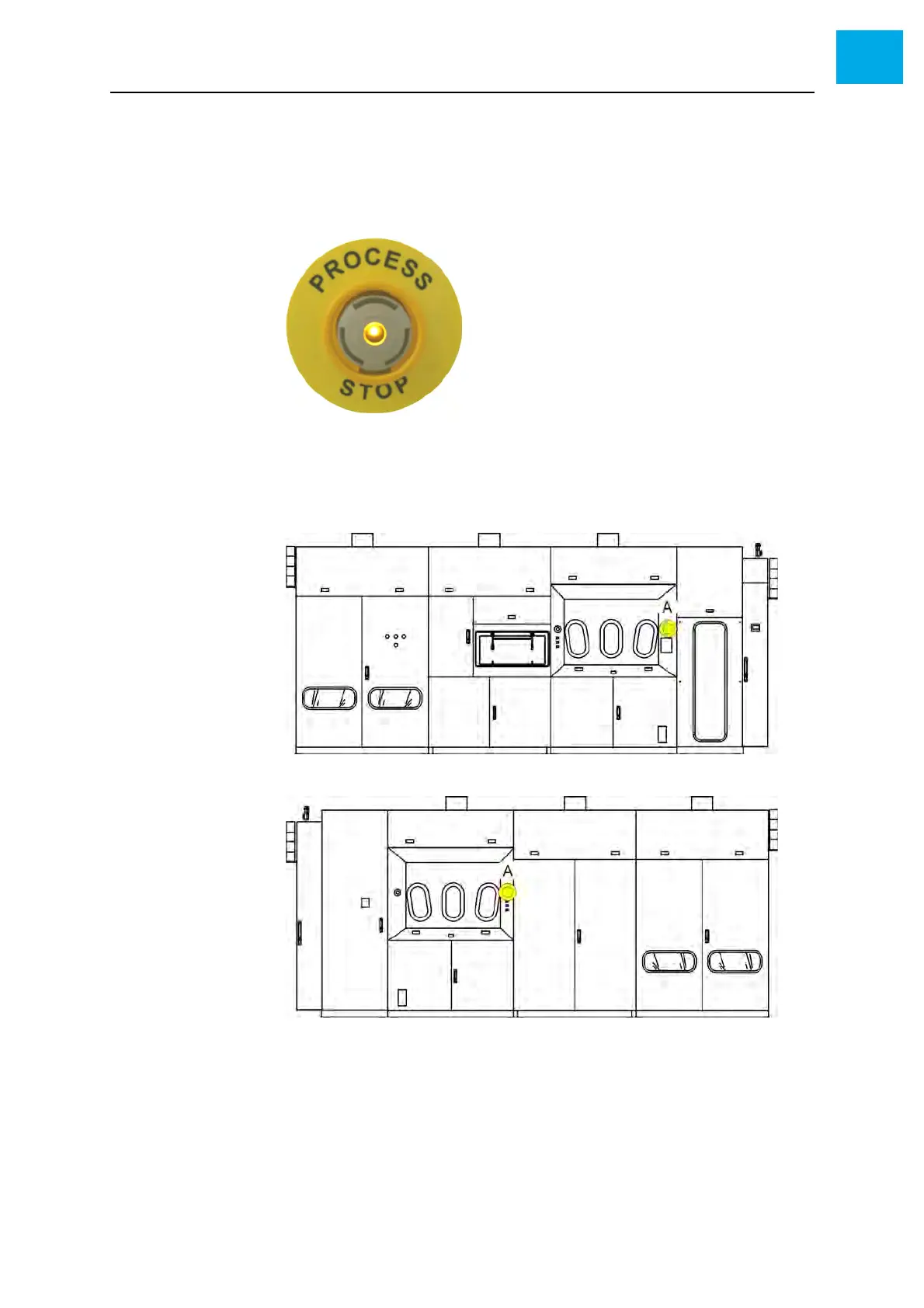
Fig. 2-9, 35 shows a typical PROCESS-STOP button. PROCESS-STOP
buttons are yellow.
Fig. 2-9 PROCESS-STOP button
Positions Fig. 2-10, 35 shows the PROCESS-STOP buttons installed at the CRIUS II.
Fig. 2-10 Positions of the PROCESS-STOP buttons: Front side (top), back side (bottom)
A PROCESS-STOP button at the reactor cabinet



 To Next Page