AIXTRON - Dokumentation CONFIDENTIAL 161
6
crius_II_en_00, Edition 06/2010
System Manual Maintenance
CRIUS II Reactor
6.10.2.2 Opening the reactor chamber
The reactor chamber may be raised for special maintenance tasks.
Raising the reactor
chamber
Proceed as follows to raise the reactor chamber:
1 Move the key switch to the horizontal position. See Chapter 5.3.2 Key
switch, 119.
2 Switch the system to the maintenance mode. See Chapter 5.1.5 Key
switch for operating mode, 114.
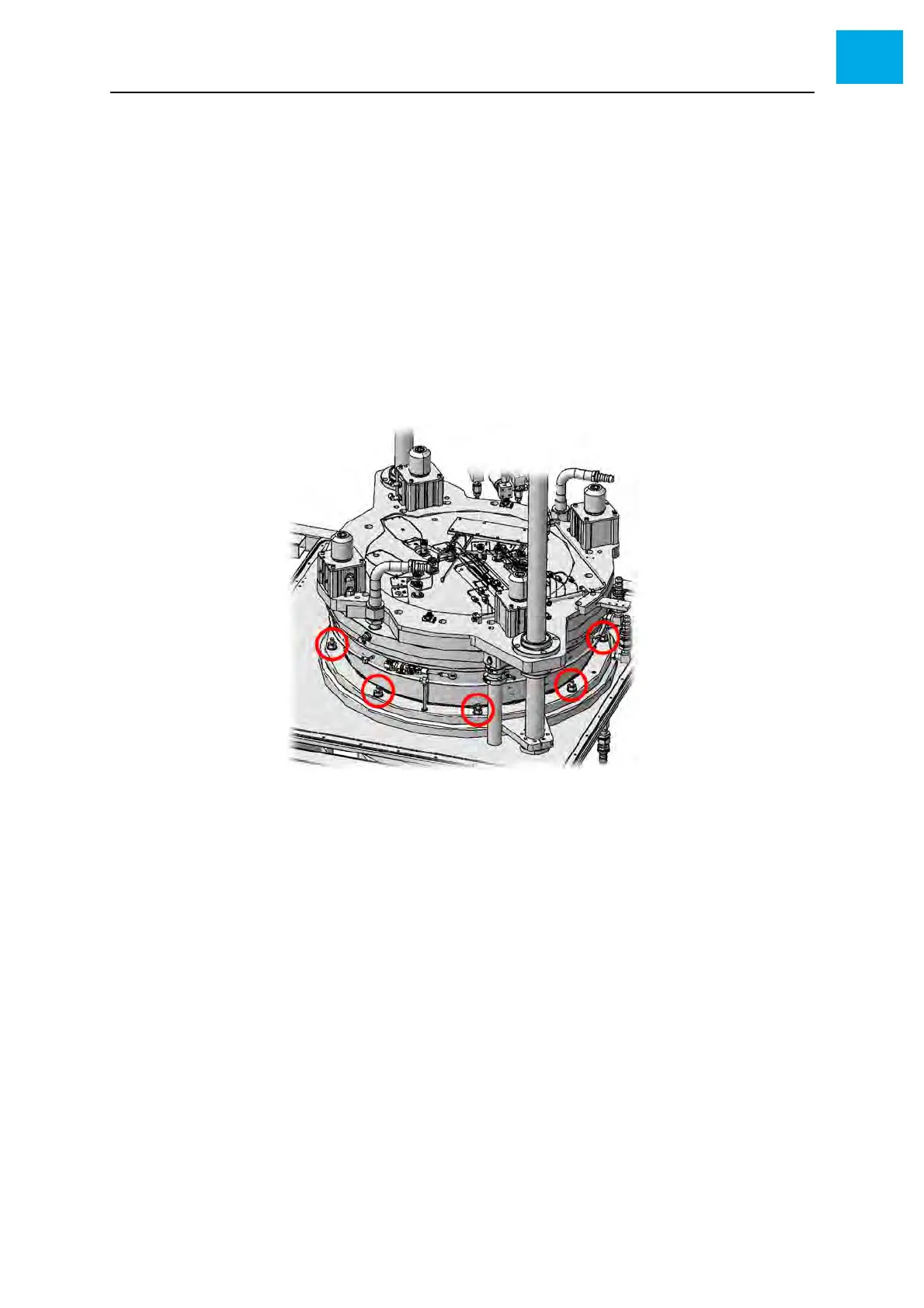
3 Use the delivered wrench to remove the nuts securing the reactor
chamber. See Fig. 6-21, 161.
Fig. 6-21 Removing the reactor chamber nuts
4 Press the [OPEN] button
• The reactor chamber is only cleared for opening if the [OPEN] button
is illuminated by green light
Lowering the reactor
chamber
Proceed as follows to lower the reactor chamber:
1 Press the [OPEN] button
• The reactor chamber is only cleared for closing if the [CLOSE] button
is illuminated by green light
2 Refit the nuts securing the reactor chamber. See Fig. 6-21, 161.
Tighten the nuts crosswise with a torque of 50 Nm (37 lbf-ft), using the
supplied ratchet wrench.
3 Move the key switch to the vertical position.
4 Switch the system to the operation mode



 To Next Page