crius_II_en_00, Edition 06/2010
126 CONFIDENTIAL AIXTRON - Dokumentation
Operation System Manual
Switching the CRIUS II on and off CRIUS II
5
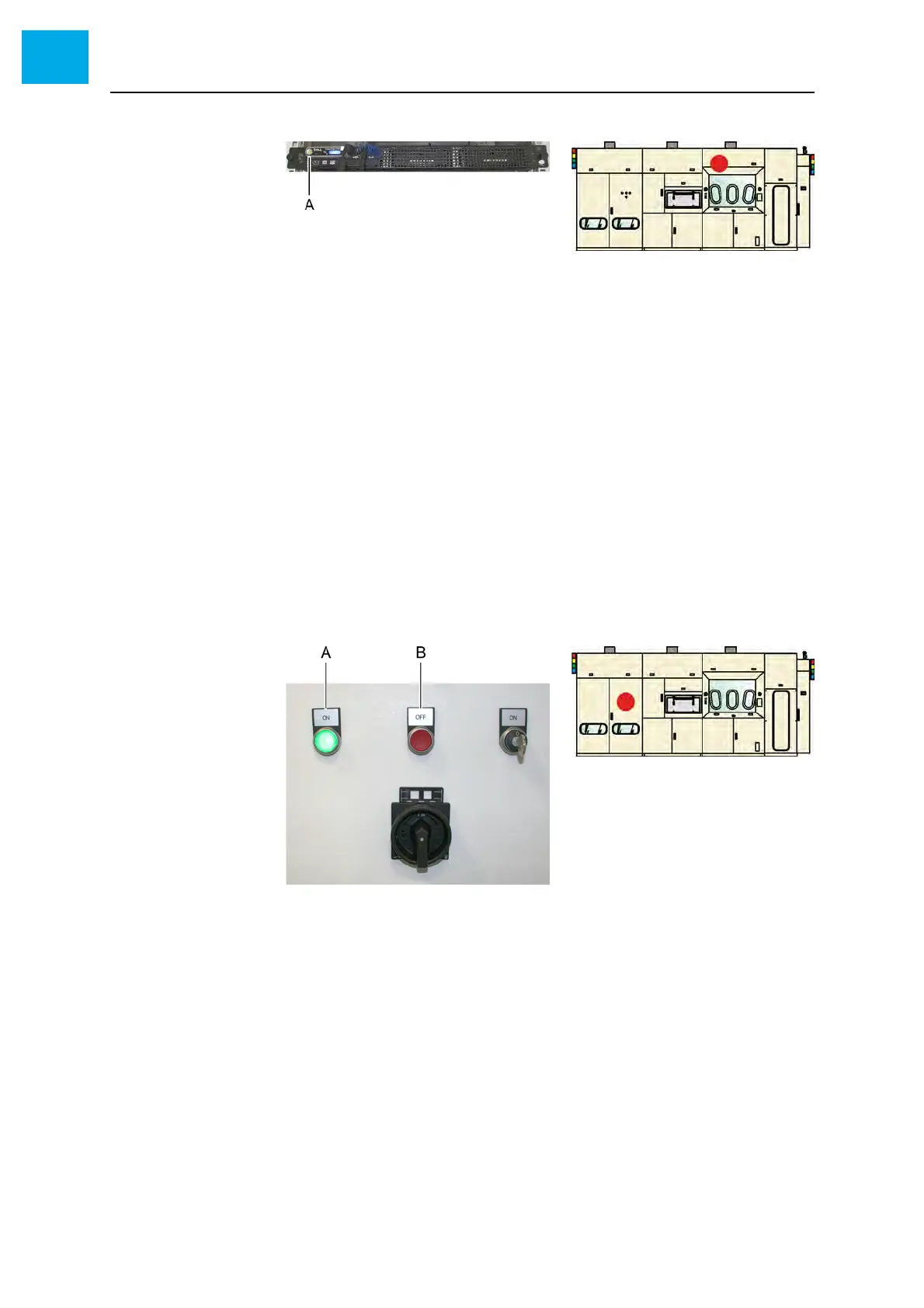
Fig. 5-26 Server
A Start button
5 Enter your user name and password at the operator terminal to log in
6 Start AIXACT
5.7.2 Switching off
Proceed as follows to switch the CRIUS II off:
1 Quit AIXACT
2 Shut down the operating system
3 Press the red [OFF] button
• The green [ON] button gets dark
• The red [OFF] button is illuminated
Fig. 5-27 [ON/OFF] buttons
A [ON] button
B [OFF] button
4 Switch the main switch to the «OFF» position
5 Secure the system against unintended switching on. Follow the lock-
out/tagout procedure. See Chapter 2.7 Lockout/tagout procedure, 38.
• Lock the main switches in the safe position using a padlock
• Post a prominent tag onto each lockout device



 To Next Page