crius_II_en_00, Edition 06/2010
158 CONFIDENTIAL AIXTRON - Dokumentation
Maintenance System Manual
Glove box CRIUS II
6
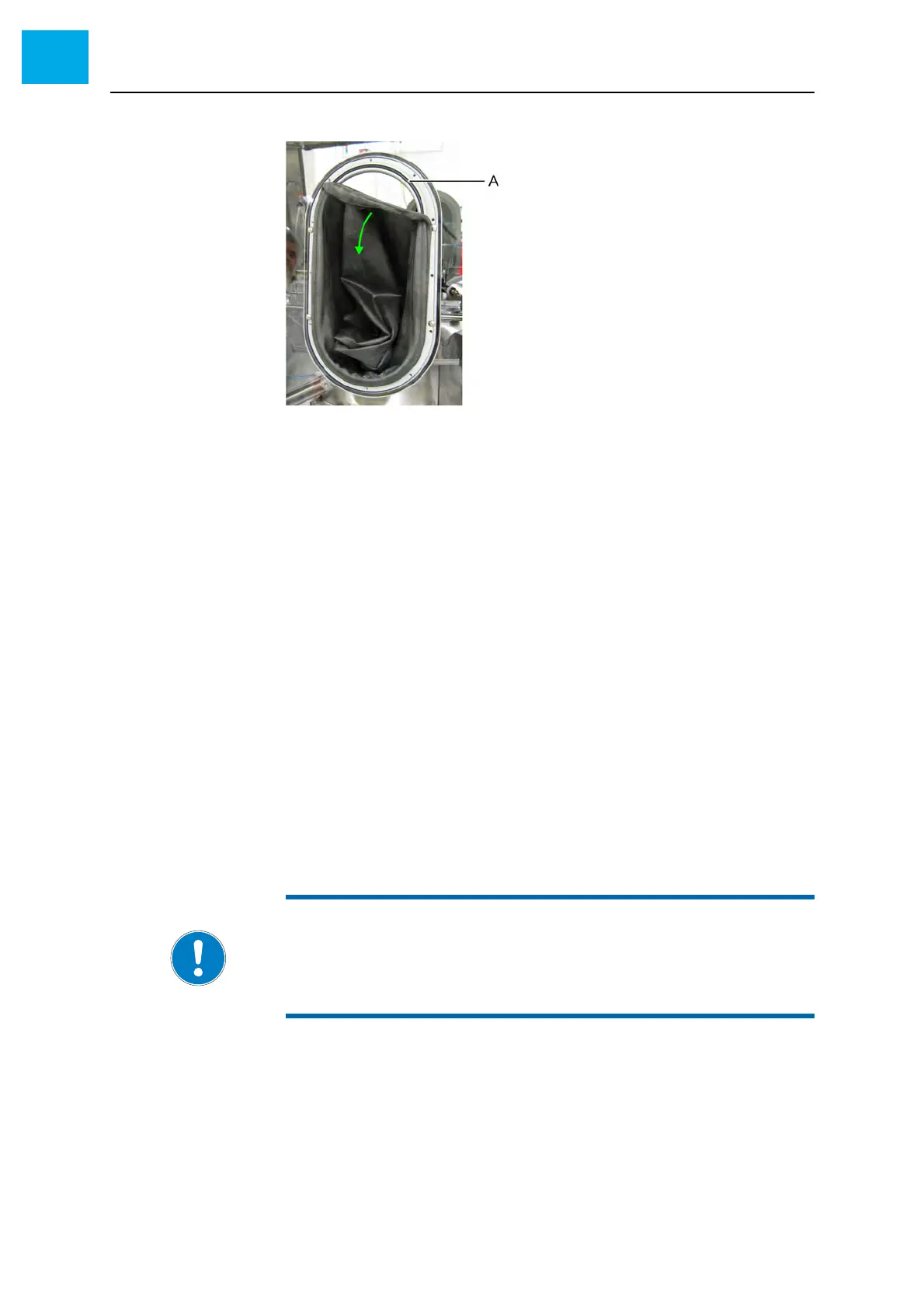
Fig. 6-19 Removing the glove
AO-ring
4 Remove the O-ring
5 Check the O-ring for damage and replace if necessary
6 Insert the O-ring again
7 Pull the glove over the O-ring
8 Install the frame
8.1 Attach the frame and screw in the Allen screws. Do not tighten
the screws
8.2 Push the glove to the interior of the glove box. Call a second
person for assistance.
• This avoids crinkles when screwing on the frame
8.3 Tighten the Allen screws
6.9.6 Checking the tightness of the glove box
1 Set the pressure to 8 mbar above ambient pressure. Wait until the pres-
sure display has stabilized.
2 Observe the pressure display for at least 10 minutes
• Within this time the pressure must not rise or fall
NOTE:
Other effects can impair the pressure rise test (e.g. leak in the DOR
system or the vacuum tweezers).
• Refill the DOR system
• Check the vacuum tweezers for leaks



 To Next Page