AIXTRON - Dokumentation CONFIDENTIAL 167
6
crius_II_en_00, Edition 06/2010
System Manual Maintenance
CRIUS II Vacuum system
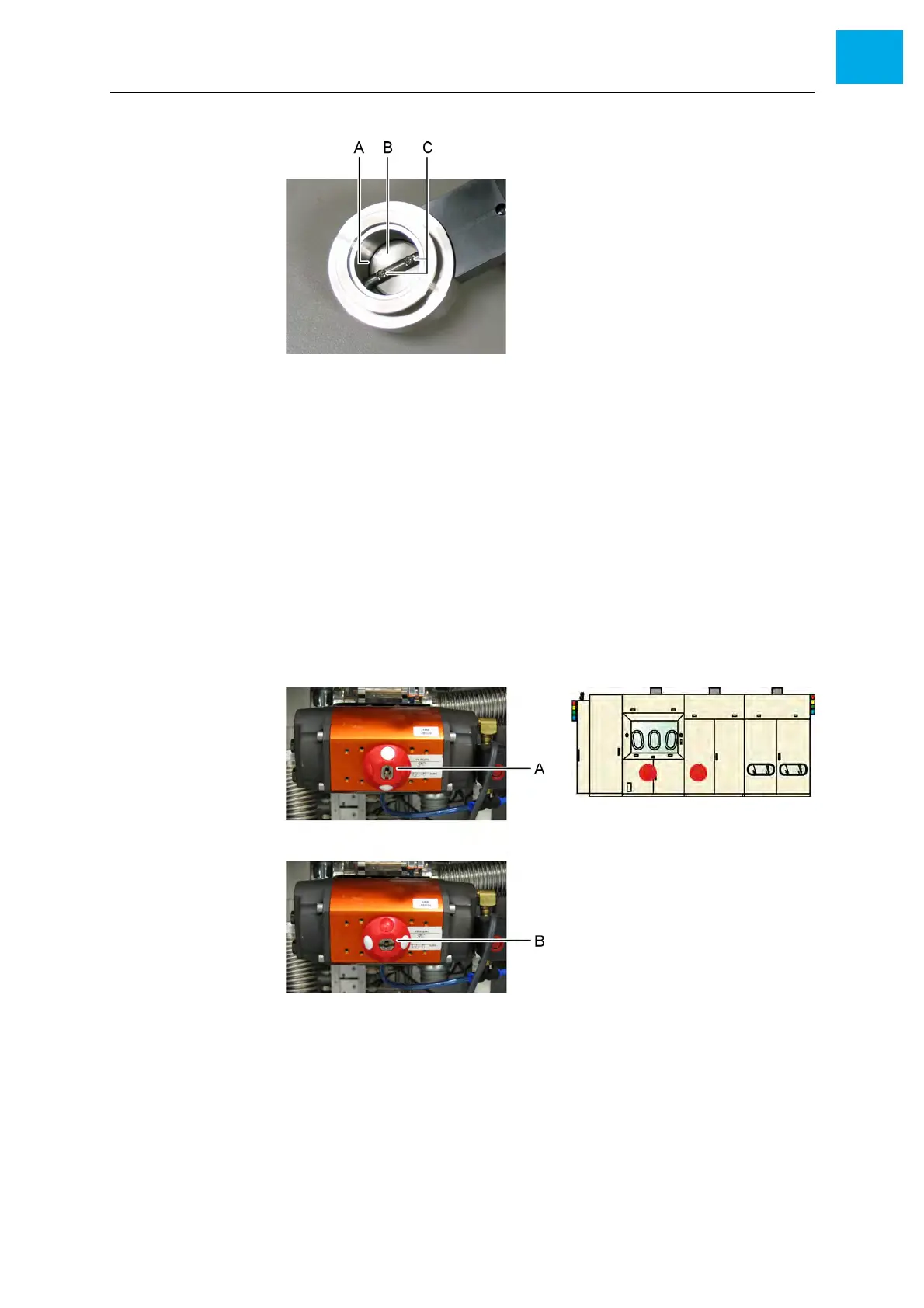
Fig. 6-28 Removing the seal plate
AO-ring
B Seal plate
C Fixing screws
5 Check the O-ring for damage and replace if necessary
6 Install the seal plate
7 Install the throttle valve to the vacuum system
• Pay attention to the correct orientation
6.11.5 Checking the pneumatic valves
1 Open the reactor cabinet to access the vacuum system
Fig. 6-29 Pneumatic valve
A Closed state
B Open state
2 Switch the valve using the AIXACT software and check the switching
operation at the valve



 To Next Page