crius_II_en_00, Edition 06/2010
178 CONFIDENTIAL AIXTRON - Dokumentation
Maintenance System Manual
Cooling water system CRIUS II
6
6.14 Cooling water system
6.14.1 Checking the water pressure
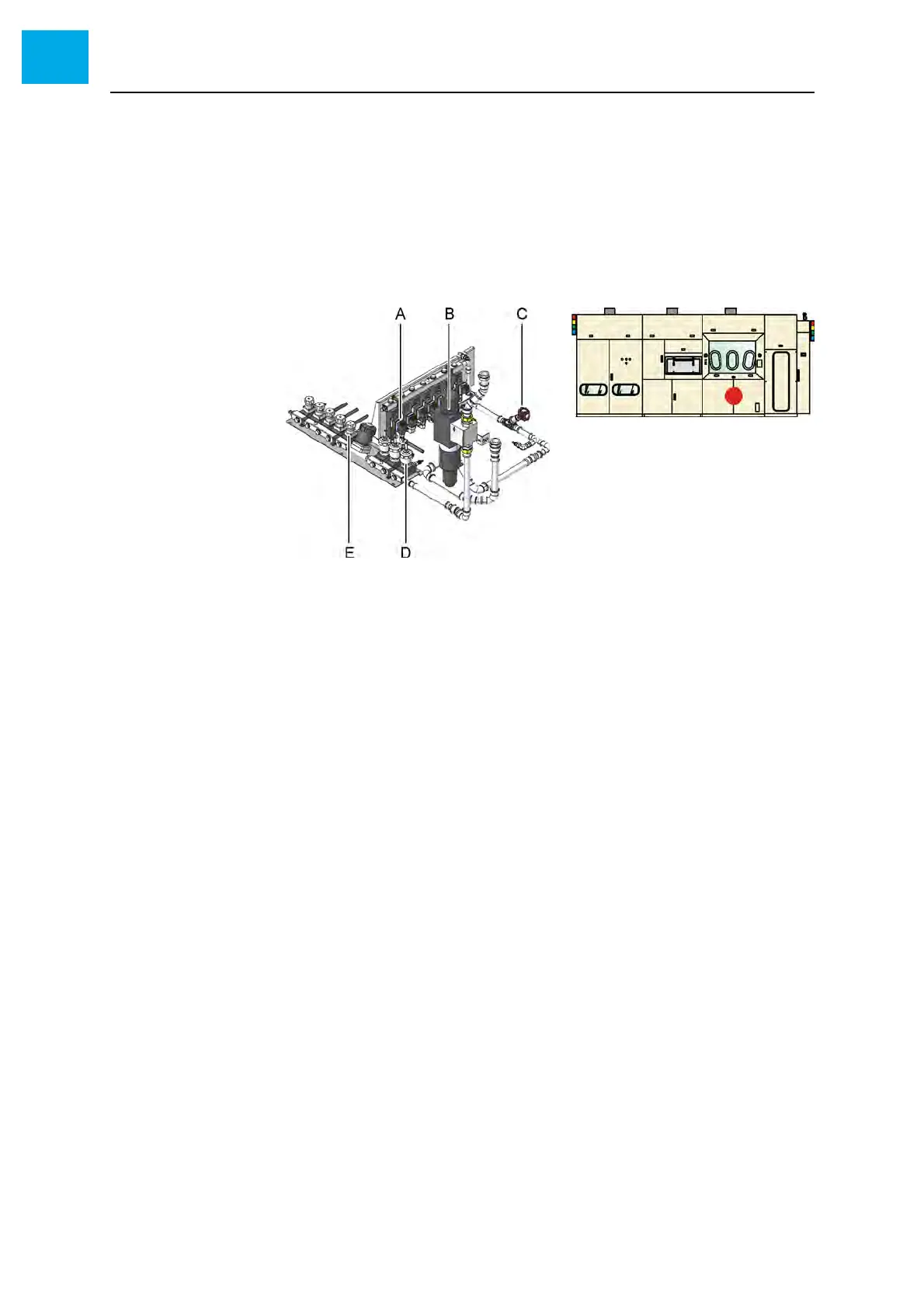
1 Open the reactor cabinet to access the cooling water system. For iden-
tifying the components please refer to the delivered cooling water dia-
gram.
Fig. 6-38 Cooling water system
A Flow meter with flow limiter
B shut-off valve
C Water filter
D Pneumatic valve
E Manual valve
Checking the inlet
pressure
2 Check the pressure display at the filter units
• You find the required pressure values in the delivered installation
plan
3 If necessary, adjust the pressure by means of the handwheel
• If the required pressure cannot be reached this indicates a contam-
inated filter. See Chapter 6.14.2 Cleaning the water filter, 179.
Checking the outlet
pressure
4 Check the pressure display at both outlets
• You find the required pressure values in the delivered installation
plan



 To Next Page