crius_II_en_00, Edition 06/2010
150 CONFIDENTIAL AIXTRON - Dokumentation
Maintenance System Manual
Main power supply CRIUS II
6
Checking the remote
control switching
function
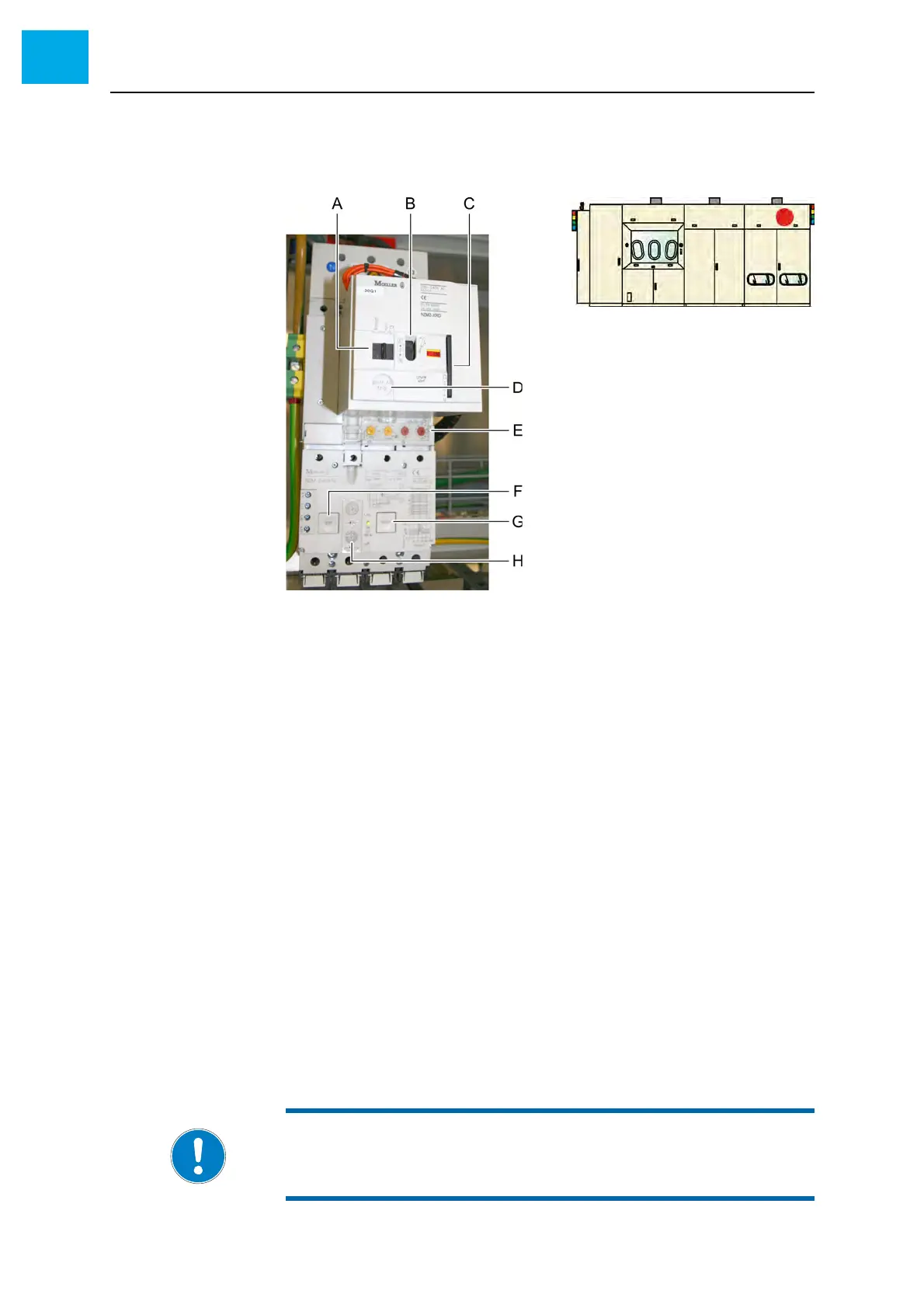
Fig. 6-6, 150 shows the main switch. It is located in the electrical cabinet.
2 Check the switching function of the main switch using a screw driver
Fig. 6-6 Main switch
Checking the RCD The main switch also acts as a residual current device (RCD). If current leak-
ing out of the circuit (e.g. current leaking to earth) exceeds the safety limits,
the main switch disconnects and jumps to the «trip» position.
The RCD can be tested to see if it is operational. Proceed as follows:
1 Make sure that the system is in a state where it may be switched off
safely
2 Open the door of the electrical cabinet at the rear side
3 Press the [TEST] button (item F in Fig. 6-6, 150)
• This button creates a residual current
• The main switch jumps to the «trip» position
4 Press the [RESET] button (item G in Fig. 6-6, 150) to reset the resid-
ual current device
5 Turn the main switch back to the «I» position
A «Manual - Auto» switch
B «On - Off» switch
C Plastic bow for locking
D [push to trip] button
E Tripping characteristics
F [TEST] button
G [RESET] button
H Tripping characteristics
NOTE:
Never change the tripping characteristics of the RCD.



 To Next Page