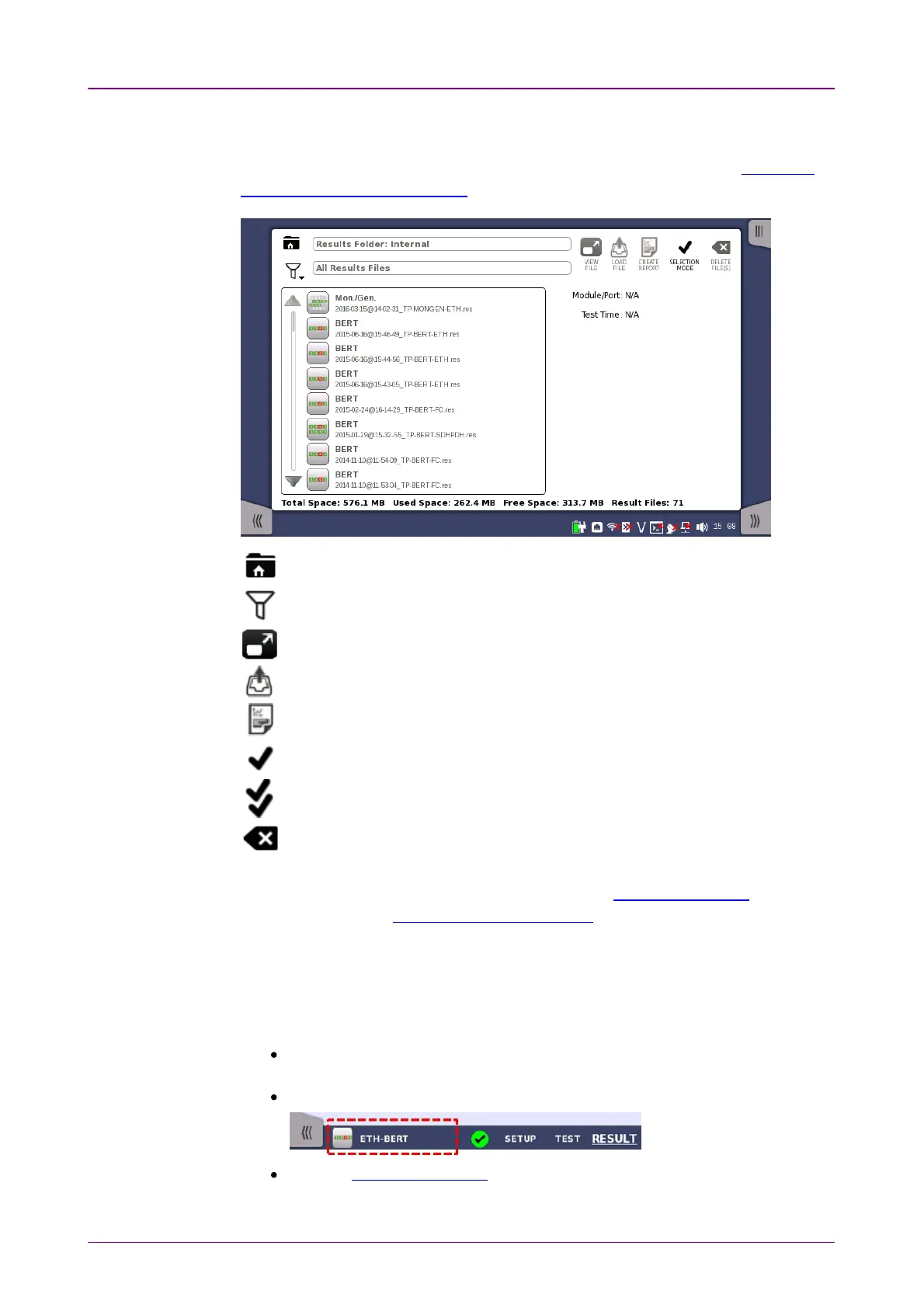
Result File BrowserResult File Browser
Applications SwitcherApplications Switcher
The Result File BrowserResult File Browser screen is the other entry point after startup of the
Network Master. From here you can access the results of previous tests to view
the statistics directly, to generate PDF reports or to do both. Refer to "Accessing
Previous Tests and Test Results".
Browses the folder.
Sets the filter of files.
Loads the result and starts the application with view mode.
Loads the result.
Creating the report from the result.
Selects single file.
Selects multiple files.
Deletes the selected file(s).
In addition to the buttons for accessing and handling test results, the result file
browser also contains a tab for showing/hiding the Instrument toolbar and a
navigation tab to the Application Selector screen.
44..11..33..22 Switching the ApplicationsSwitching the Applications
If running multiple applications, you can switch the application display by
Application Switcher. There are three ways to display Application Switcher:
In the desktop level, if two or more applications are running, touch and hold
the workspace navigation button in the bottom center of the screen.
In the workspace, touch the application in the left side of status bar.
From the Power Button menu.














 To Next Page