IV
Notations in This Manual
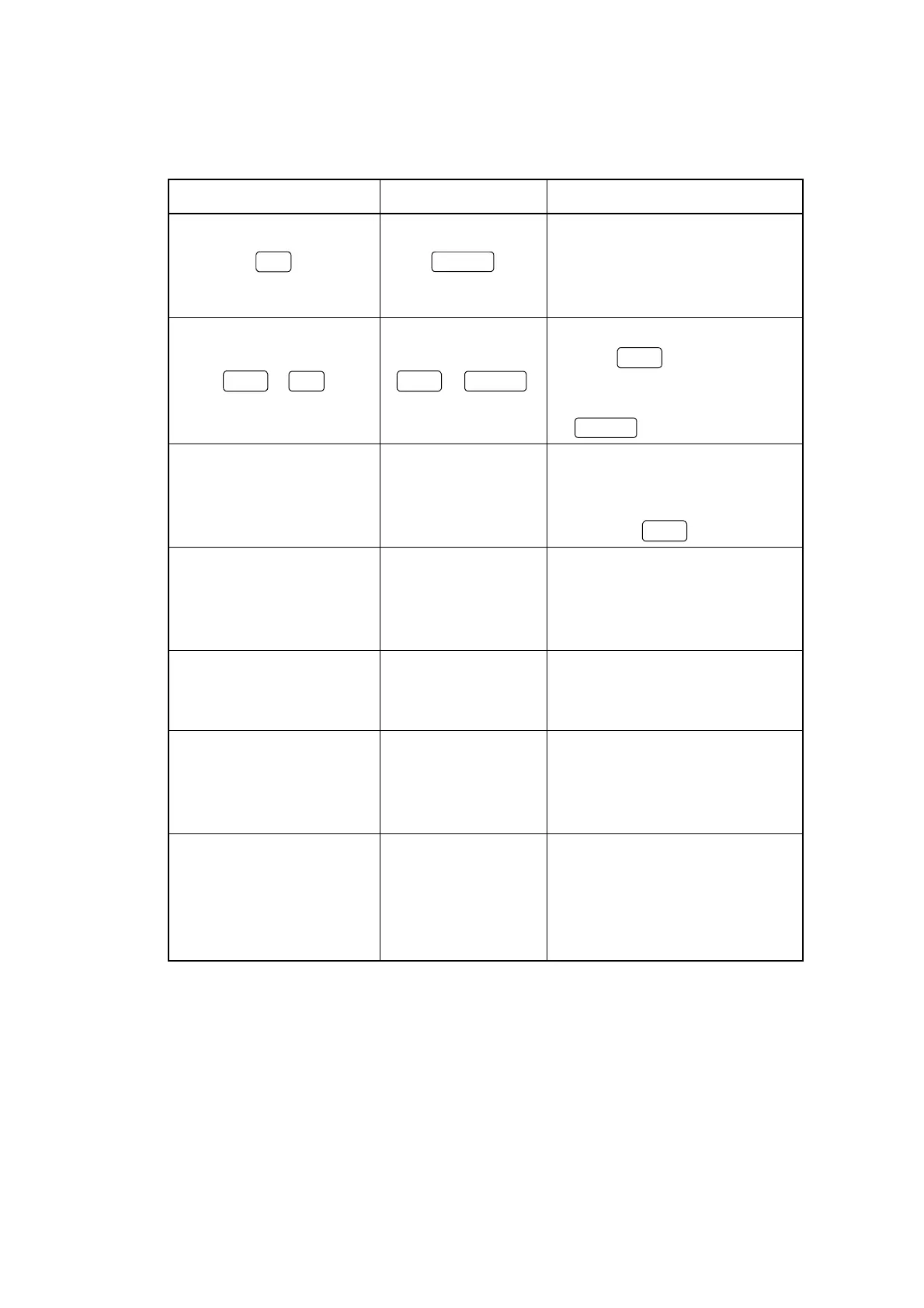
Notation (font) Example Meaning
Local
Indicates a panel key. Character
strings printed on the panel key or
function name (incase there is no
printing) are written.
Shift
+
Shift
+
Recall
Indicates to press a panel key after
pressing
Shift
This procedure is
used to execute the function printed
on the panel key in blue (Save
for
Recall
)
Arial Main1 Input/Output
Indicates the characters printed on the
panel; mainly connector name or
functions when pressing the panel key
after shifting
Shift
.
“Times New Roman” “Screen Select”
Character strings written in Times
New Roman closed with “ ” indi-
cates the description displayed on
LCD.
COURIER
(Capital English/
numeric characters)
SWP
Indicates the reservation words for
remote control command
courier
(Lower case
English/numeric
characters)
SCRSEL screen
Indicates parameter for remote control
command. Numeric characters or
reservation words in “screen” part.
/* */
(courier)
/*setting date*/
A part closed with “/* */”indicates a
remote control command comment.
This part is not transmitted as it
means the explanation of command to
be transmitted.













 To Next Page