2.1 Part Names and Functions
2-13
45
46
47
48
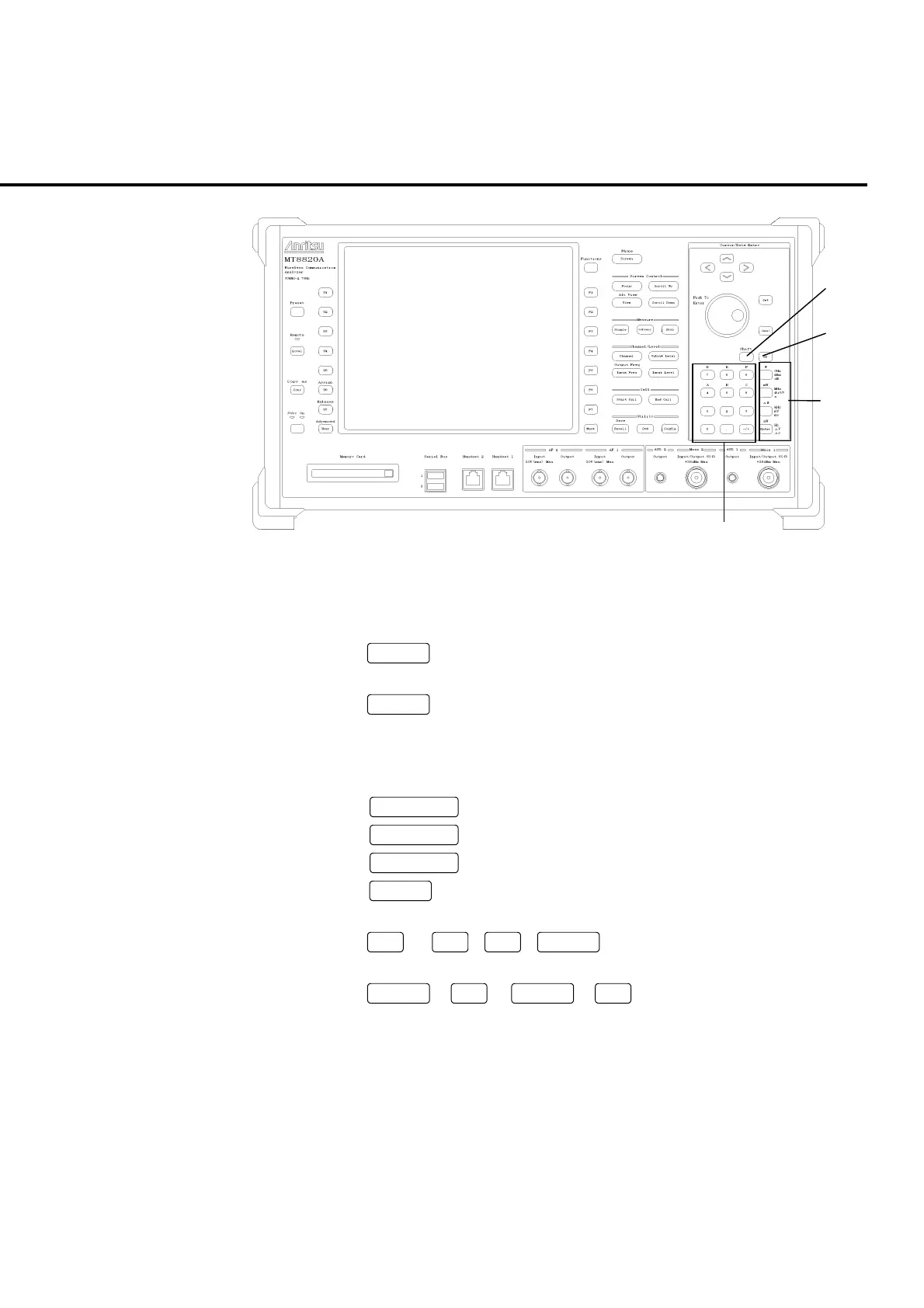
Fig. 2-1-2-10 Front panel (10)
Cursor operation/data entry keys (Cursor/Data Entry) <continued>
45.
Shift
Shift key
Press this key, before executing functions indicated in blue on the panel.
46.
BS
Back space key
Deletes one character before the cursor, while a value is being entered.
47. Unit and enter keys
Sets the unit for values being input and validates parameters.
Unit key
GHz, dBm, dB, W
Unit key
MHz, dBµV/V, s, mW
Unit key
kHz, mV, ms, µW
Enter
Default unit, Hz, µV, µs, nW
48. Numeric keypad/symbol key
0
to
9
,
.
,
+/
−
Starts parameter entry or enters numeric values.
Shift
+
4
to
Shift
+
9
A to F
Enters A to F for hexadecimal notation.













 To Next Page