DRAFT
September 1, 2004 11:39 am, CH_End-Point.fm
Calling and Scrutinizing Allelic Discrimination Data
Applied Biosystems 7900HT Fast Real-Time PCR System and SDS Enterprise Database User Guide 5-15
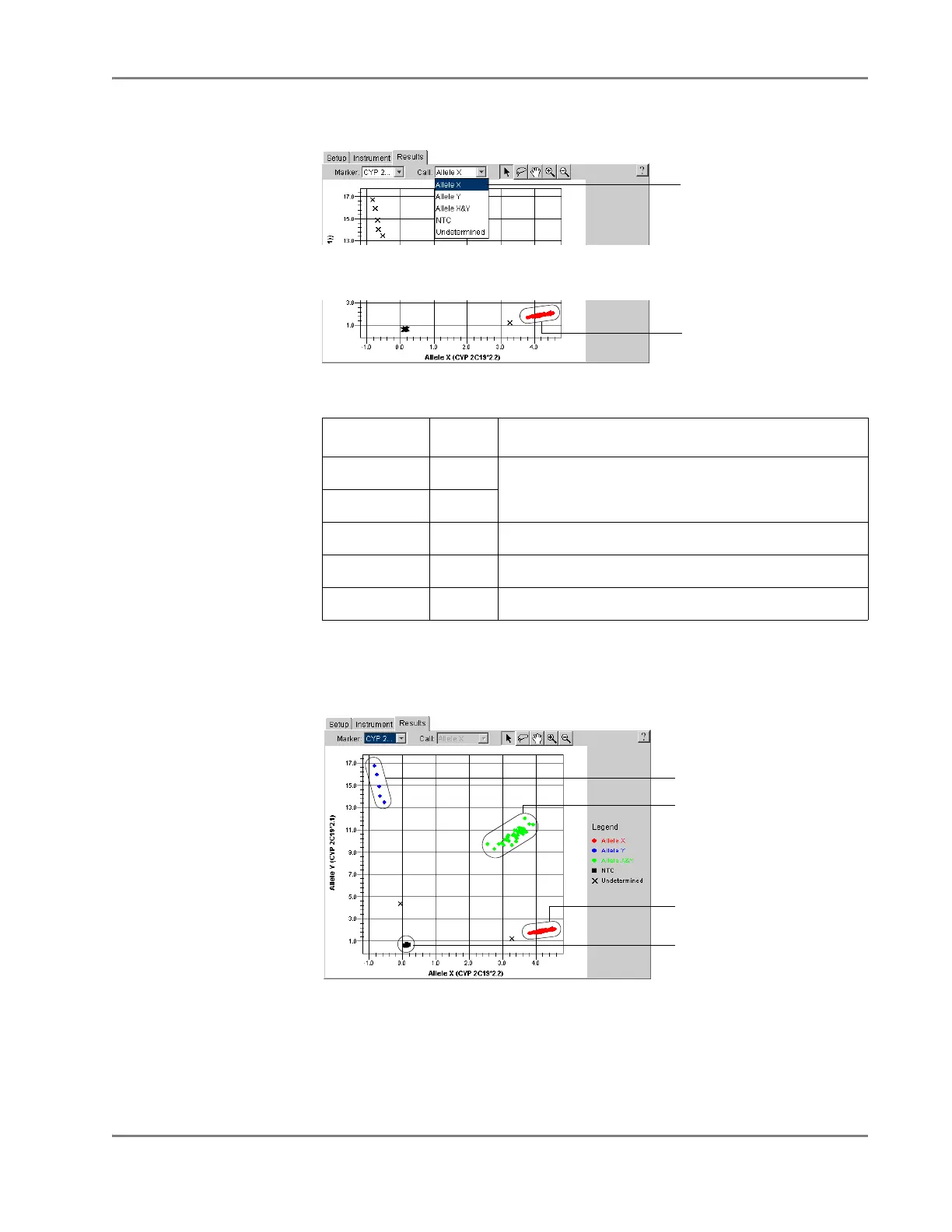
4. Select Call > Allele X.
The software automatically labels the samples and wells with the Allele X call.
5. Repeat steps 3 through 4 to apply calls to the rest of the samples within the plot.
Note: You can adjust the appearance of the allelic discrimination plot or the
data points it contains using the Display Settings dialog box. See the Sequence
Detection Systems Software Online Help for more information.
6. If evaluating for multiple markers, do the following:
a. In the Marker drop-down list, select a different marker.
b. Repeat steps 2 through 5 for the new marker.
c. Repeat steps a and b until the alleles for each marker have been called.
Call Symbol Definition
Allele X ● Homozygous for the allele displayed on the associated
axis of the Allelic Discrimination Plot.
Allele Y ●
Both ● Heterozygous (Alleles X and Y)
NTC ■ No Template Control
Undetermined ✕ Unknown (Unlabeled)
Select Allele X
Allele X
homozygotes
Allele Y homozygotes
Allele X/Allele Y
heterozygotes
Allele X homozygotes
No amplification












 To Next Page