Operation C 2
ekrPro Com
60
web guide controller EDV-No.: MD.191.01.05/1.6.x Chapter: C 2
with analog sensors Date: 23.11.2007 Page: 12/19
C 2.4.3 Special procedure if an
analog reflection sensor is
connected as Sensor 3
1. Select required scanning mode
(BRIGHT/DARK or or
DARK/BRIGHT).
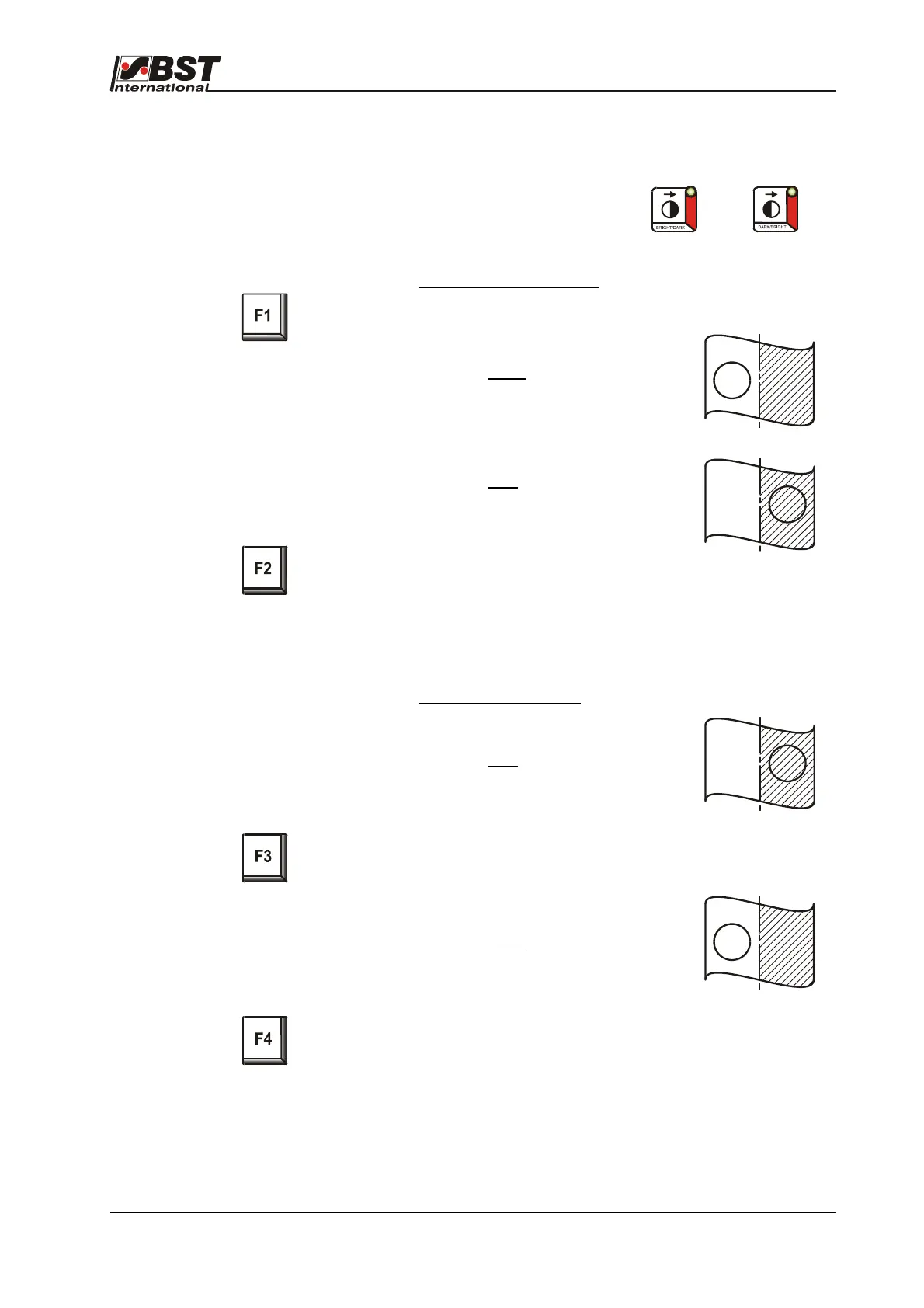
Automatic material set-up:
• Press the F1-key
• Position the sensor’s light spot
on the bright
contrast area
for approx. 2 seconds.
• Position the sensor’s light spot
on the dark
contrast area
for approx. 2 seconds.
• Press the F2-key
Switch over to “AUTOMATIC“ mode to check the guiding
direction. Switch over to the other relevant scanning mode if
the actuator moves in the wrong direction or if the wrong
contrast is scanned.
Manual material set-up:
Position the sensor’s light spot
on the dark
contrast area.
• Press the F3-key.
The dark value will be saved.
• Position the sensor’s light spot
on the bright
contrast area.
• Press the F4-key.
The bright value will be saved.
Switch over to “AUTOMATIC“ mode to check the guiding
direction. Switch over to the other relevant scanning mode if
the actuator moves in the wrong direction or if the wrong
contrast is scanned.



 To Next Page