System Errors
6-16 72A-1589 Rev. C 02/01
D
DD
D
R
RR
R
A
AA
A
F
FF
F
T
TT
T
3
33
3
/
//
/
5
55
5
/
//
/0
00
0
1
11
1
System Errors
System errors are indicated on the Source Table of the ProTesT Control
Panel. A System error occurs when an Instrument component controlled
by ProTesT is functioning improperly. For example, a current amplifier
overheats and ProTesT shows a system error message.
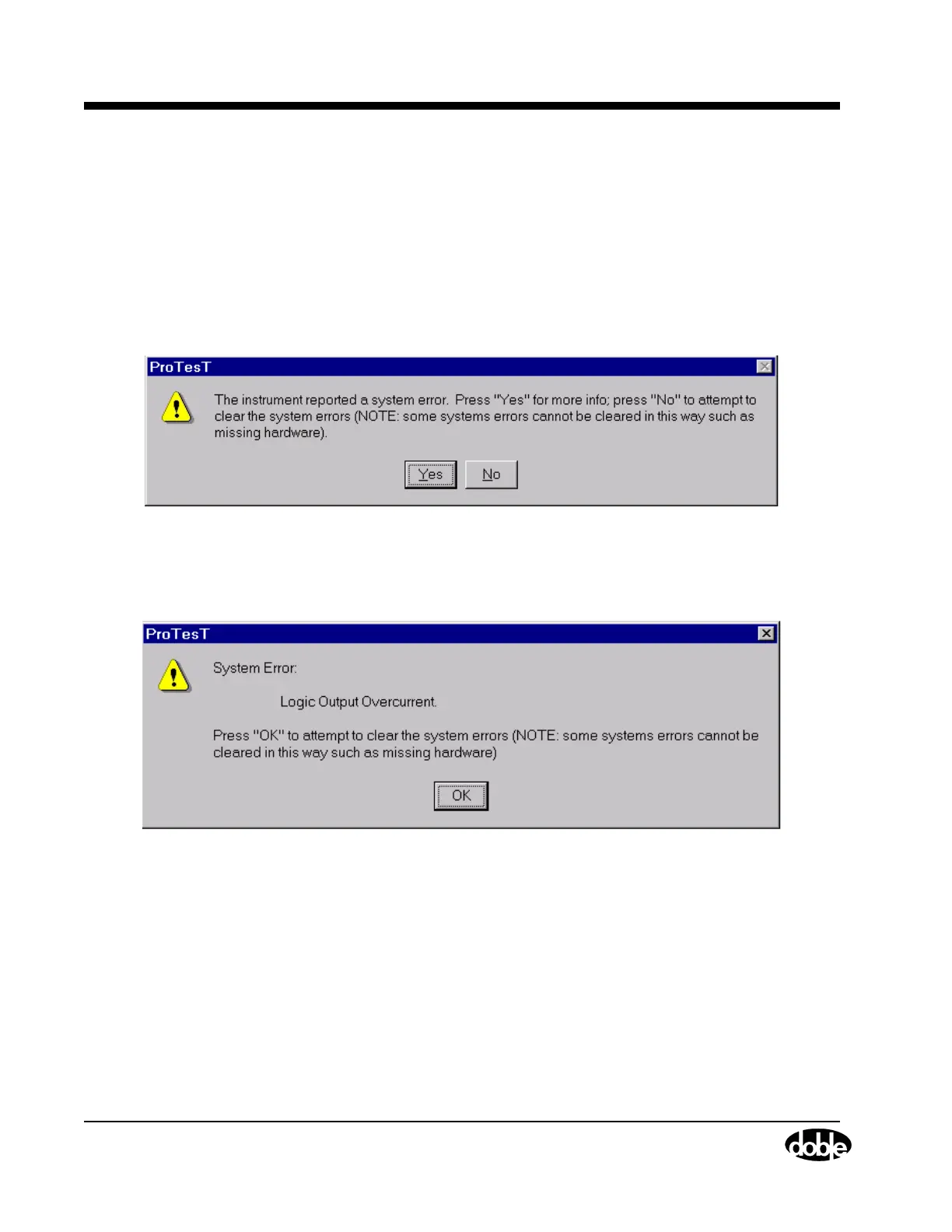
System errors display in a ProTesT dialog box. Figure 6.4 shows the first
message that appears.
Figure 6.4 System Error Message
Click Yes for more information about the system error. Figure 6.5
illustrates the kind of error that can occur.
Figure 6.5 System Error Diagnostic Information
Click OK to close the dialog box and clear the system error. As the note
in the dialog box indicates, the system error does not clear if the problem
is related to missing hardware.
Use Table 6.7 on page 6-17 to diagnose and correct system errors.
TBD



 To Next Page