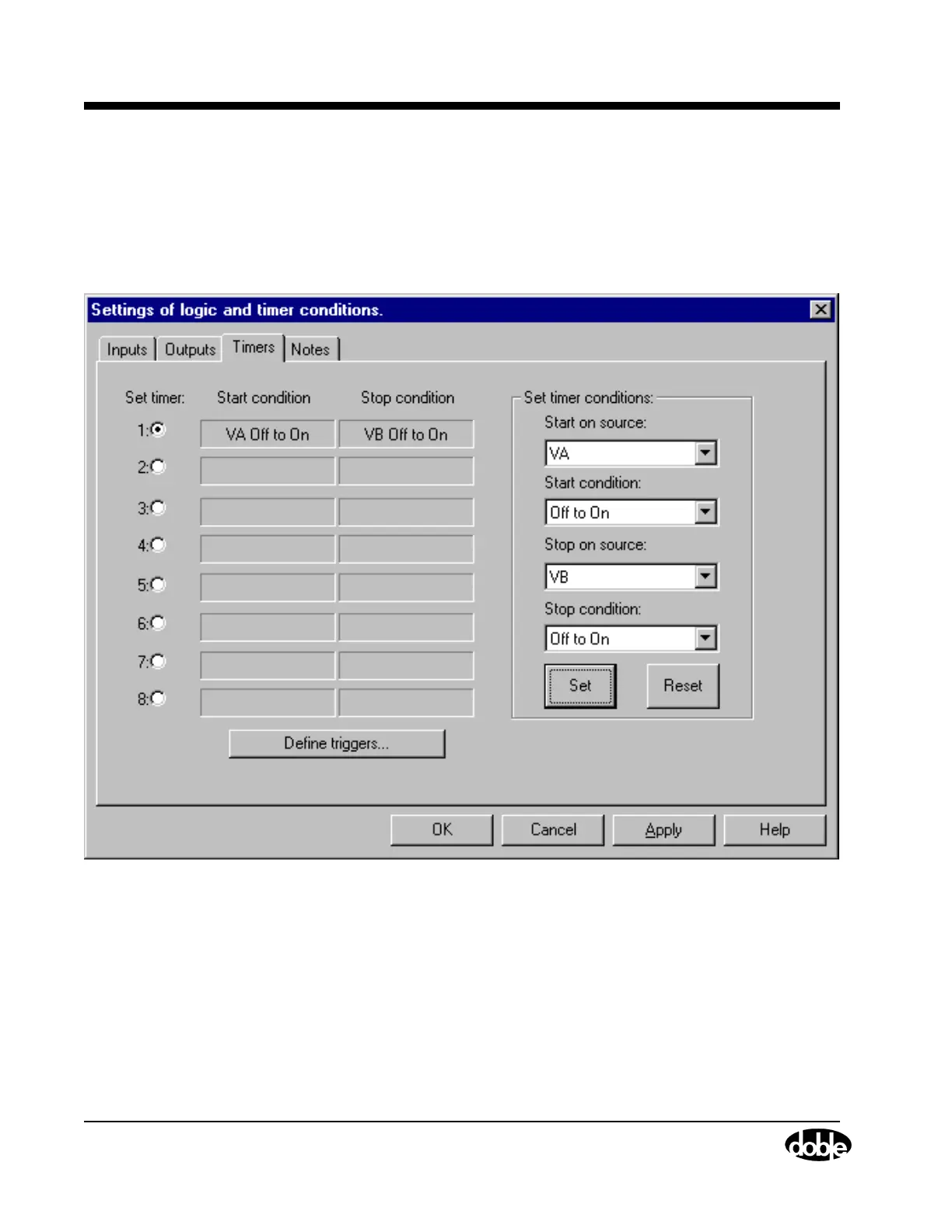
Timers Tab
4-22 72A-1589 Rev. C 02/01
D
DD
D
R
RR
R
A
AA
A
F
FF
F
T
TT
T
3
33
3
/
//
/
5
55
5
/
//
/0
00
0
1
11
1
Set and Reset
After selecting the desired entries from all four pick lists in the Timers tab,
click Set. The start condition defined in the first two pick lists appears in
the Start condition field in Figure 4.14. The stop condition defined in
the third and fourth pick lists appears in the Stop condition field in
Figure 4.14.
Figure 4.14 Start and Stop Conditions Set in the Timers Tab
To redefine the start and stop conditions for a timer, click the radio button
for that timer. Then click Reset in the Set timer conditions section. The
Start condition and Stop condition fields for that timer go blank, and new
conditions from the pick lists can be selected.



 To Next Page