Getting Started
3-2 72A-1589 Rev. C 02/01
D
DD
D
R
RR
R
A
AA
A
F
FF
F
T
TT
T
3
33
3
/
//
/
5
55
5
/
//
/0
00
0
1
11
1
4. On bootup, the messages in the Instrument Display cycle in a
predictable and recognizable pattern. This pattern is disrupted if the
F6000 Instrument fails its internal diagnostic test. The F6000 performs
a set of internal diagnostics to check the integrity of the system's
memory, data, and communication paths. It also checks the integrity
of all the system modules.
WARNING When the instrument is on, the possibility of hazardous voltages or
currents at the sources exists. Proceed with caution.
A series of messages appears in the display on the instrument front panel
as the F6000 firmware boots up (Figure 2.1 on page 2-1). These messages
track the sequence of steps in a successful bootup:
Starting Power On Test
Run the Doble Bootloader (Version Number)
Loading Compressed Image . . . Done
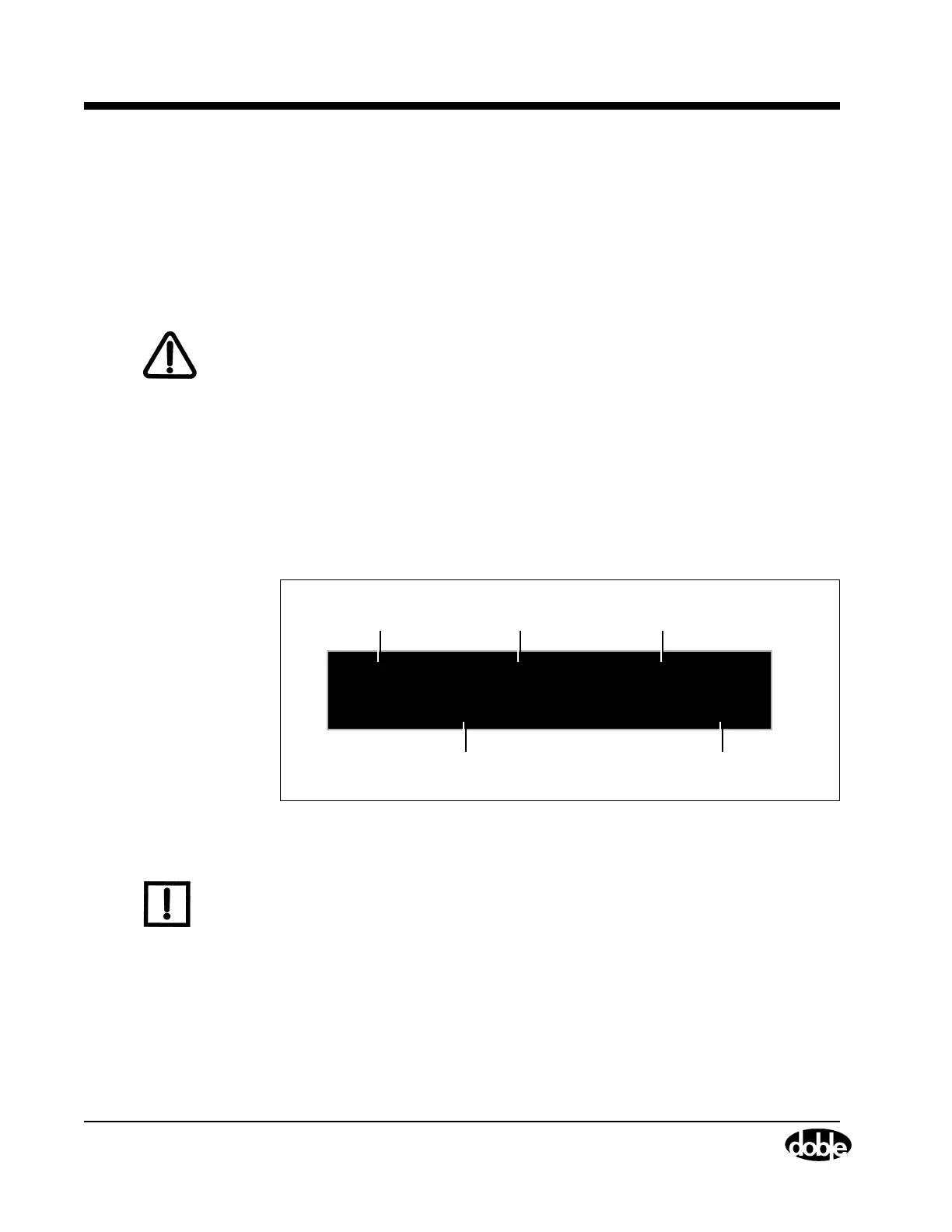
At the end of this series of messages, the following information appears in
the display (Figure 3.1):
Figure 3.1 Instrument Display After Successful Bootup
N
OTE
If an error message appears in the VFD at the end of the bootup
sequence, refer to ”Hardware Errors” on page 6-11.
F6150 Rev: 1.01.10
CPU ID: 69678
IP: 10.1.3.96
Option(s): F6895
Instrument
Model #
Firmware
Revision #
Instrument
IP Address
Identification # of the
CPU in the instrument
Options enabled
(scrolling numbers)



 To Next Page