F6000 Family of Power System Simulators User Guide
72A-1589 Rev. C 02/01 B-3
D
DD
D
R
RR
R
A
AA
A
F
FF
F
T
TT
T
3
33
3
/
//
/
5
55
5
/
//
/0
00
0
1
11
1
Configure the Control PC
To configure Windows 95/98/NT for communication with the F6150 on a
private network:
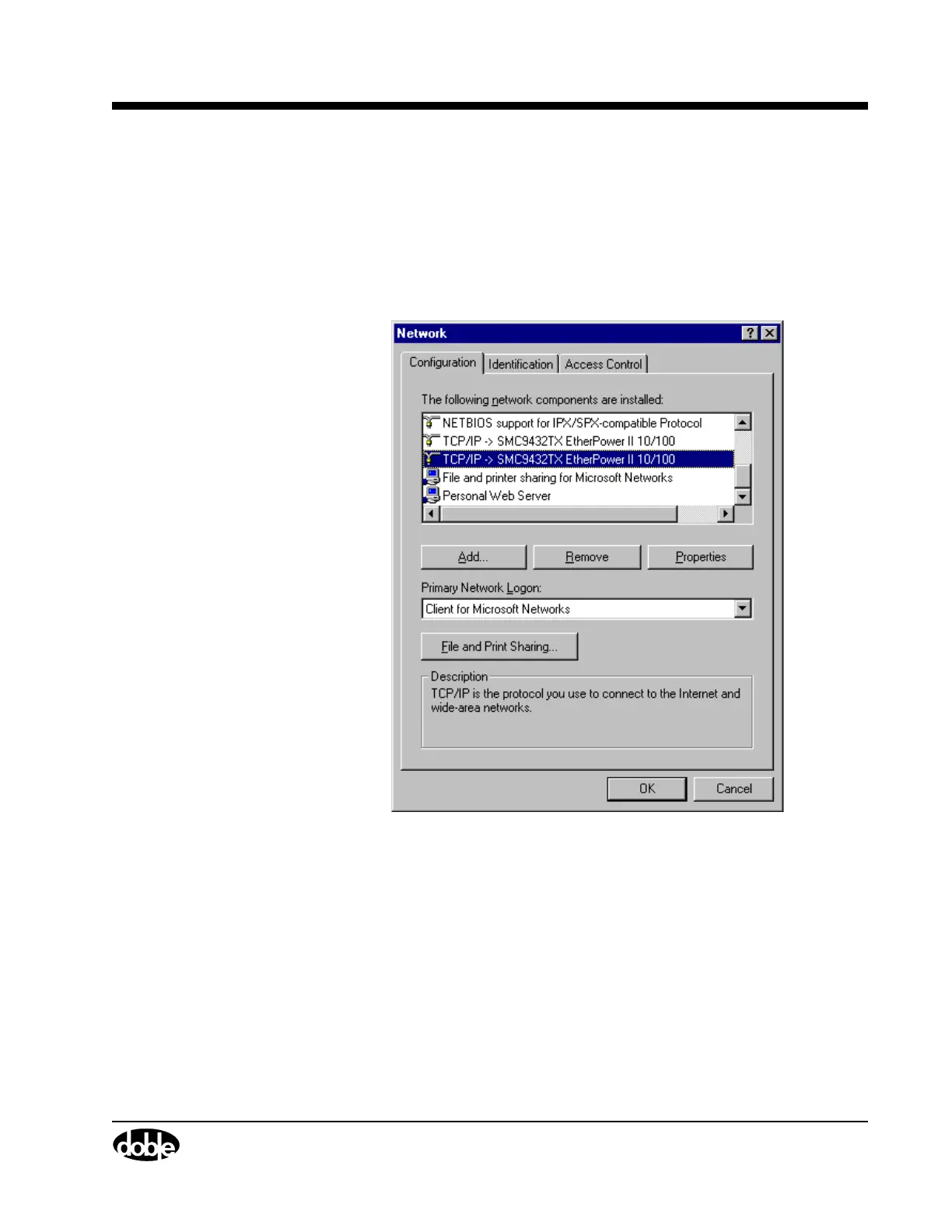
1. Right-click the Network icon on the desktop and select Properties.
The Network display appears (Figure B.2).
Figure B.2 Network Display: Scroll to the TCP/IP Network Component
2. In the Configuration tab, scroll down the list of network components
and select the component that corresponds to the Ethernet card in the
control PC.
3. Click Properties underneath the list of network components.
The TCP/IP dialog box opens (Figure B.3 on page B-4).



 To Next Page