Ramp/Set Sources
4-6 72A-1589 Rev. C 02/01
D
DD
D
R
RR
R
A
AA
A
F
FF
F
T
TT
T
3
33
3
/
//
/
5
55
5
/
//
/0
00
0
1
11
1
Ramp/Set Sources
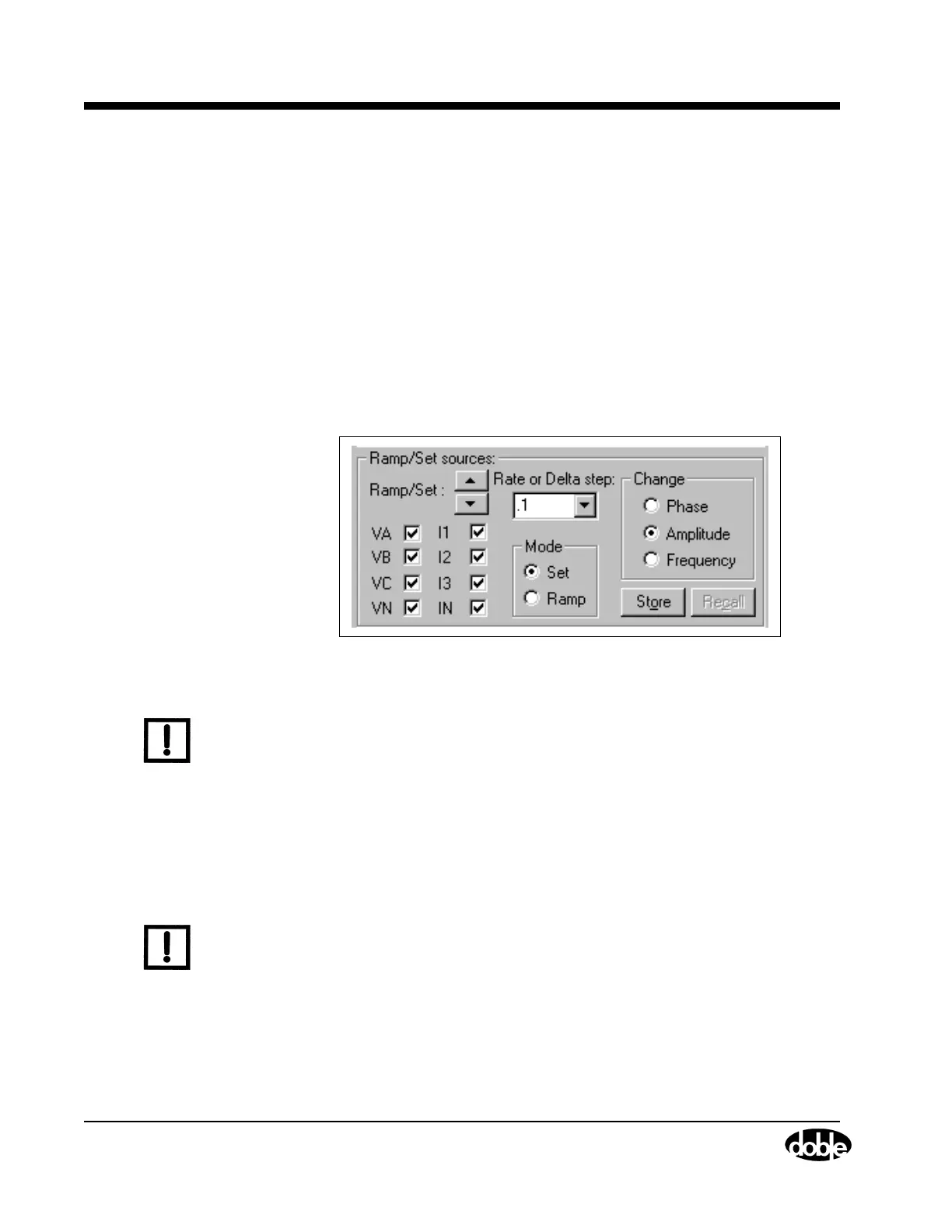
The Ramp/Set sources section (Figure 4.3) contains five fields for varying
the values in the source table:
• Mode setting: Ramp or Set (default mode)
• Rate or Delta step pick list (or user entered value field)
• Variable to change: Phase, Amplitude (default variable), and
Frequency
• Checkboxes to designate sources to change
• Up and down control arrows
• Store and Recall buttons
Figure 4.3 Ramp/Set Sources Section
N
OTE
Use the source table and the Ramp/Set section to control the amplitude,
phase angle, and frequency of each source. These capabilities enable
the pickup, dropout, and time tests.
Sources to Change
The Ramp/Set section has eight checkboxes, one for each source. To
change the selected variable (amplitude, phase angle, or frequency) for a
given source, click the checkbox for that source.
N
OTE
To avoid altering the values for a source during a test, make sure the
checkbox for that source is not selected.



 To Next Page