F6000 Family of Power System Simulators User Guide
72A-1589 Rev. C 02/01 1-5
D
DD
D
R
RR
R
A
AA
A
F
FF
F
T
TT
T
2
22
2
/
//
/
2
22
2
0
00
0
/
//
/
0
00
0
1
11
1
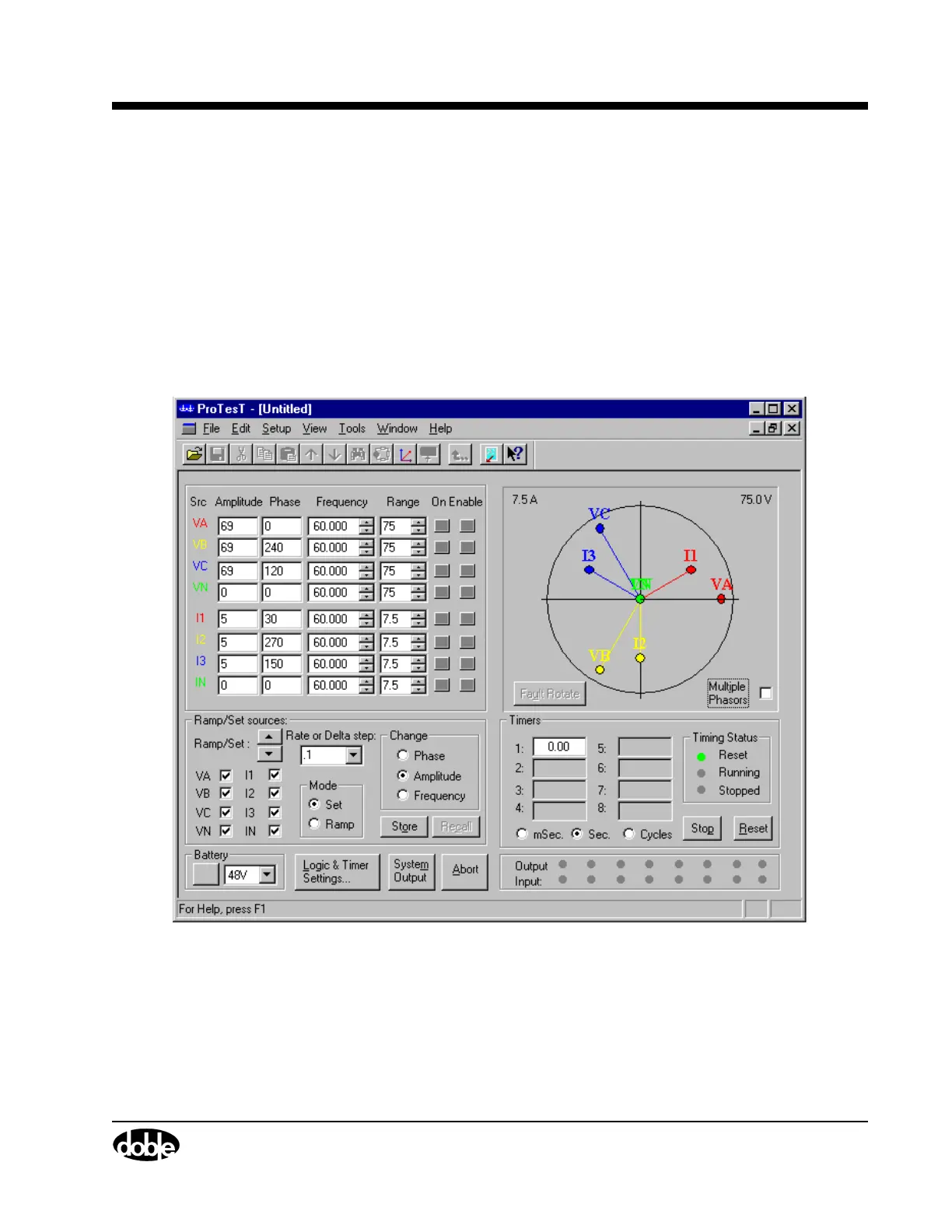
Control Panel
The F6000 Control Panel (Figure 1.4) controls the power system
simulator from a computer connected to the instrument front panel. It
configures and controls the instrument’s voltage sources, current sources,
logic inputs, logic outputs, and timers. The F6000 Control Panel
emulates front panel controls. It also employs flexible data entry
procedures to accommodate the wide range of test configurations
possible. The Control Panel’s intuitive controls can be used to check a
relay without an elaborate test plan.
Figure 1.4 F6000 Control Panel



 To Next Page