Prepare for a Pickup Test
5-2 72A-1589 Rev. C 02/01
D
DD
D
R
RR
R
A
AA
A
F
FF
F
T
TT
T
3
33
3
/
//
/
5
55
5
/
//
/0
00
0
1
11
1
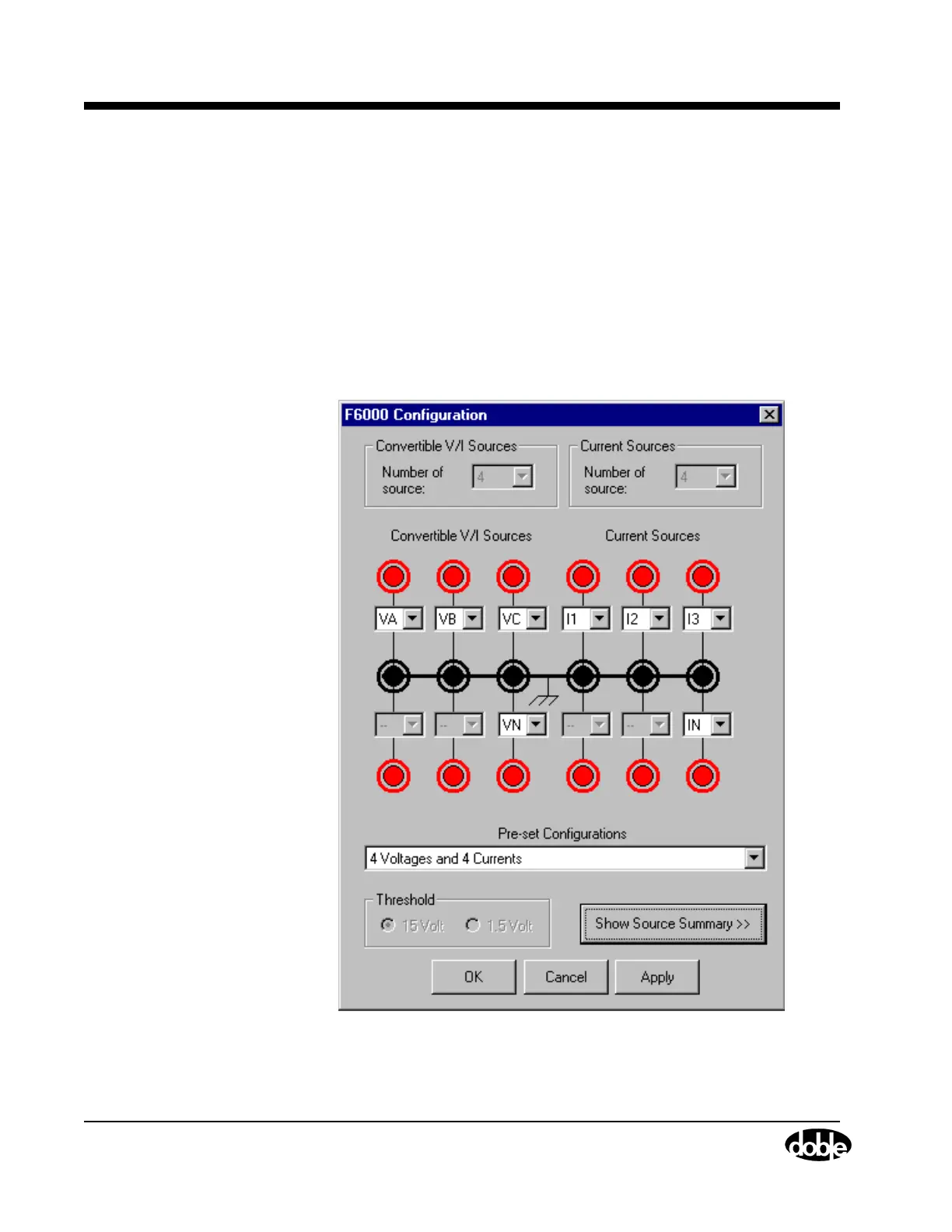
7. Click Tools|F6000 Configuration in the menu bar at the top of the
Control Panel.
The F6000 Configuration display appears (Figure 5.1).
8. Verify that current source I1 on the instrument front panel is
connected to the relay under test. Locate current source I1 in the
Configuration display – it is the fourth source from the left in the top
row – and verify that the lead from the relay goes to the same
terminal on the instrument front panel.
9. Click OK to close the Configuration display.
Figure 5.1 Configuration Display



 To Next Page