F6000 Family of Power System Simulators User Guide
72A-1589 Rev. C 02/01 5-3
D
DD
D
R
RR
R
A
AA
A
F
FF
F
T
TT
T
3
33
3
/
//
/
5
55
5
/
//
/0
00
0
1
11
1
Control Panel Operations
Use the F6000 Control Panel to carry out a simple pickup test:
• Set up the source table to use I1 as the active source.
• Use the Inputs tab of the Settings display to define the sense
condition.
• Select the settings needed for the test in the Ramp/Set sources
section.
• Activate I1, and increase the current until the relay responds.
To begin the test:
1. Click Tools|F6000 Control Panel in the top menu bar.
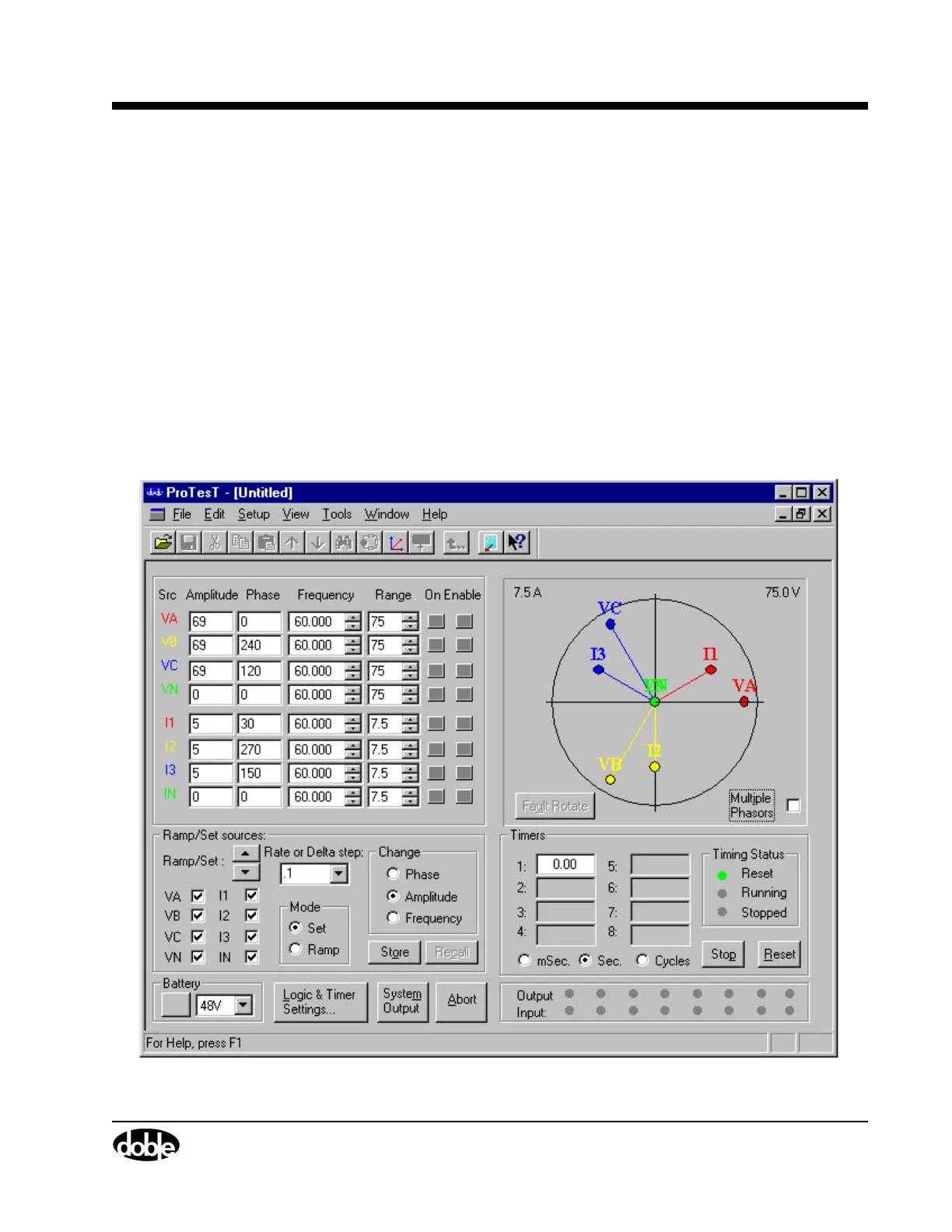
The F6000 Control Panel appears (Figure 5.2).
Figure 5.2 F6000 Control Panel



 To Next Page