F6000 Family of Power System Simulators User Guide
72A-1589 Rev. C 02/01 5-5
D
DD
D
R
RR
R
A
AA
A
F
FF
F
T
TT
T
3
33
3
/
//
/
5
55
5
/
//
/0
00
0
1
11
1
Settings Display
4. Click Logic/Timer settings... in the lower left-hand portion of the
Control Panel (Figure 5.3).
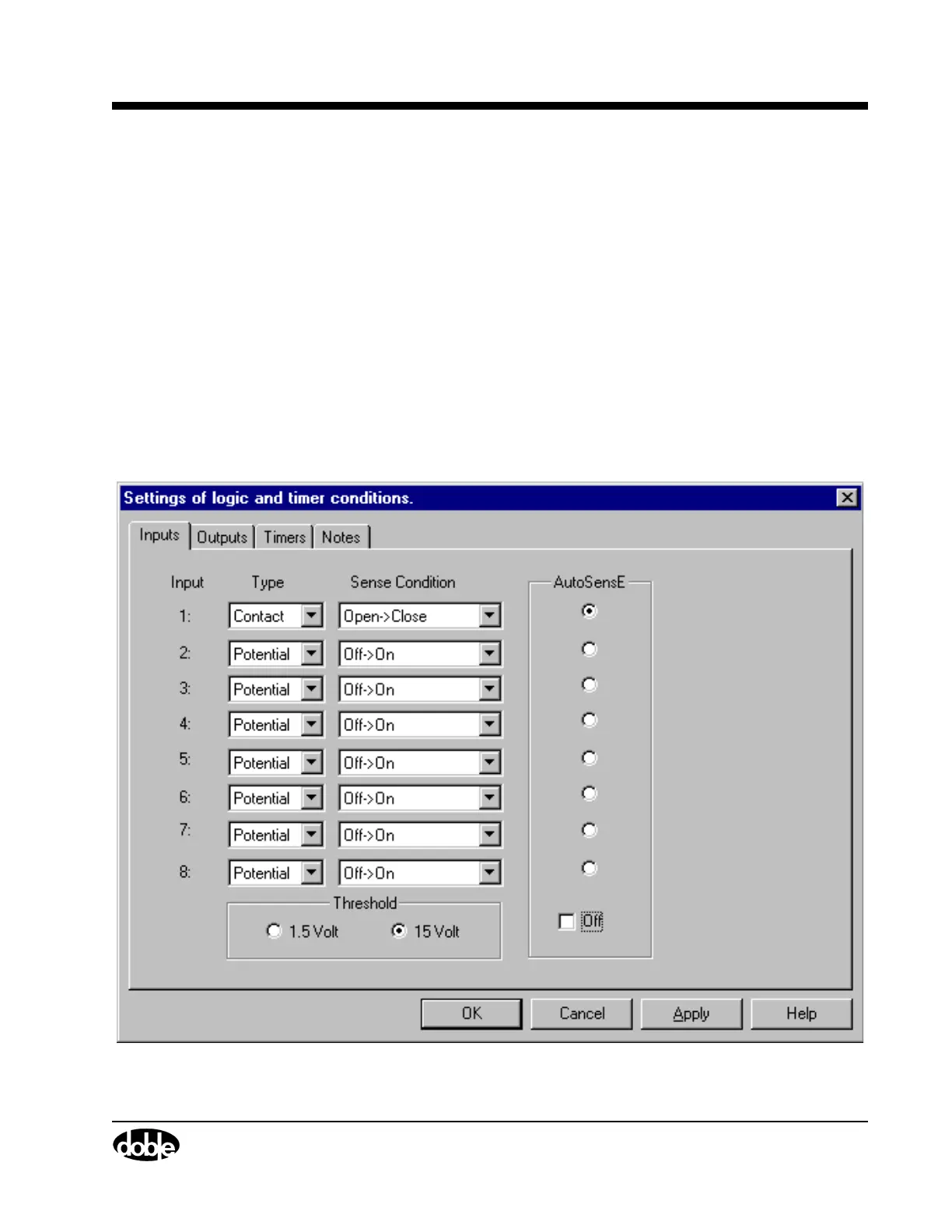
The Inputs tab of the Settings display appears. Figure 4.8
on page 4-13 shows the default settings for the Inputs tab.
5. Uncheck the Off checkbox below the radio buttons to enable the
AutoSensE feature.
6. Click the AutoSensE radio button for Input 1.
7. Select Contact from the pick list under Type.
Leave Open
→
Close as the default Sense Condition.
8. Click OK to close the Settings display.
Figure 5.4 Inputs Tab of the Settings Display



 To Next Page