F6000 Family of Power System Simulators User Guide
72A-1589 Rev. C 02/01 5-21
D
DD
D
R
RR
R
A
AA
A
F
FF
F
T
TT
T
3
33
3
/
//
/
5
55
5
/
//
/0
00
0
1
11
1
Reach Test
The last test in this series of examples is a reach test. Connect the test
relay to voltage sources VA and VB and to logic input 1 on the instrument
front panel.
To configure the sources for the test:
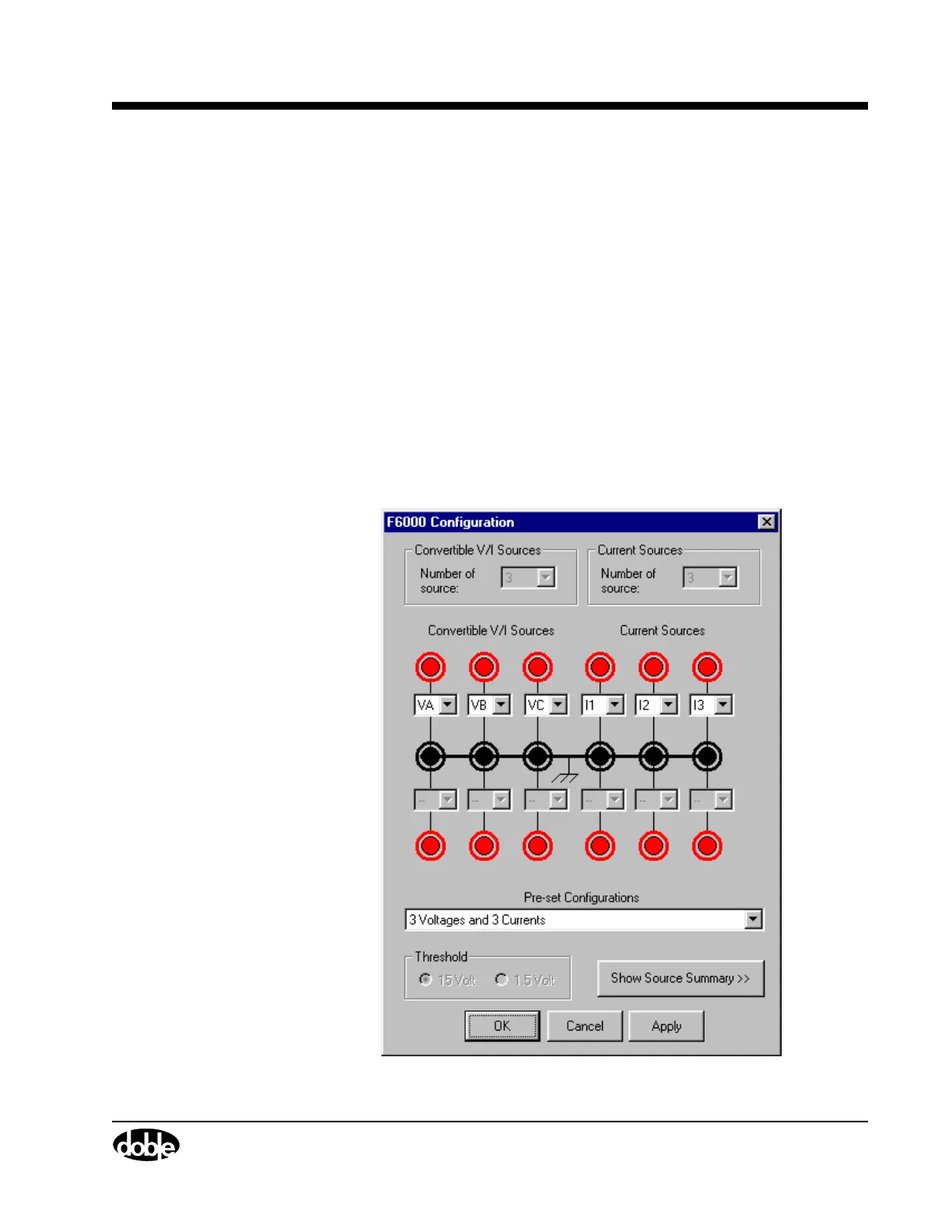
1. Click Tools|F6000 Configuration in the menu bar at the top of the
Control Panel.
The F6000 Configuration display appears (Figure 5.18).
2. Select 3 Voltages and 3 Currents in the Pre-set Configurations
drop-down list.
3. Click OK to close the Configuration display.
Figure 5.19 on page 5-23 shows the correct source configuration.
Figure 5.18 Configuration Display



 To Next Page