F6000 Family of Power System Simulators User Guide
72A-1589 Rev. C 02/01 4-11
D
DD
D
R
RR
R
A
AA
A
F
FF
F
T
TT
T
3
33
3
/
//
/
5
55
5
/
//
/0
00
0
1
11
1
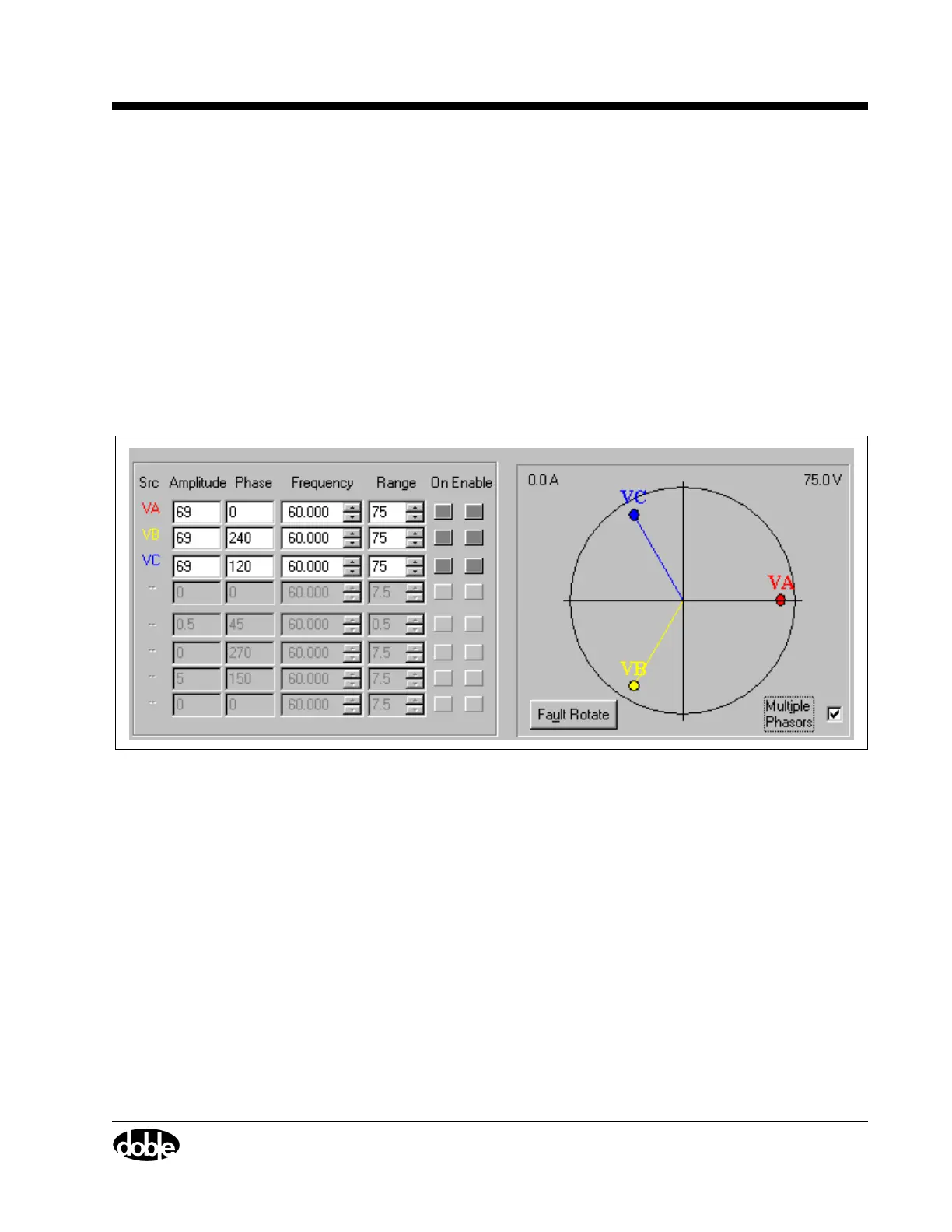
Multiple Phasors
When Multiple Phasors is checked, all the phasors for a set of voltage or
current sources can be moved by dragging and dropping any one of
them. (Each phasor maintains its position relative to the other two.) When
dragging the phasors, the source table is continuously updated, but the
new amplitude and phase angle values are not sent to the F6000
Instrument until the phasor selected is dropped. Figure 4.5, Figure 4.6,
and Figure 4.7 show a configuration with three voltage sources and no
current sources. The three figures illustrate how the phase angles for VA,
VB, and VC change when the phasor for VA is shifted ~45° with Multiple
Phasors checked.
Figure 4.5 Phasors for Three Voltage Sources Separated 120°



 To Next Page