Ramp/Set Sources
5-6 72A-1589 Rev. C 02/01
D
DD
D
R
RR
R
A
AA
A
F
FF
F
T
TT
T
3
33
3
/
//
/
5
55
5
/
//
/0
00
0
1
11
1
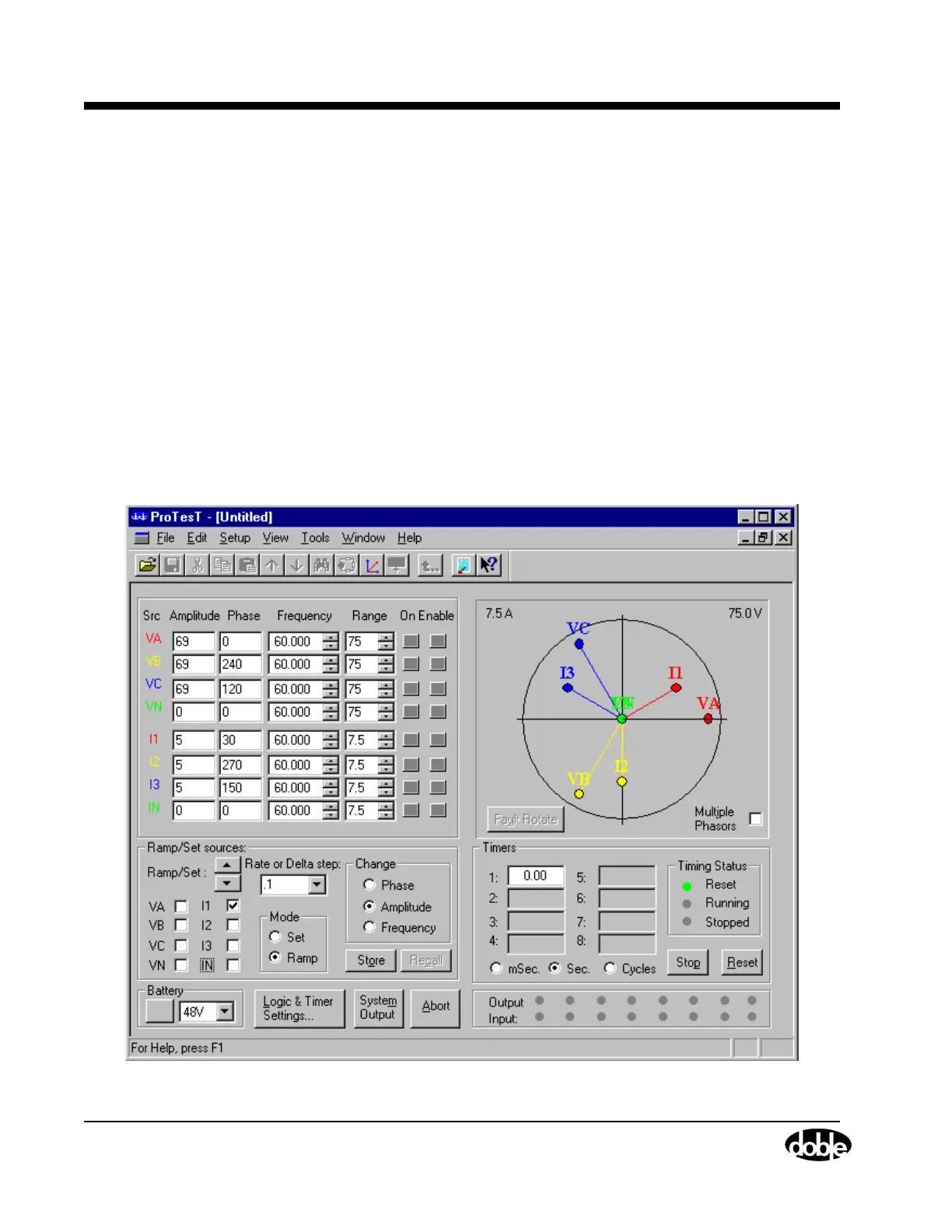
Ramp/Set Sources
The Ramp/Set sources section is located underneath the source table in
the Control Panel (Figure 5.3 on page 5-4).
9. Click the radio button for Ramp mode.
10. Click the radio button for Amplitude.
11. Select the ramp rate from the Rate or Delta step pick list.
For this example the ramp rate is set for .1 A per second. This value is
user selectable and should provide sufficient resolution to determine
the relay’s operating characteristic with respect to tolerances.
12. Remove the checkmark from every source except current source I1.
After completing steps 9 through 12, the Ramp/Set sources section
appears as shown in Figure 5.5.
Figure 5.5 Settings in the Ramp/Set Sources Section



 To Next Page