F6000 Family of Power System Simulators User Guide
72A-1589 Rev. C 02/01 A-5
D
DD
D
R
RR
R
A
AA
A
F
FF
F
T
TT
T
2
22
2
/
//
/
2
22
2
0
00
0
/
//
/
0
00
0
1
11
1
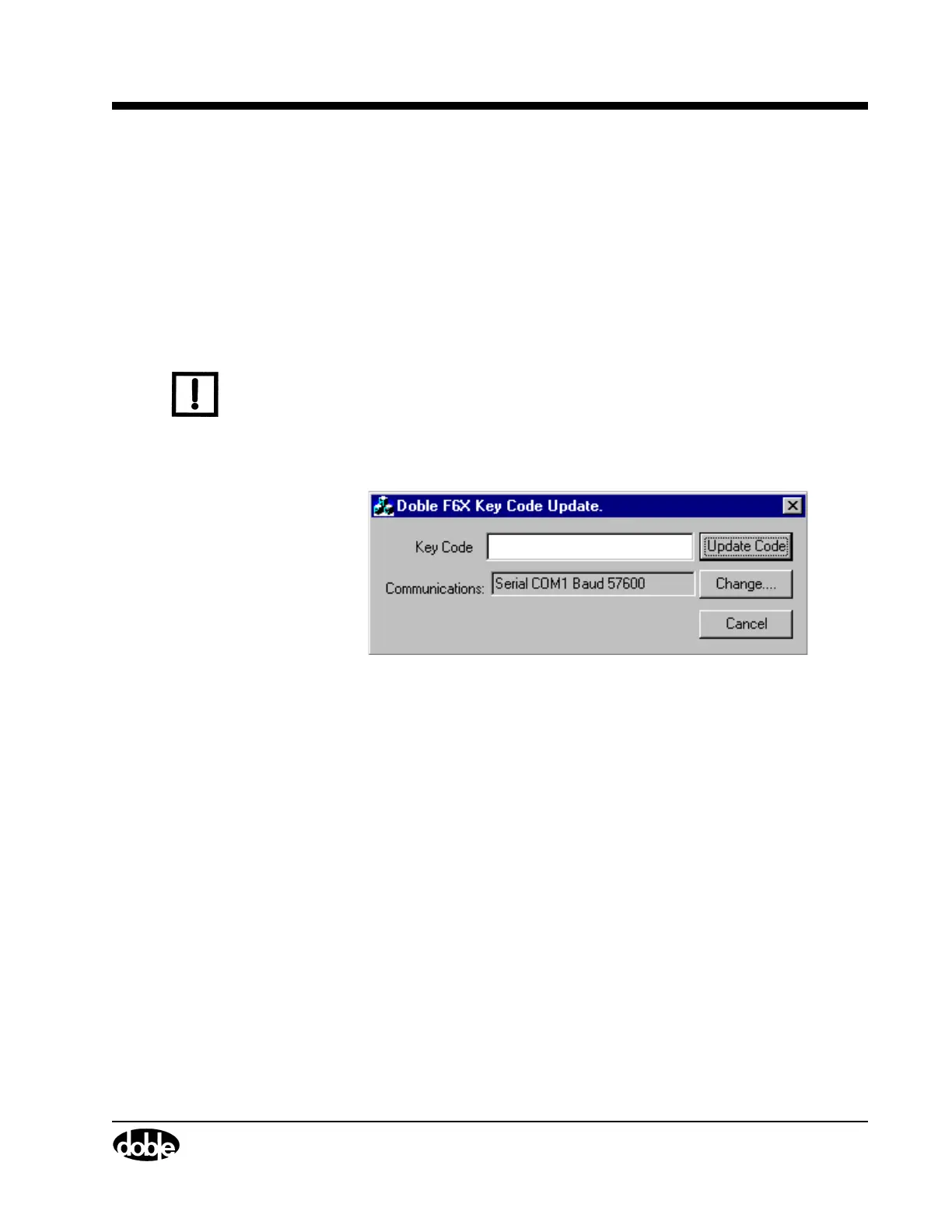
Key Code Update
The Key Code Update utility installs options available for the F6000
Instrument (see ”Options” on page 1-6). These options require a Doble
Engineering software key for access. Obtain the software key from the
Doble Engineering Company when the option is purchased. The F6000
options available to the operator are identified by numbers that scroll in
the Instrument Display after bootup.
N
OTE
The Key Code Utility is only required when options are to be installed in
the field, as all ordered options are installed before delivery.
To update the F6000 options:
1. Click Tools|F6000 Key Code from the ProTesT menu bar.
The Key Code Update display appears (Figure A.4).
Figure A.4 Key Code Update
2. Type the software key in the Key Code field.
3. Click Update Code.
An error message appears if an incorrect code is entered.
4. If necessary, click Change to enter new communications parameters.
Refer to ”Communications Parameters” on page A-3.



 To Next Page