F6000 Family of Power System Simulators User Guide
72A-1589 Rev. C 02/01 3-5
D
DD
D
R
RR
R
A
AA
A
F
FF
F
T
TT
T
3
33
3
/
//
/
5
55
5
/
//
/0
00
0
1
11
1
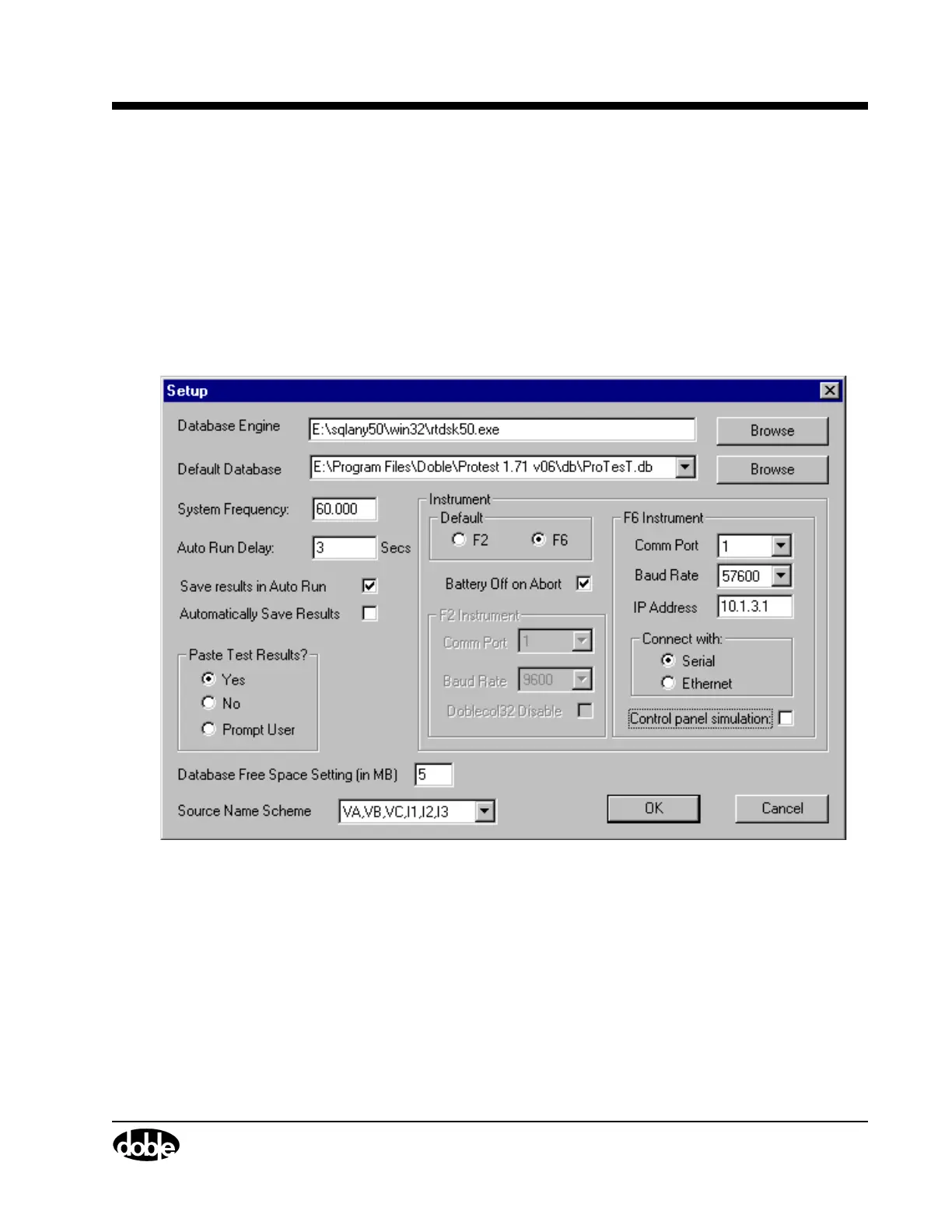
Setup Display
Use the Setup display (Figure 3.3) to configure the ProTesT software
to communicate with the F6000 instrument. To open the Setup display,
click Setup in the ProTesT menu bar. Select F6 as the default instrument.
Locate the section labeled F6 Instrument. It contains several settings
related to system communications. It also contains a check box to specify
simulation mode for the F6000 Control Panel if there is no F6000
Instrument connected.
Figure 3.3 Setup Display



 To Next Page