Conduct the Test
D-4 72A-1589 Rev. C 02/01
D
DD
D
R
RR
R
A
AA
A
F
FF
F
T
TT
T
2
22
2
/
//
/
2
22
2
1
11
1
/
//
/
0
00
0
1
11
1
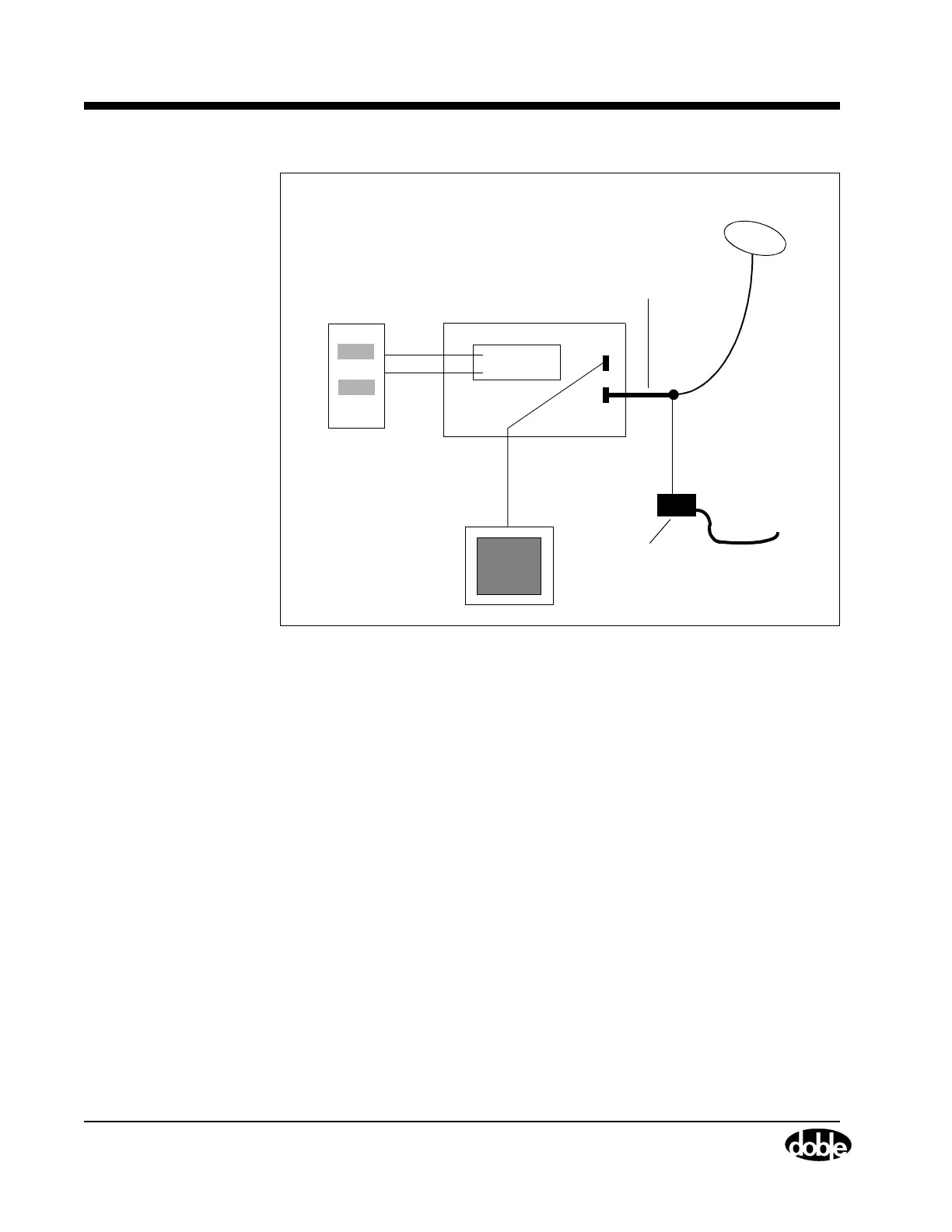
Figure D.2 Equipment Setup for GPS Synchronization
When the GPS antenna is connected and powered as shown in
Figure D.2, turn the F6000 Instrument on. The normal sequence of
messages in the VFD confirms a successful boot-up. At the end of the
sequence, the message GPS 0 Sats indicates the GPS receiver is
initializing. Allow several minutes for the initialization process. When
the system is ready, GPS 6 Sats appears, followed by the time in
Universal Time Coordinates: GPS 17:04:26 UTC. This message indicates
that the components are connected correctly and the instrument is
synchronized to the GPS clock.
Conduct the Test
The ProTesT Starter Kit includes the control software needed for
end-to-end testing with GPS synchronization.
Use the State Simulation (SSIMUL) or TRANS macro in ProTesT to
conduct an end-to-end test. Use the Power System Model in ProTesT to
specify the values needed for the test table in the State Simulation macro.
PC with
ProTesT
Relay under test
F6150
Adapter Cable with
15-Pin Connector
100-foot
cable
GPS Antenna
115 V AC12 V DC GPS
Power CordPower Supply



 To Next Page