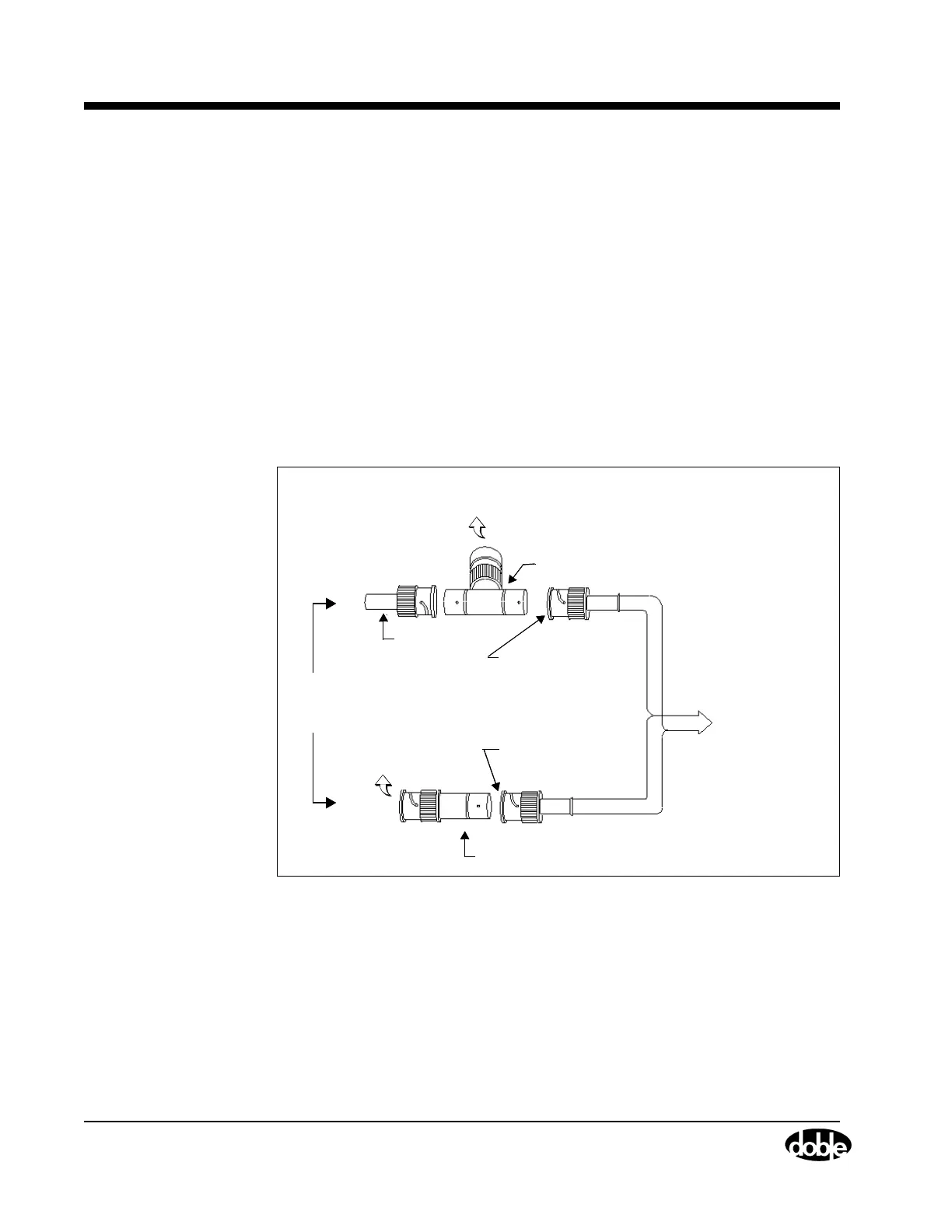
Connect the Control PC to the F6150
B-2 72A-1589 Rev. C 02/01
D
DD
D
R
RR
R
A
AA
A
F
FF
F
T
TT
T
3
33
3
/
//
/
5
55
5
/
//
/0
00
0
1
11
1
Connect the Control PC to the F6150
To connect the Ethernet card in the control PC to the F6150, use two
50 ohm terminators and a 50 ohm coax 10Base2 network cable. The
terminators and the cable are supplied with the instrument.
1. Connect one of the 50 ohm terminators to the network port on the
right side of the instrument front panel.
2. Connect the second 50 ohm terminator to the connector on the
Ethernet card in the control PC.
3. Connect the supplied RG-58 coax cable to both the F6150 and the
control PC.
Figure B.1 illustrates two ways to make these connections.
Figure B.1 Alternate 50 Ohm Terminator Connections
for the Coax Cable
To Computer
Ethernet Connector
T-Connector
50 Ohm
Ter minator
To Computer
Ethernet Connector
Built-in 50 Ohm Terminator
BNC Connector and
RG-58 Coax Cable
BNC Connector and
RG-58 Coax Cable
Use
Either
Setup
To Computer
Ethernet Connector
T-Connector
50 Ohm
Ter minator
To Computer
Ethernet Connector
To same setup
on the F6150
Built-in 50 Ohm Terminator
BNC Connector and
RG-58 Coax Cable
BNC Connector and
RG-58 Coax Cable
Use
Either
Setup
Network Port



 To Next Page