Diagnostic instruments
file:///D|/Manuales/Para%20recolocar/MOTOS/DUCATI/DUCATI/M796/wsm/EN/M796_ABS_11_6_13.36.1.html[11/12/2015 18:40:27]
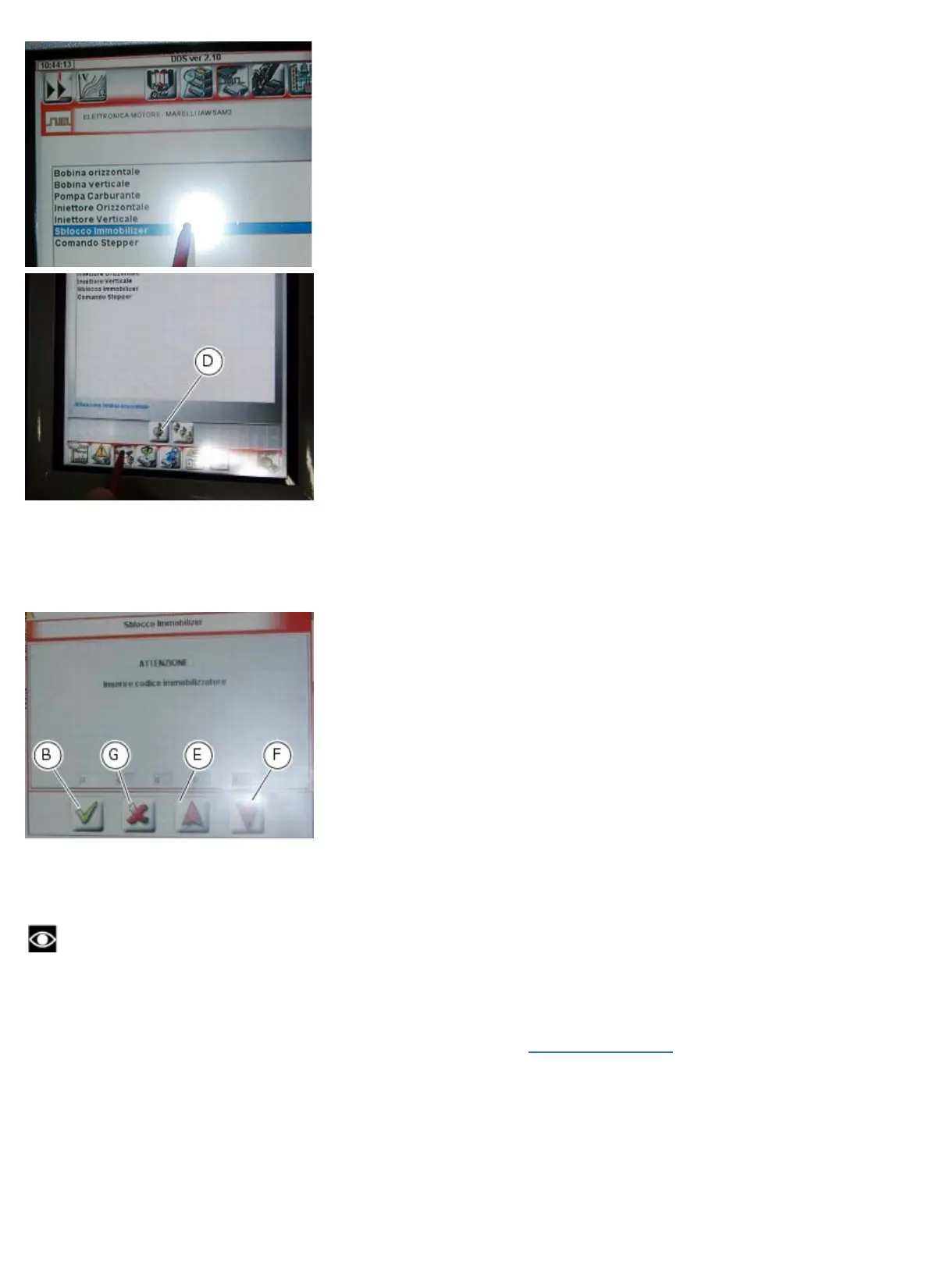
A screen will appear in which you can enter the 5 digit secret code. Use the red arrows (E) and (F) to enter each digit:
after entering each digit, press the “Confirm” icon (B).
One the entire code has been entered, press the “Confirm” icon (B) again.
On completion of the operation, the message “Was the operation completed successfully?” will appear; press “Confirm”.
If any problems were encountered during the operation, the tester will display the relative error messages: each message
must be confirmed by pressing the “Confirm” icon, or rejected by pressing the “Exit” icon (G).
Disconnect the tester.
Guided diagnosis
Note
The on-screen icons used during this procedure are explained in a table at the end of this section.
The DDS diagnosis instrument guides the operator step-by-step through the various diagnostic procedures,
providing descriptions and documentation for motorcycle components, wiring diagrams for the electronic systems and
information on the locations of specific components.
Turn on the DDS diagnosis instrument (1) referring to the paragraph “
Tester power supply”.
Connect the power and diagnostics cable (2) part no. 97900.0227S and the diagnostics connector (F) to the diagnostics
socket (3) on the motorcycle.










 To Next Page