305
c HELP Mode Function and Operation Procedures
chap.7
1. Functions
(1) Checking of condition of switches listed below:
¡ Displays condition of drum rotation switch, and cutter limit
switches (inner, and operation side) as 0 or 1
¡ Displays condition of drum cover switch, and master setting switch
as 0 or 1
(1) Checking the condition of the listed switches
q
Access HELP mode H-07, and press the PRINT key.
For the basic procedure for accessing HELP modes.
w
Make sure that the BOOK SHADOW ERASE key is off, then
press and hold the PRINT key. For as long as the key is held
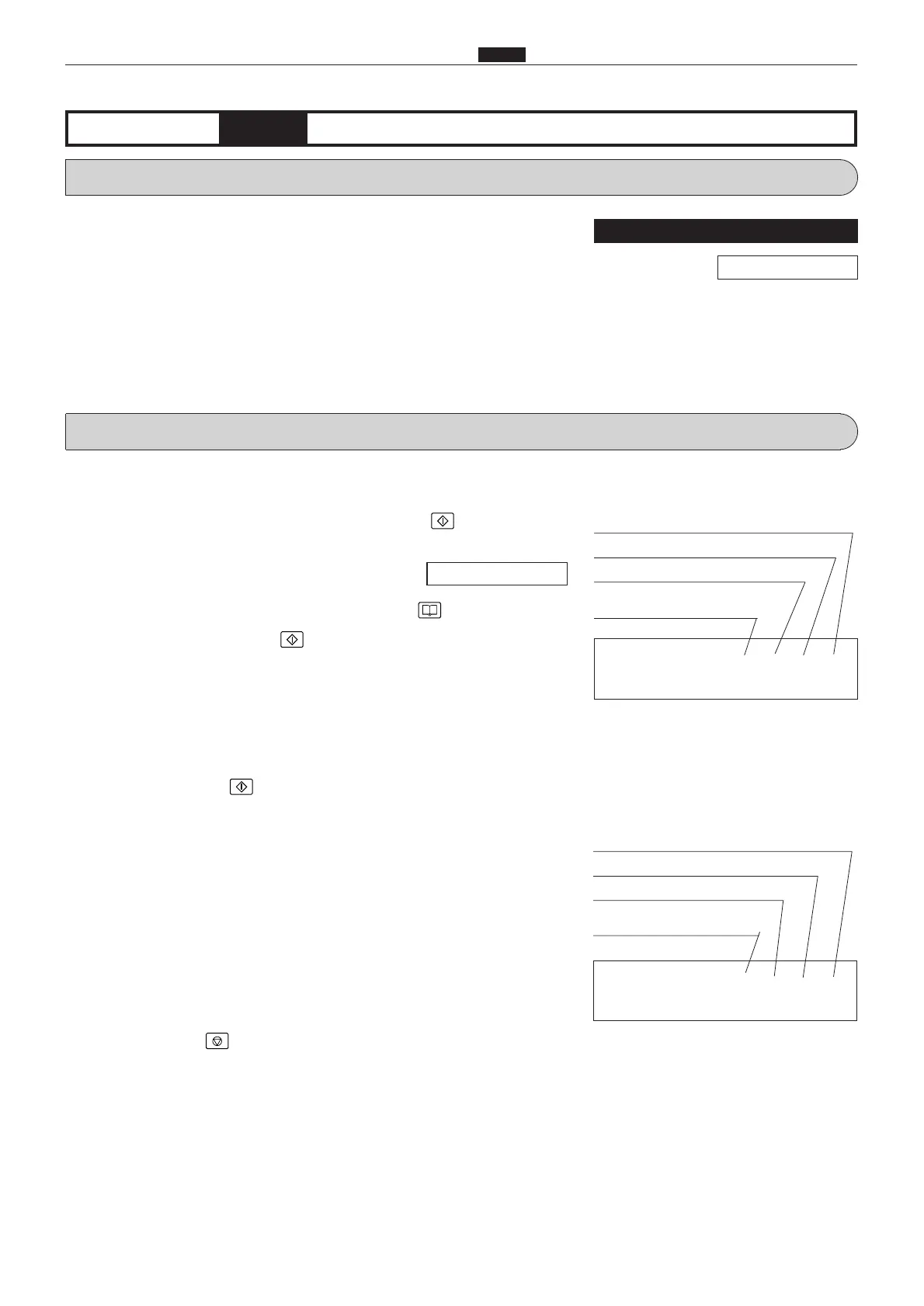
down, a display indicating the conditions of the following switches
will appear.
SS
Drum rotation switch
SS
Cutter limit switch, inner
SS
Cutter limit switch, operation side
e
Release the PRINT key. A display indicating the conditions of
the following switches will appear.
SS
Drum cover switch
SS
Master attachment switch
r
Press the STOP key. The HELP mode selection display will
reappear.
a To exit the HELP mode : Turn the power switch OFF.
a To access another HELP mode : Enter the desired mode number
using the numeric keys.
2. Operation procedure
H-07
(1) Sensor/switch condition displayHELP mode
****
Drum cover switch 0 = open
Not used
Not used
Master attachment switch
1 = PUSH
****
Not used
Drum rotation switch 1 = PUSH
Cutter limit switch, inner 1 = PUSH
Cutter limit switch, operation side
1 = PUSH
\See page 291
For electrical parts layout
\See page 366
Not used










 To Next Page