128
Solution 862
Installation Manual
Basic Pager Display Information
Subscriber ID Number
This is the identification number of the control panel and is programmed in “LOCATION 034
– 039” on page 133 for Receiver 1 and “LOCATION 074 – 079” on page 136 for Receiver 2.
The pocket pager will only display the last three digits of the Subscriber ID Number.
Zone Status
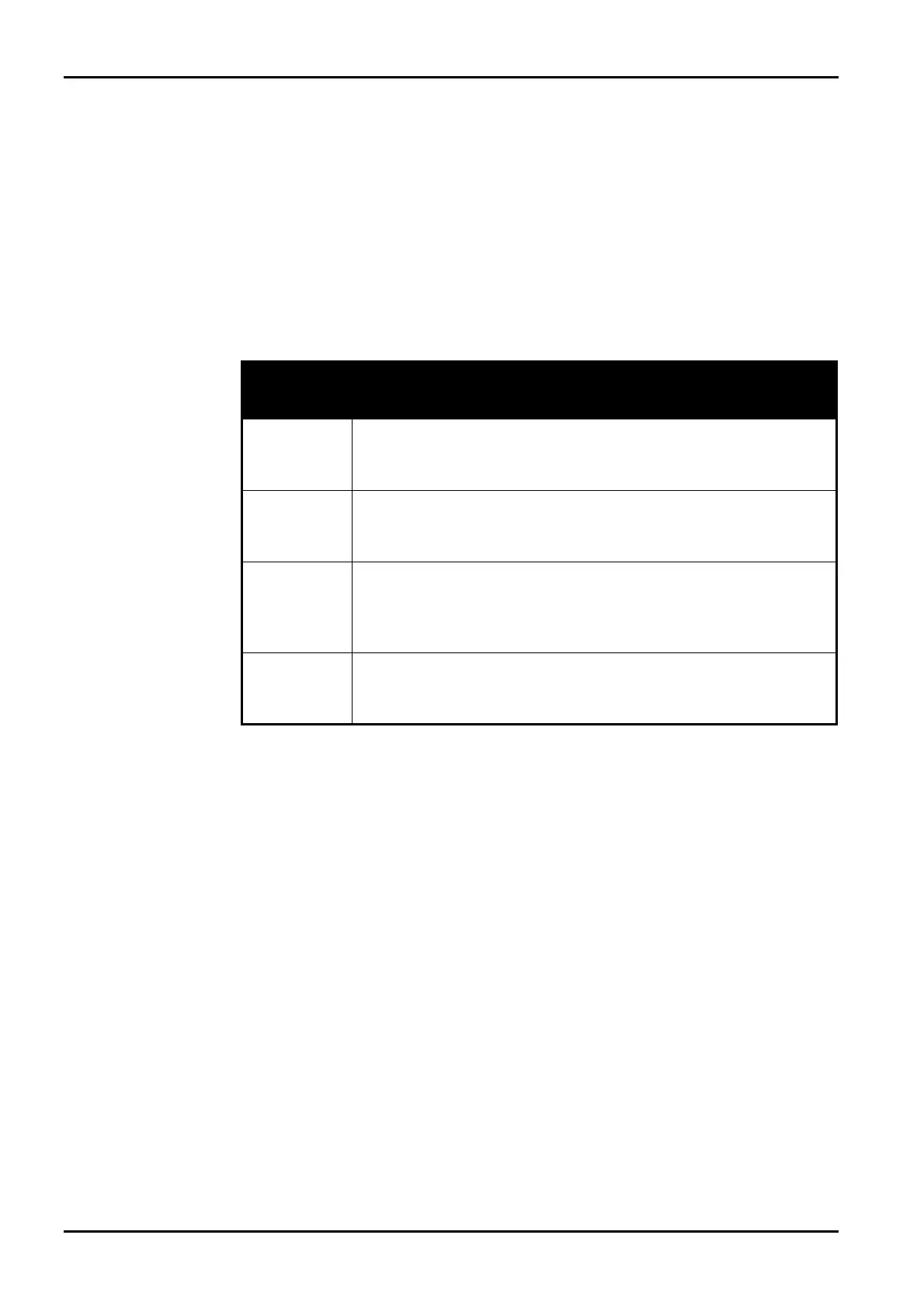
The zone status display shows you the status of each zone (1 - 8) of the control panel. The
following table below describes what each number means when displayed on the zone status
display of the pocket pager.
Number
Displayed
Zone Description
0
Zone Normal
This indicates that the corresponding zone is in the sealed state.
1
Alarm
This indicates that the corresponding zone is unsealed and in alarm
condition.
2
Zone Bypassed
This indicates that a system operator has manually isolated the
corresponding zone. Refer to Isolating Zones on page 60 for information
on how to manually isolate a zone(s) prior to arming the system Refer to
Zone Status – Bypass Reports on page 176 for more information.
3
Zone Trouble (Software Version 1.02)
This indicates that a zone was left unsealed after the end of exit time.
Refer to Zone Status – Trouble Reports on page 177 for more
information.
Table 52: Zone Status Display Descriptions
System Status
The system status information is divided up into 4 digits. The first digit of the system status
display indicates whether the system is armed or disarmed (8 = Disarmed / 9 = Armed).
The second digit on the system status display indicates which codepad alarm was triggered by
the operator (0 = No Codepad Alarm / 1 = Codepad Panic or Duress / 2 = Codepad Fire Alarm
/ 3 = Codepad Medical Alarm). Refer to Figure 3: CP5 LED Codepad Showing Audible Alarm
Buttons on page 59 for more information.
The third digit on the system status display indicates when the AC mains supply has failed (0 =
AC mains supply is normal / 1 = AC mains supply has failed or disconnected).
The fourth digit on the system status display indicates when a system fault has occurred at the
control panel (0 = System Normal – There is no faults / 1 = System Fault – There is a fault
registered by the control panel). Refer to Fault Analysis Mode on page 63 for more
information.
ISSUE130 Electronics Design and Manufacturing Pty Limited



 To Next Page