2. Replacement and adjustment of parts
26820
3/10
26820
Zigzag adjustment
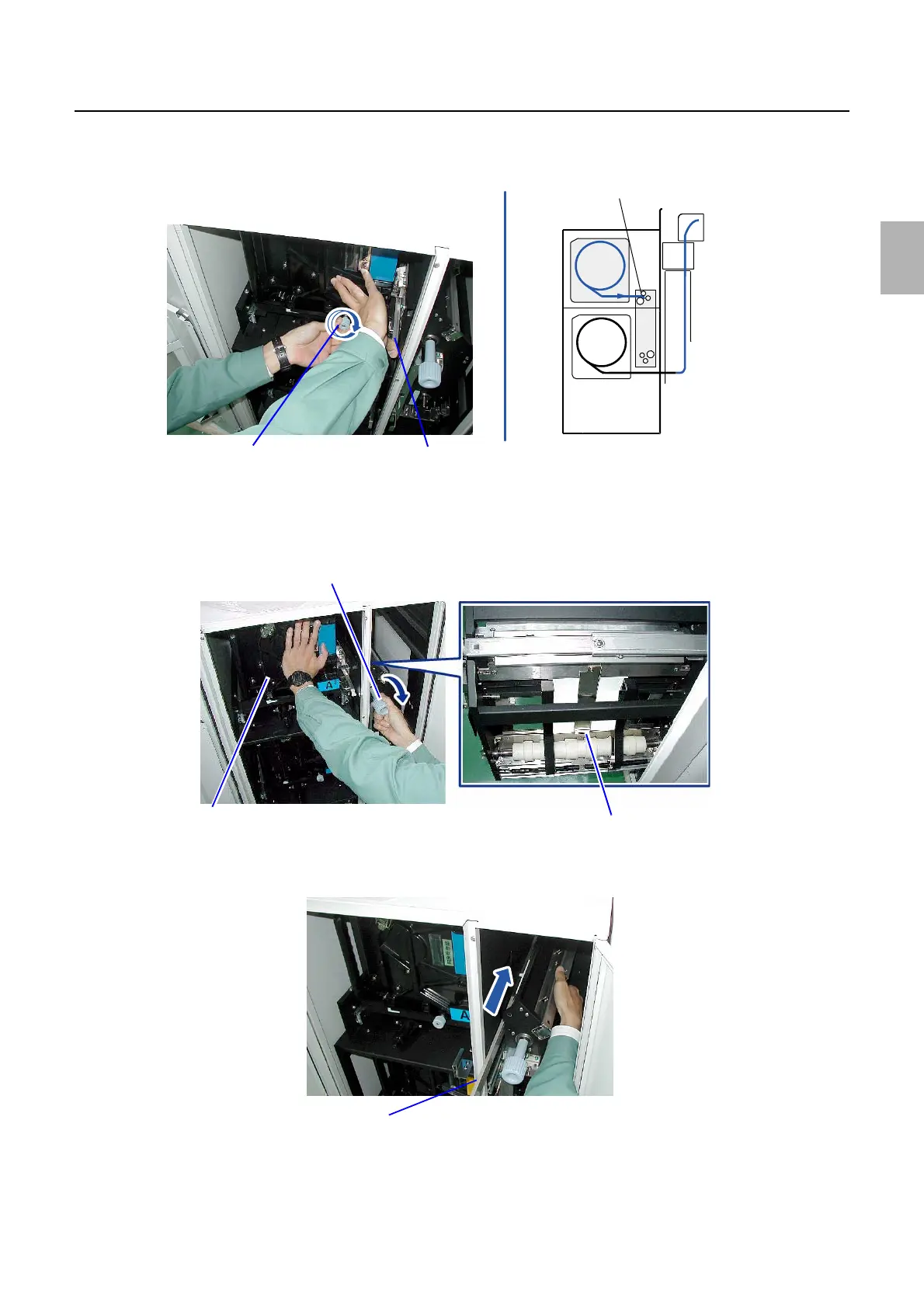
5. Press the paper magazine while pressing the shutter lever downward.
Gently turn the knob clockwise to be advanced the paper to the advance roller.
6. Turn the knob of the paper supply unit A2 while supporting the paper magazine.
Confirm that paper is pulled out to the lower guide.
Because it is hard to see paper in the magazine, check it with your hand.
7. Cut the paper between paper magazine A2 and paper supply unit A2 using the manual cutter.
8. Slowly rotate the knob to rewind paper while pressing the shutter lever.
Be careful not to wind paper too much.
Advance roller
Knob of paper magazine
Shutter lever
G085154
Knob of paper supply unit A2
Paper magazine
Lower guide
G090246
Manual cutter
G085156
Distributed by: minilablaser.com



 To Next Page