4/10
2. Replacement and adjustment of parts
26820
26820
Zigzag adjustment
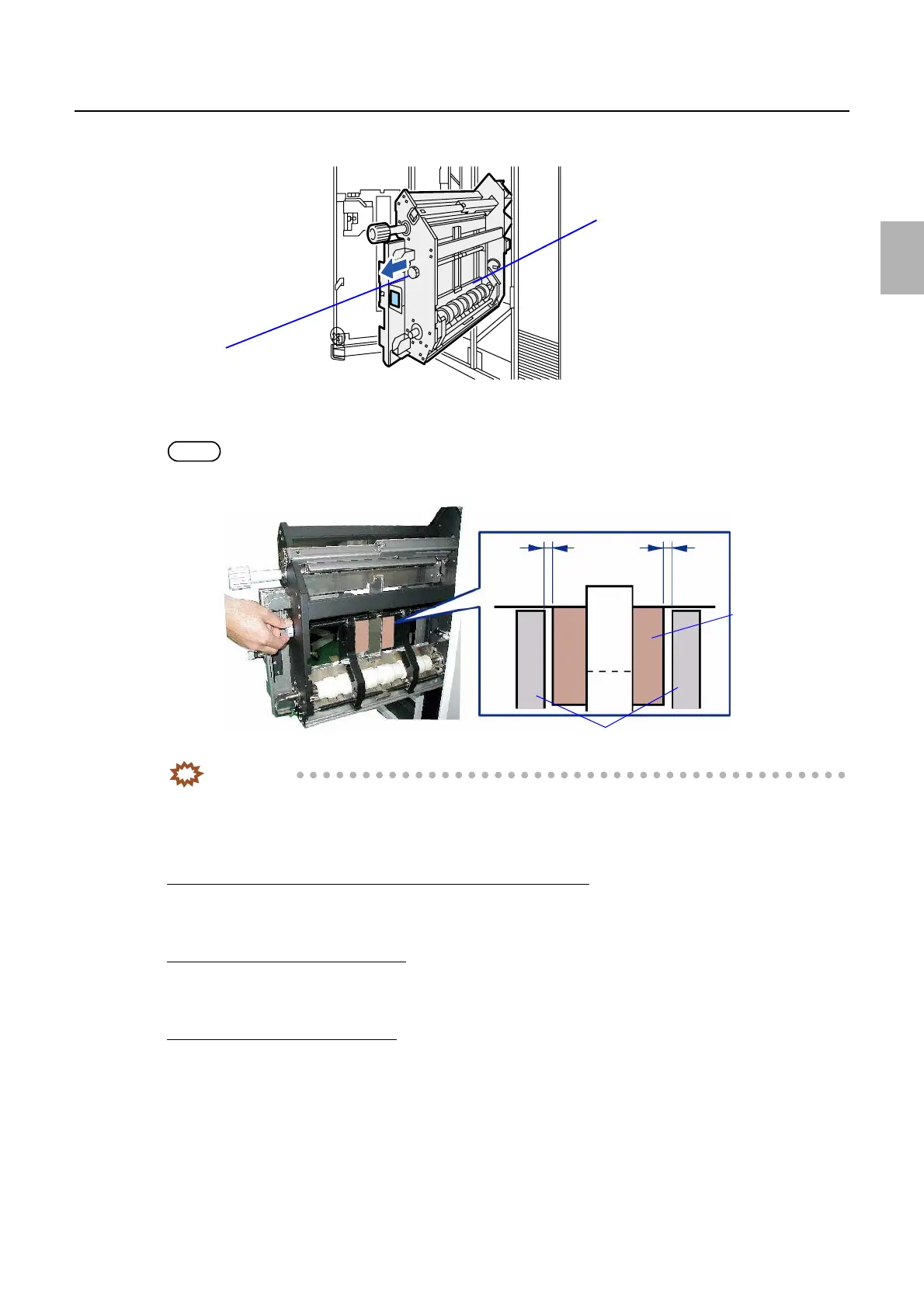
9. Pull out paper supply unit A2.
10. Turn the paper guide knob to widen the inside of paper guide larger than the paper width. (Clockwise)
11. Confirm that the space between the paper guide inside and paper is the same measurement at the front and back.
NOTE
• The acceptable difference between the front and back sides is 0.5 mm or less.
IMPORTANT
• If the dimensions of front and back clearances are the same, confirmation work is complete.
Proceed to Step 5.
• If the dimensions of space are different, adjust the protruding amount of the magazine mount A2
positioning pin.
Adjusting the protruding amount of positioning pin for magazine mount A2
12. Loosen the two set-screws fixing the positioning pin.
13. Turn the positioning pin to adjust the protruding amount of the pin.
If moving the magazine mount toward you
• Turn the positioning pin counterclockwise to increase the protruding amount by one half of the difference between
the front and back spaces.
If moving the magazine mount backward
• Turn the positioning pin clockwise to decrease the protruding amount by one half of the difference between the
front and back spaces.
Paper supply unit A2
Nob of paper guide
G085153
Front space
Back space
Inside of paper guide
Paper
G089696
Distributed by: minilablaser.com



 To Next Page