2. Replacement and adjustment of parts
26820
5/10
26820
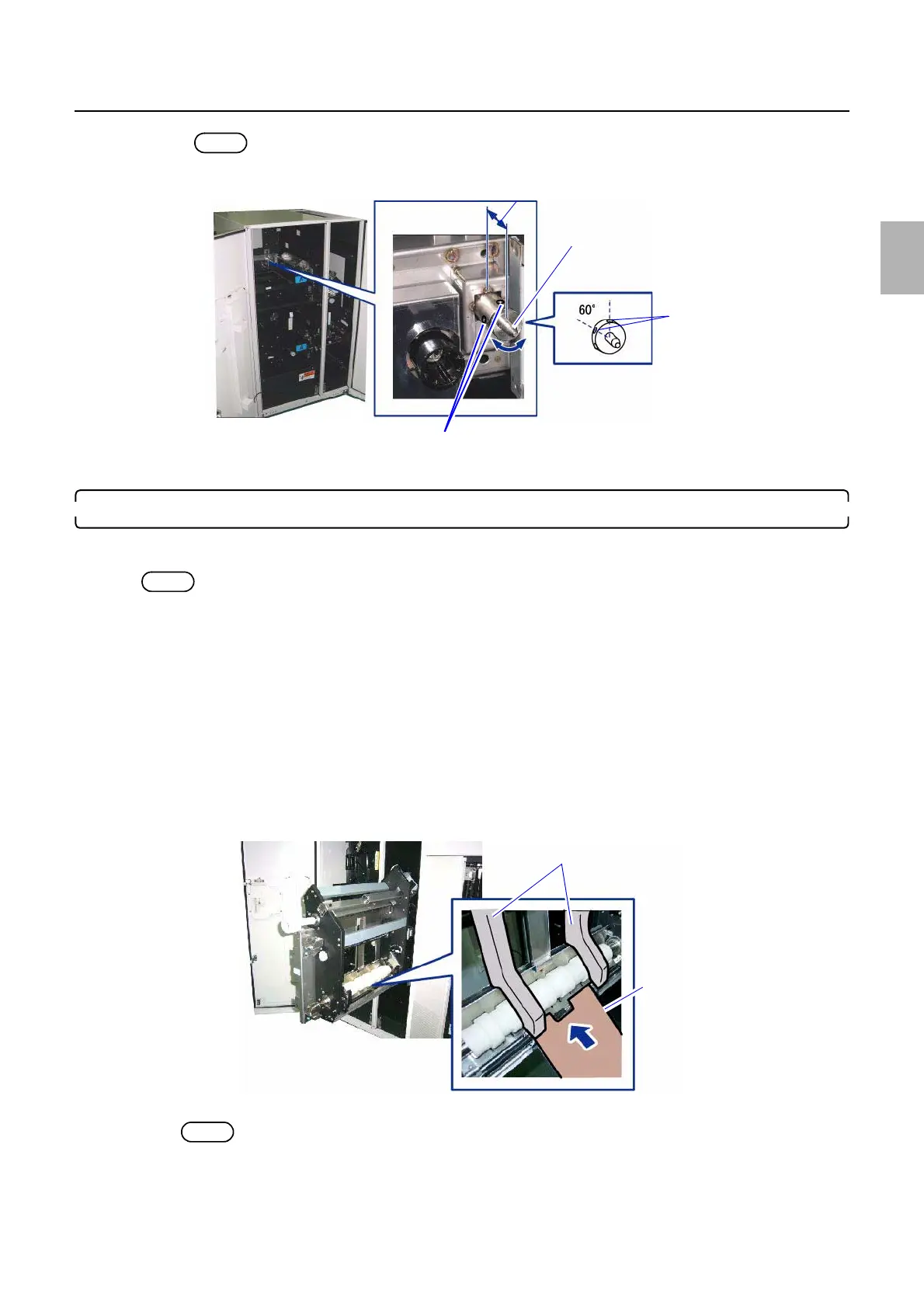
Zigzag adjustment
NOTE
• Turning the positioning pin by a screw hole (60 °) moves the unit about 0.2 mm.
14. Tighten the two set-screws of the positioning pin.
5. Paper Guide Width Adjustment (for each Paper Width)
Before adjusting the zigzagging of paper magazine mount A2, perform Paper Guide Width Adjustment using 89 mm paper
and 305 mm paper.
NOTE
• If there is no paper whose width is 89 mm or 305 mm, use paper of which width is near 89 mm or 305 mm.
Bringing up the display
On the Maintenance Application display, click Maintenance. → Extension → Maintenance → Various Adjustment →
Printer Mechanical Adjustment → Paper Guide Width Adjustment (for each Paper Width)
(1) Click F: Functions, then click Guide Width Test.
The Guide Width Test display is shown.
(2) Select the paper width and surface type to use, and click OK.
The paper guide width is shortened by the correction value entered.
(3) Open printer doors 3 and 4, then pull out paper supply unit A2.
(4) Load paper to the paper guide.
(5) Check if there is a gap between paper and the paper guide when loading paper.
NOTE
• The standard amount of gap between the paper guide and paper is 0.2 mm.
Protruding amount of positioning pin
Positioning pin
Set-screws
Holes of the positioning pin
G089698
Paper guides
Paper
G086288
Distributed by: minilablaser.com



 To Next Page